> ## Documentation Index
> Fetch the complete documentation index at: https://docs.dentolize.com/llms.txt
> Use this file to discover all available pages before exploring further.
# Reports and statements
> The printable summary report, the income statement, the referral statement and Quick Reports.
## 🧾 Reports
**Analytics → Reports** sums up the clinic for the chosen dates and branch on one page: patients, appointments, attendance hours, messages sent, operations, invoices, payments (with refunds and insurance), income, expenses, bank fees and the final profit.
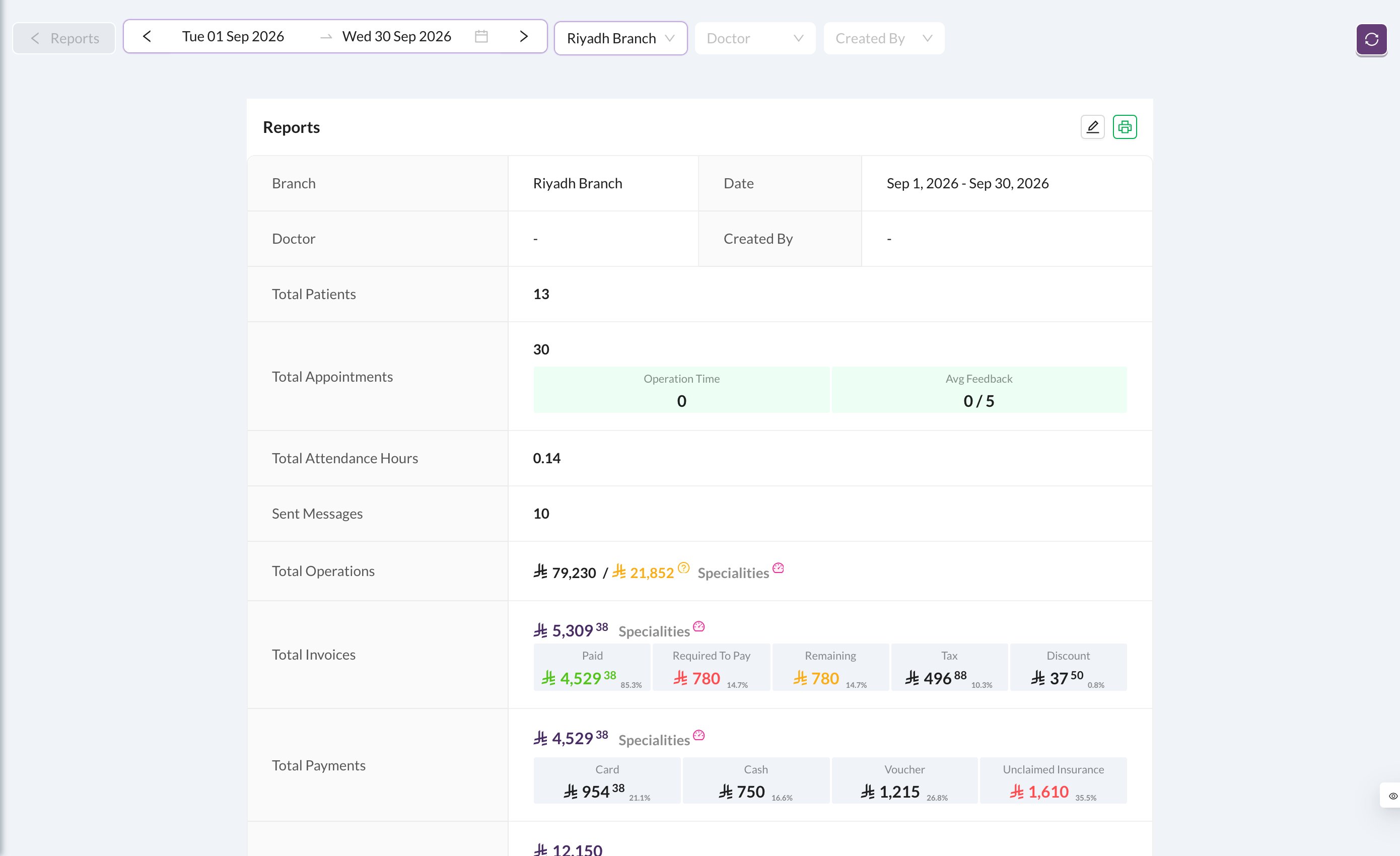 Click the print icon to print it, for example at the end of each month.
## 📈 Income Statement
**Analytics → Income Statement** shows the profit and loss for the period: **Revenue** (operations, income, diagnostic fees), **Cost of Revenue**, **Gross Profit**, **Operating Expenses**, **Operating Profit**, taxes, other expenses and bank fees, and the **Net Profit**.
Click the print icon to print it, for example at the end of each month.
## 📈 Income Statement
**Analytics → Income Statement** shows the profit and loss for the period: **Revenue** (operations, income, diagnostic fees), **Cost of Revenue**, **Gross Profit**, **Operating Expenses**, **Operating Profit**, taxes, other expenses and bank fees, and the **Net Profit**.
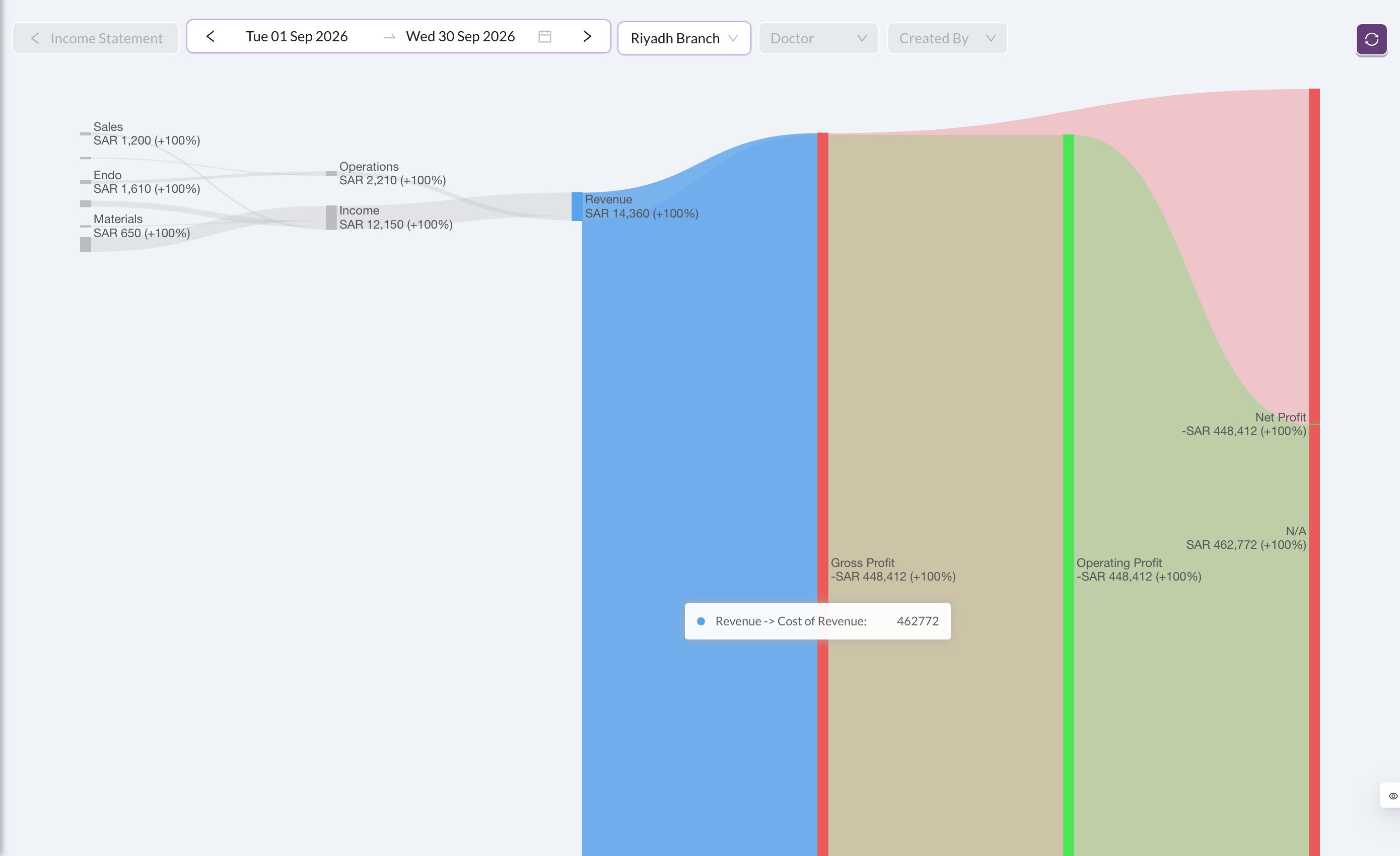 Expenses are placed in the statement by their **Main Type** (Operating Expenses, Cost of Revenue, Taxes or Other), set for each expense type in [Clinic → Types](/en/setup-settings/basic-branch-settings).
## 📣 Referral Statement
**Analytics → Referral Statement** shows the same totals by referral source, so you can see which marketing brings in the most revenue. Tick **New Customers Only** to count only patients whose first payment was in the chosen dates.
## ⚡ Quick Reports
**Analytics → Quick Reports** has ready-made lists grouped by topic: finance and billing, patient activity, clinic workflow, appointments, inventory, and data quality.
Expenses are placed in the statement by their **Main Type** (Operating Expenses, Cost of Revenue, Taxes or Other), set for each expense type in [Clinic → Types](/en/setup-settings/basic-branch-settings).
## 📣 Referral Statement
**Analytics → Referral Statement** shows the same totals by referral source, so you can see which marketing brings in the most revenue. Tick **New Customers Only** to count only patients whose first payment was in the chosen dates.
## ⚡ Quick Reports
**Analytics → Quick Reports** has ready-made lists grouped by topic: finance and billing, patient activity, clinic workflow, appointments, inventory, and data quality.
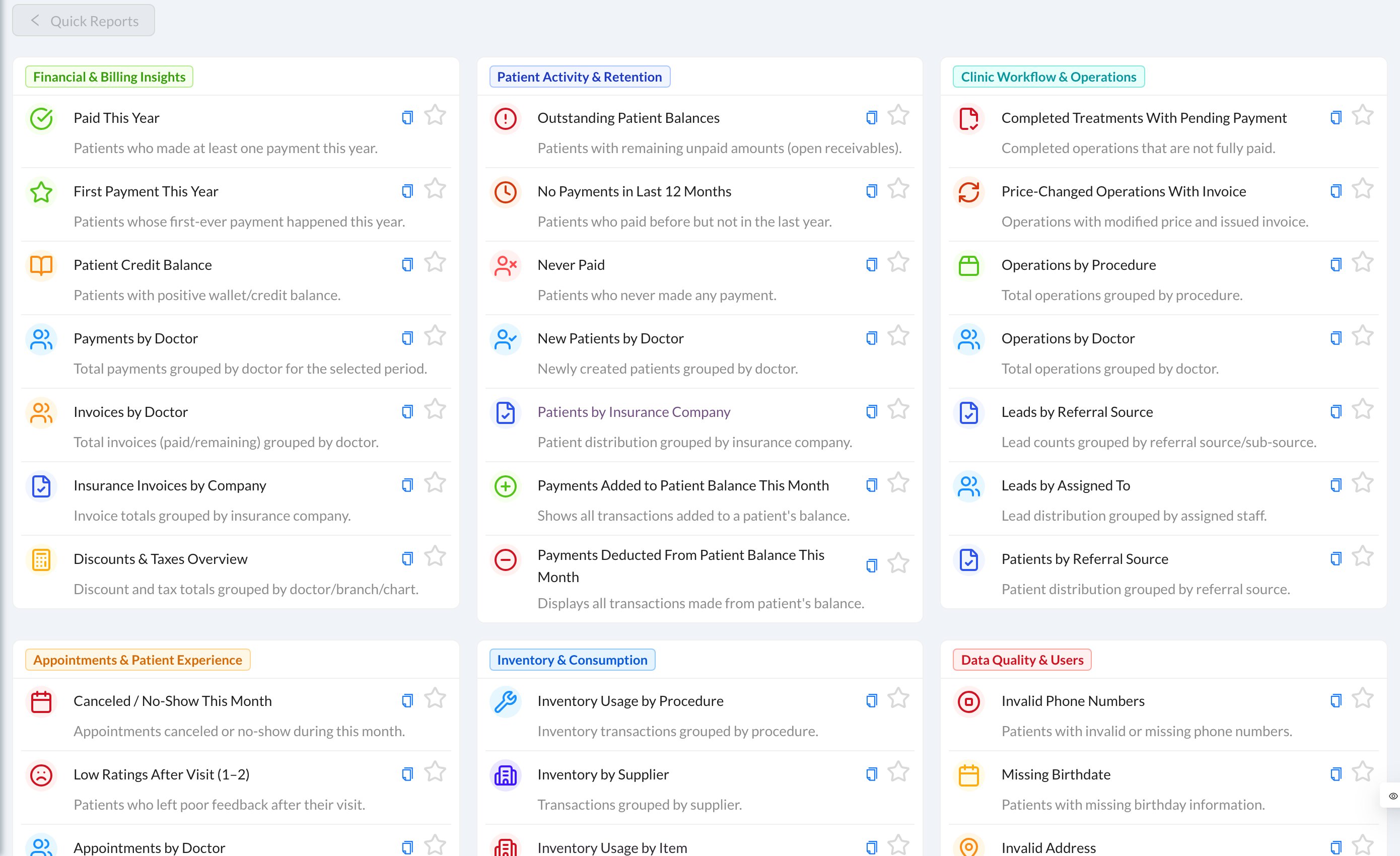 Click a report to open the list, already filtered. Click the star to keep a report at the top, or the copy icon to copy its link.