> ## Documentation Index
> Fetch the complete documentation index at: https://docs.dentolize.com/llms.txt
> Use this file to discover all available pages before exploring further.
# Insurance companies
> Add the insurance companies you work with, their policies and classes, coverage percentages and limits.
Insurance is set up in three levels. Each level can override the one above it:
| Level | What it holds |
| - | - |
| **Insurance company** | Name, tax number, default coverage (%), yearly limit, price list |
| **Insurance policy** | A contract with the company (policy number, dates, price list) |
| **Policy class** | A class within the policy (for example Class A, B, C) with its own coverage, limits and daily maximum |
## 🏢 Add an insurance company
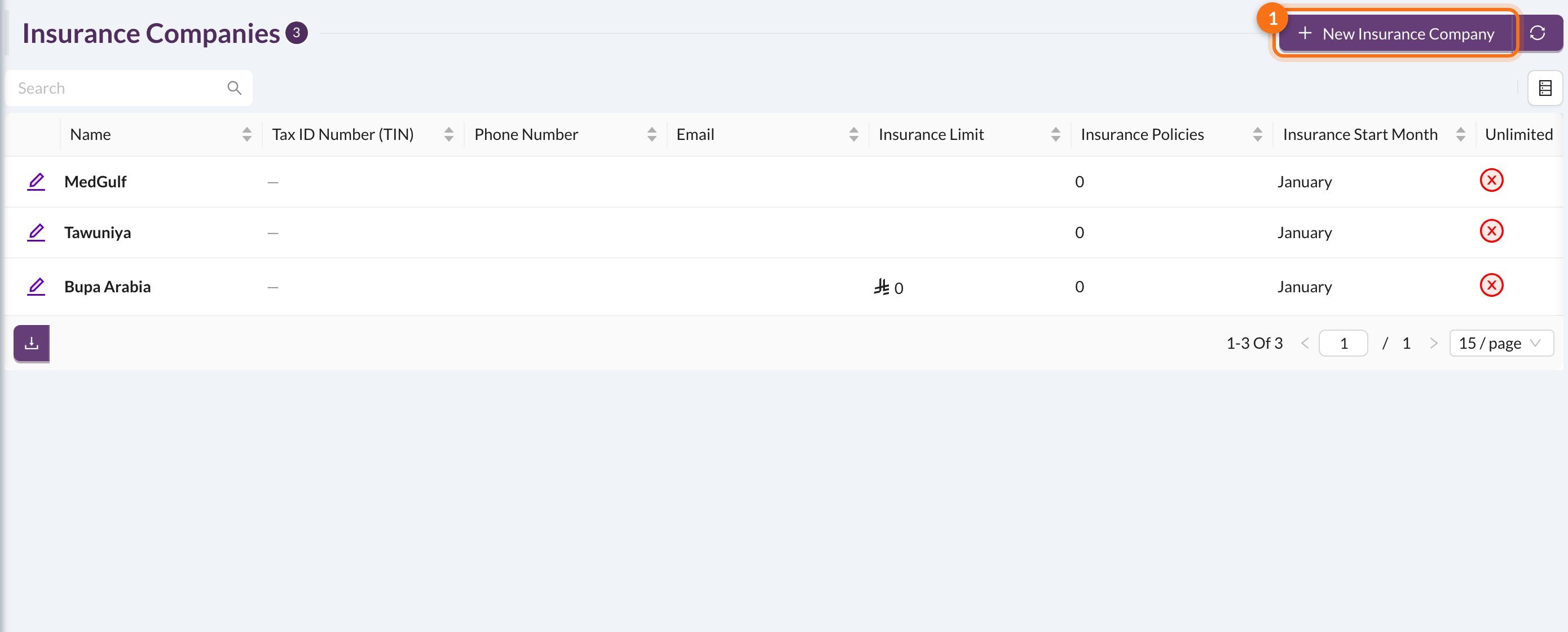
Go to **Associates → Insurance Companies** and click **New Insurance Company**:
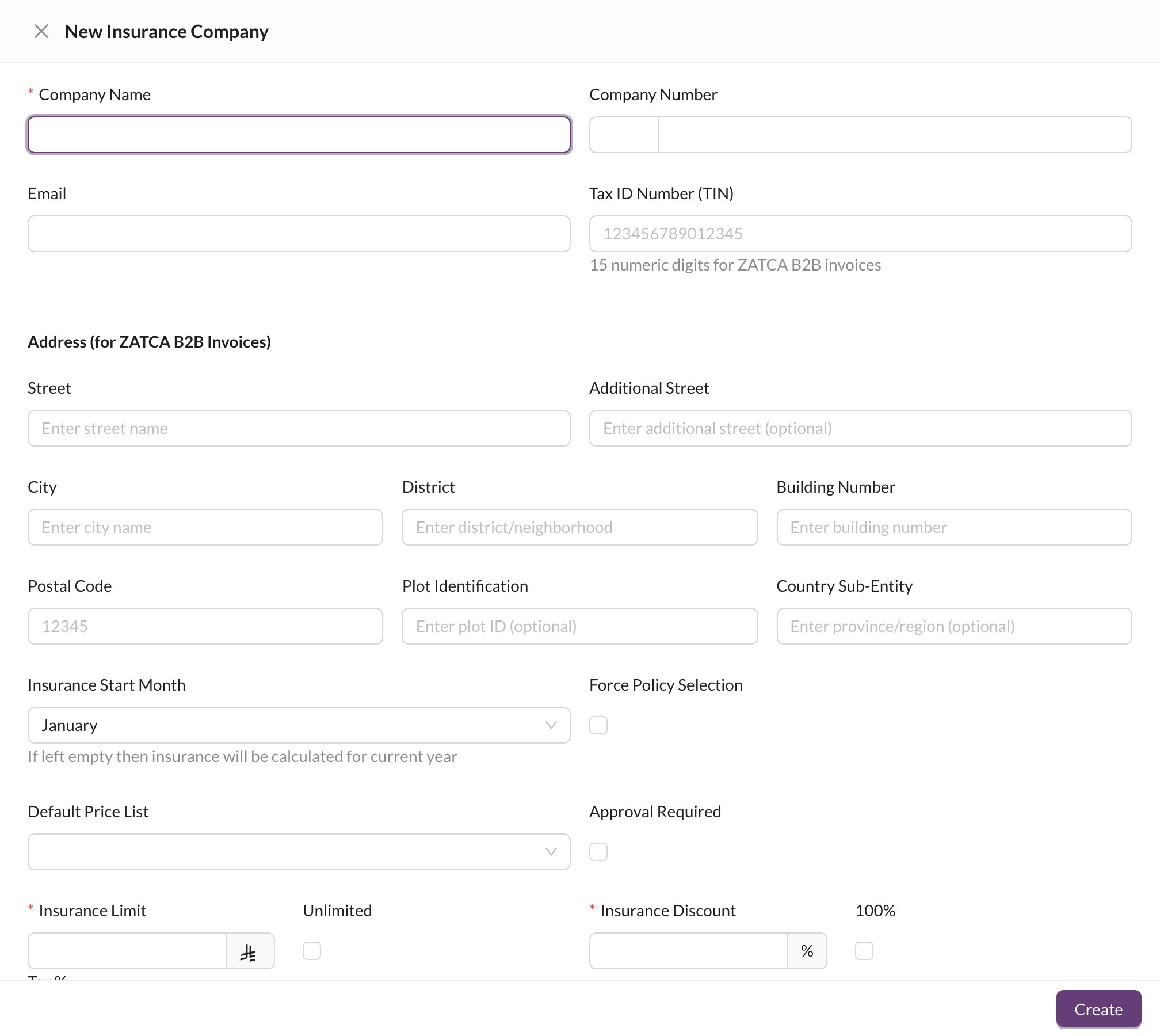 * **Company Name** (required), **Company Number** and **Email**.
* **Tax ID Number (TIN)** (15 digits) and the **Address**, used for ZATCA B2B e-invoices.
* **Insurance Start Month:** when the yearly limit starts again. Leave it empty to use the calendar year.
* **Default Price List:** the prices used for this company's patients.
* **Approval Required:** procedures need the insurance company's approval before they're covered.
* **Insurance Limit** (or **Unlimited**): how much the company pays per patient per year.
* **Insurance Discount** (or **100%**): the share of each covered procedure the company pays.
* **Tax %:** VAT on the insurance company's share.
Tick **Force Policy Selection** when coverage depends on the patient's policy and class. The coverage and limit are then taken from the class, and every insured patient must have a policy and class.
## 📄 Policies and classes
Click an insurance company to open its page:
* **Company Name** (required), **Company Number** and **Email**.
* **Tax ID Number (TIN)** (15 digits) and the **Address**, used for ZATCA B2B e-invoices.
* **Insurance Start Month:** when the yearly limit starts again. Leave it empty to use the calendar year.
* **Default Price List:** the prices used for this company's patients.
* **Approval Required:** procedures need the insurance company's approval before they're covered.
* **Insurance Limit** (or **Unlimited**): how much the company pays per patient per year.
* **Insurance Discount** (or **100%**): the share of each covered procedure the company pays.
* **Tax %:** VAT on the insurance company's share.
Tick **Force Policy Selection** when coverage depends on the patient's policy and class. The coverage and limit are then taken from the class, and every insured patient must have a policy and class.
## 📄 Policies and classes
Click an insurance company to open its page:
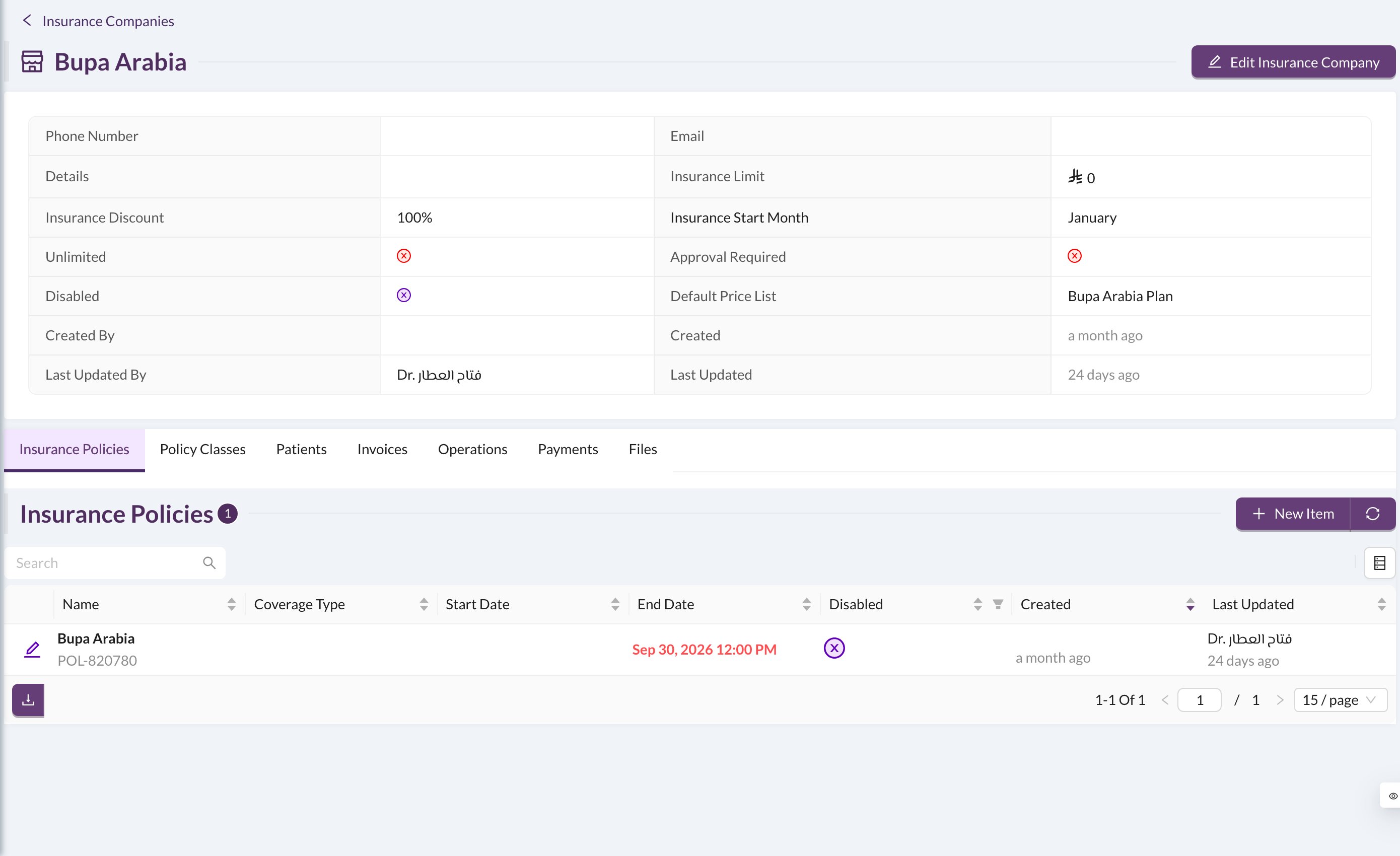 On the **Insurance Policies** tab, click **New Item** to add a policy:
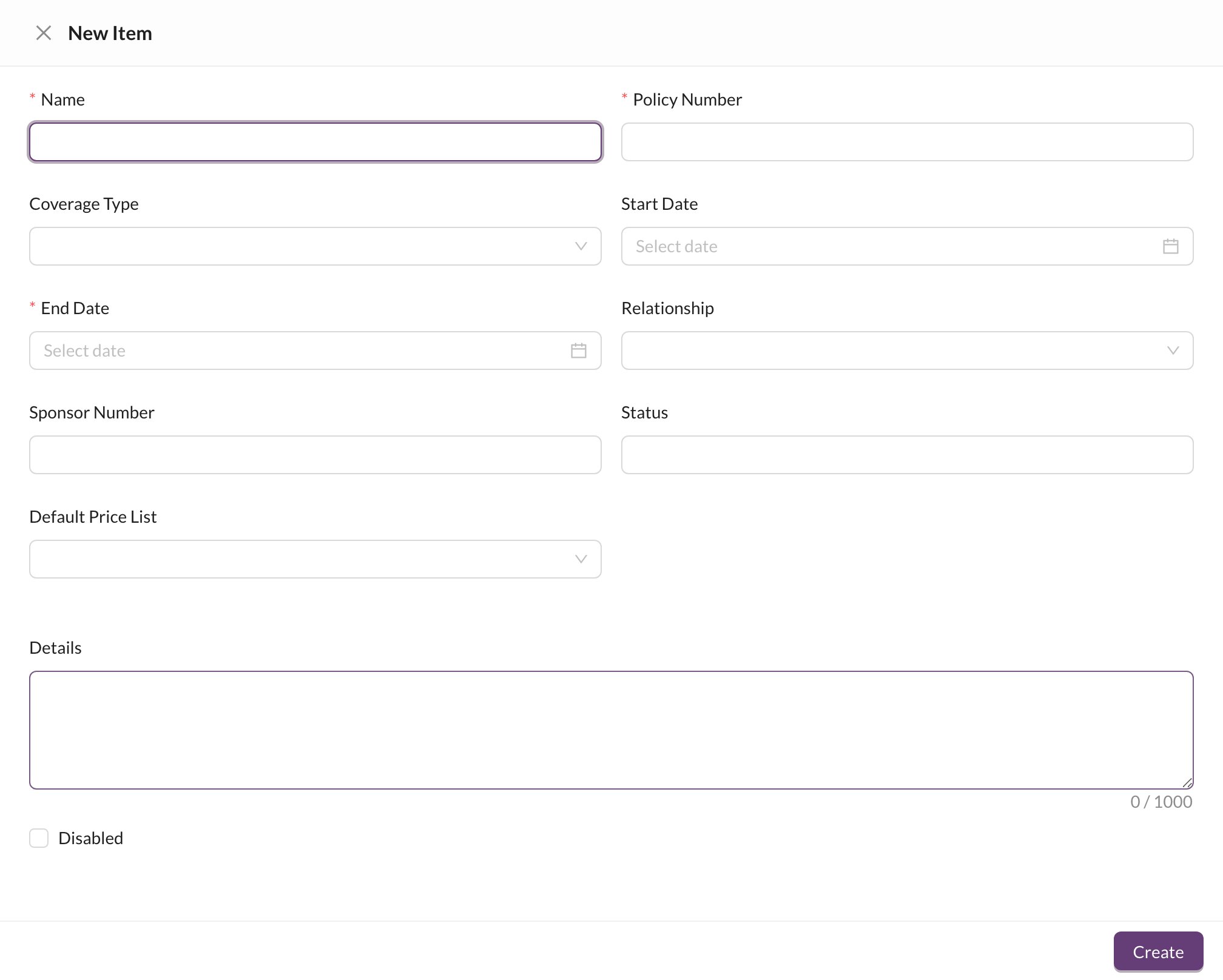 Enter the **Name**, **Policy Number** and **End Date** (required), and optionally the coverage type, start date and a price list. Then add its classes on the **Policy Classes** tab: each class has its own **Insurance Discount**, **Insurance Limit**, **Approval Required** and **Max Limit** (the most the patient pays per day; anything above it is paid by insurance).
When you edit a policy, tick **Update all patients in this policy** to apply the changes to its patients too.
The other tabs list the company's **Patients**, **Invoices**, **Operations**, **Payments** and **Files**. See [Insurance claims](/en/insurance/claims) for following up its payments.
Enter the **Name**, **Policy Number** and **End Date** (required), and optionally the coverage type, start date and a price list. Then add its classes on the **Policy Classes** tab: each class has its own **Insurance Discount**, **Insurance Limit**, **Approval Required** and **Max Limit** (the most the patient pays per day; anything above it is paid by insurance).
When you edit a policy, tick **Update all patients in this policy** to apply the changes to its patients too.
The other tabs list the company's **Patients**, **Invoices**, **Operations**, **Payments** and **Files**. See [Insurance claims](/en/insurance/claims) for following up its payments.