> ## Documentation Index
> Fetch the complete documentation index at: https://docs.dentolize.com/llms.txt
> Use this file to discover all available pages before exploring further.
# Salary Hub
> Record bonuses and deductions for staff, and see the doctors' percentages that are added automatically.
The **Salary Hub** lists everything that changes a user's salary: doctors' percentages from payments, lab order deductions, bonuses and deductions. Go to **Logs → Salary Hub**:
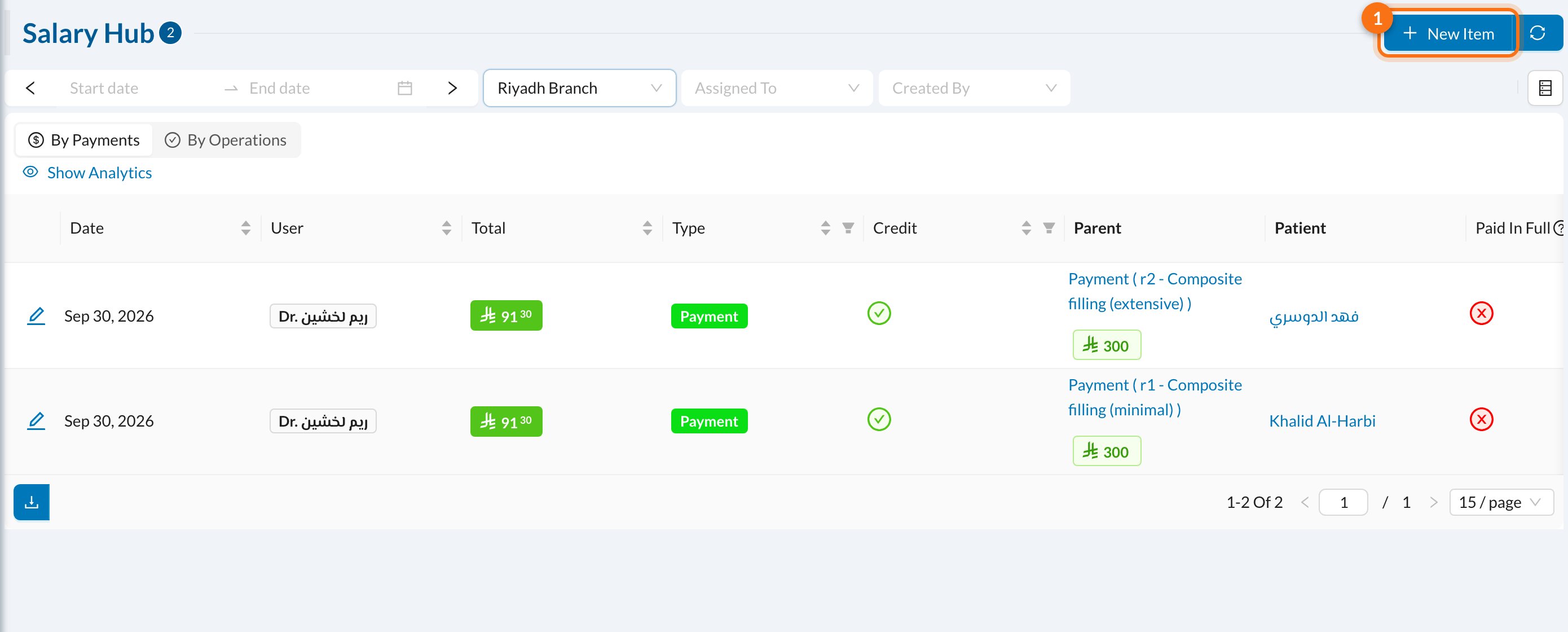 * **By Payments** / **By Operations:** show doctors' percentages based on what was paid, or on the treatments done.
* **Credit** shows whether the entry adds to the salary or deducts from it.
* **Parent** is what the entry came from, for example a payment for a treatment.
When a patient pays for a treatment, the doctor's percentage is added here automatically. Insurance payments count only once they're claimed, and refunds are deducted.
## ➕ Add a bonus or deduction
Click **New Item** (1):
* **By Payments** / **By Operations:** show doctors' percentages based on what was paid, or on the treatments done.
* **Credit** shows whether the entry adds to the salary or deducts from it.
* **Parent** is what the entry came from, for example a payment for a treatment.
When a patient pays for a treatment, the doctor's percentage is added here automatically. Insurance payments count only once they're claimed, and refunds are deducted.
## ➕ Add a bonus or deduction
Click **New Item** (1):
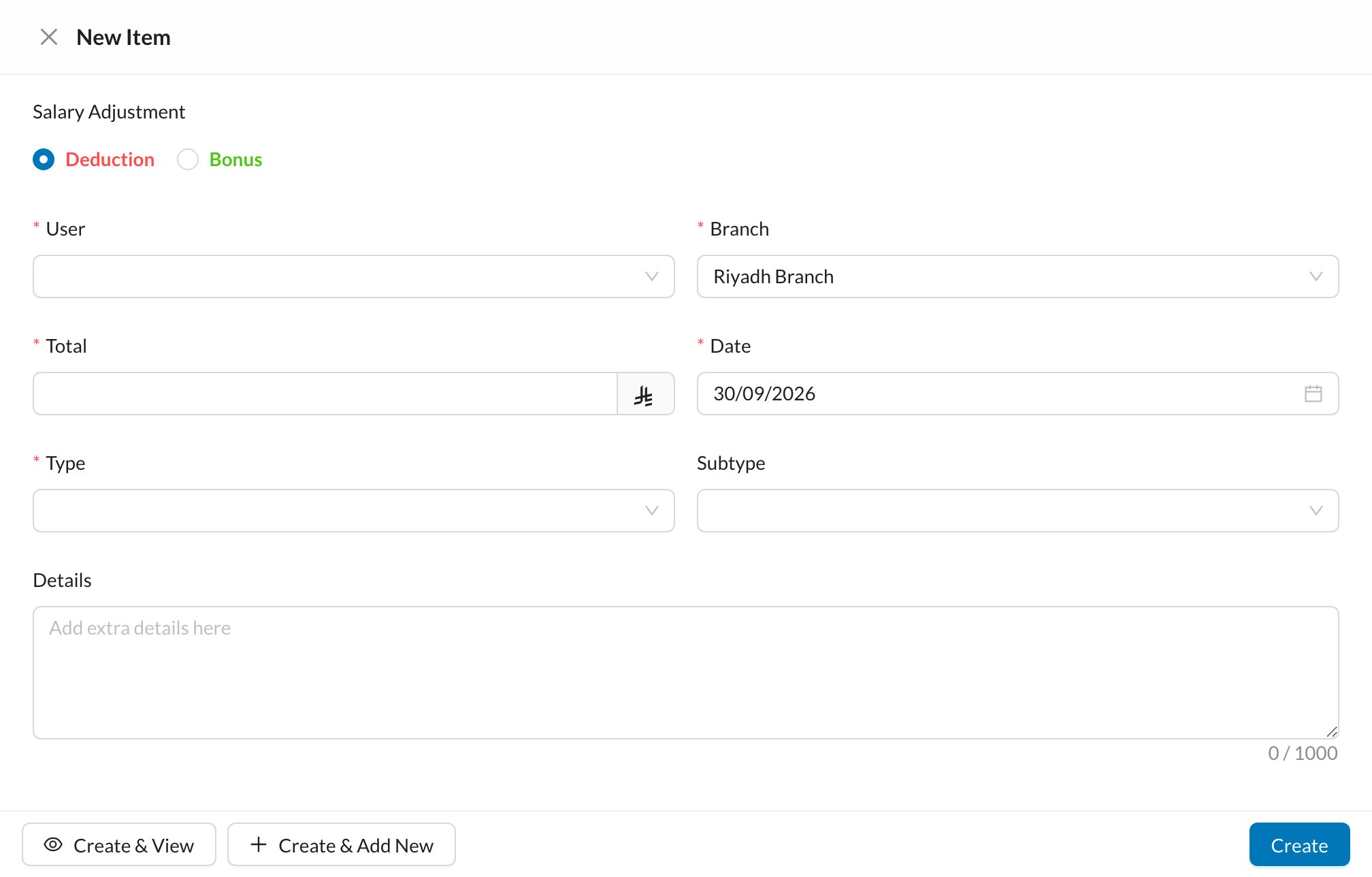 1. Choose **Deduction** or **Bonus**.
2. Choose the **User** and **Branch**.
3. Enter the **Total** and **Date**, and choose the **Type**.
4. Click **Create**.
The totals per user, including the base salary, are in [Analytics → Salaries](/en/analytics/salaries).
1. Choose **Deduction** or **Bonus**.
2. Choose the **User** and **Branch**.
3. Enter the **Total** and **Date**, and choose the **Type**.
4. Click **Create**.
The totals per user, including the base salary, are in [Analytics → Salaries](/en/analytics/salaries).