> ## Documentation Index
> Fetch the complete documentation index at: https://docs.dentolize.com/llms.txt
> Use this file to discover all available pages before exploring further.
# Print settings
> Design your printed prescriptions, invoices, chart, expenses, lab orders and forms: paper size, logo, header, footer, signatures and more.
Go to **Settings → Print**. Each tab is a printed document: **Prescription Form**, **Invoice Form** (also used for quotations), **Chart Form**, **Expenses Form**, **Lab Order Form** and **Free Forms**.
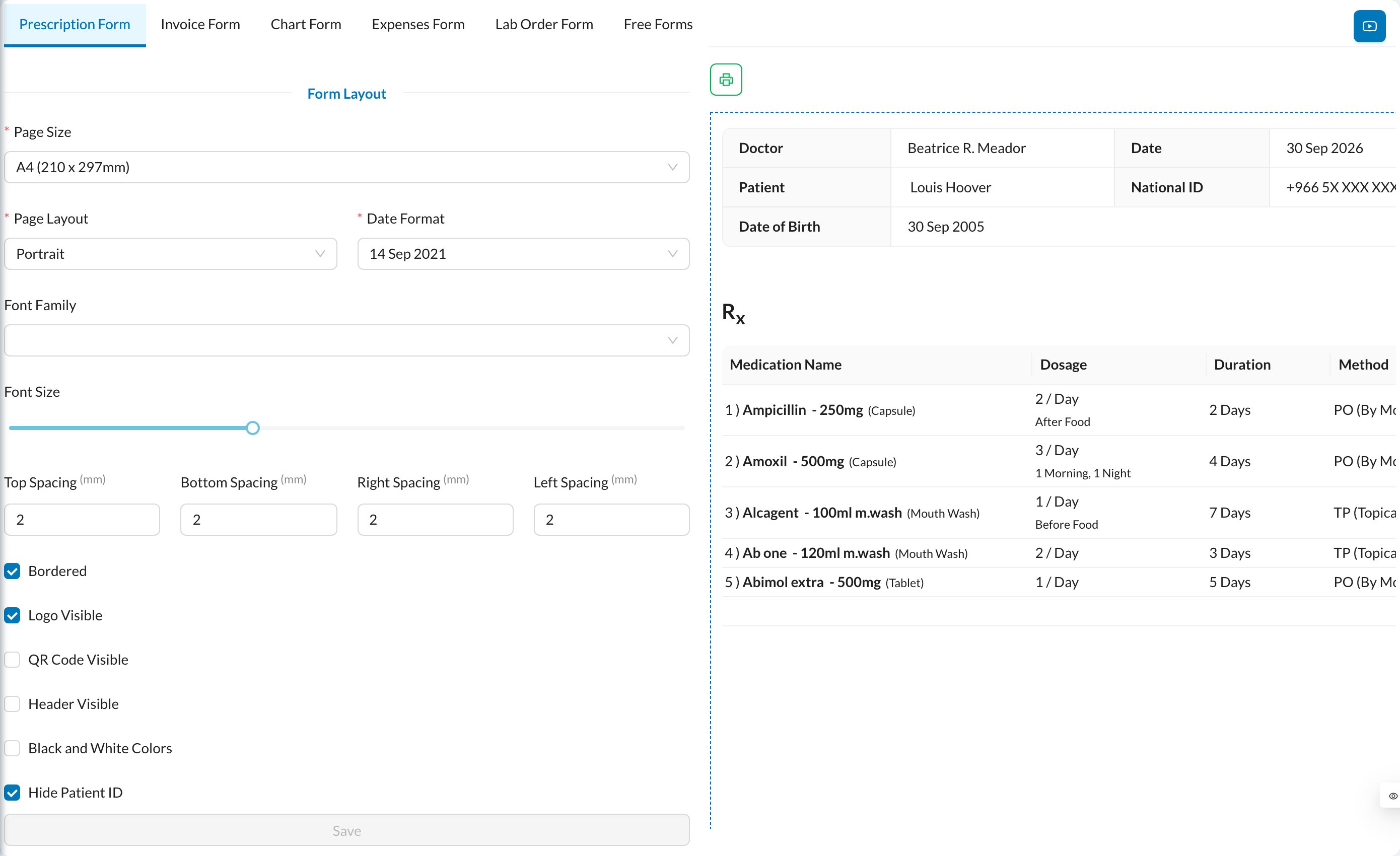 Change the options on the left and see the result in the preview on the right:
* **Form Layout:** **Page Size** (A4, A5, thermal receipt…), **Page Layout** (portrait or landscape), **Date Format**, **Font Family**, **Font Size** and page margins.
* **Visibility:** border, **Logo Visible**, **QR Code Visible**, **Header Visible**, black and white, and hiding the patient or national ID.
* **Header:** logo size, **Title** and **Subtitle**.
* **Doctor**, **Date**, **Patient Name** and **Patient Age:** show or hide, and where to place them.
* **Watermark:** text or image in the background.
* **Signature** (invoices and forms): patient and doctor signature places.
* **Footer Visible** and **Footer Text.**
* Document-specific options, for example which columns the prescription shows, or showing treatments and payments on invoices.
For invoices in Saudi Arabia, fill in the **VAT registration number**, **Seller Name** and **Commercial Registration No** for the ZATCA QR code:
Change the options on the left and see the result in the preview on the right:
* **Form Layout:** **Page Size** (A4, A5, thermal receipt…), **Page Layout** (portrait or landscape), **Date Format**, **Font Family**, **Font Size** and page margins.
* **Visibility:** border, **Logo Visible**, **QR Code Visible**, **Header Visible**, black and white, and hiding the patient or national ID.
* **Header:** logo size, **Title** and **Subtitle**.
* **Doctor**, **Date**, **Patient Name** and **Patient Age:** show or hide, and where to place them.
* **Watermark:** text or image in the background.
* **Signature** (invoices and forms): patient and doctor signature places.
* **Footer Visible** and **Footer Text.**
* Document-specific options, for example which columns the prescription shows, or showing treatments and payments on invoices.
For invoices in Saudi Arabia, fill in the **VAT registration number**, **Seller Name** and **Commercial Registration No** for the ZATCA QR code:
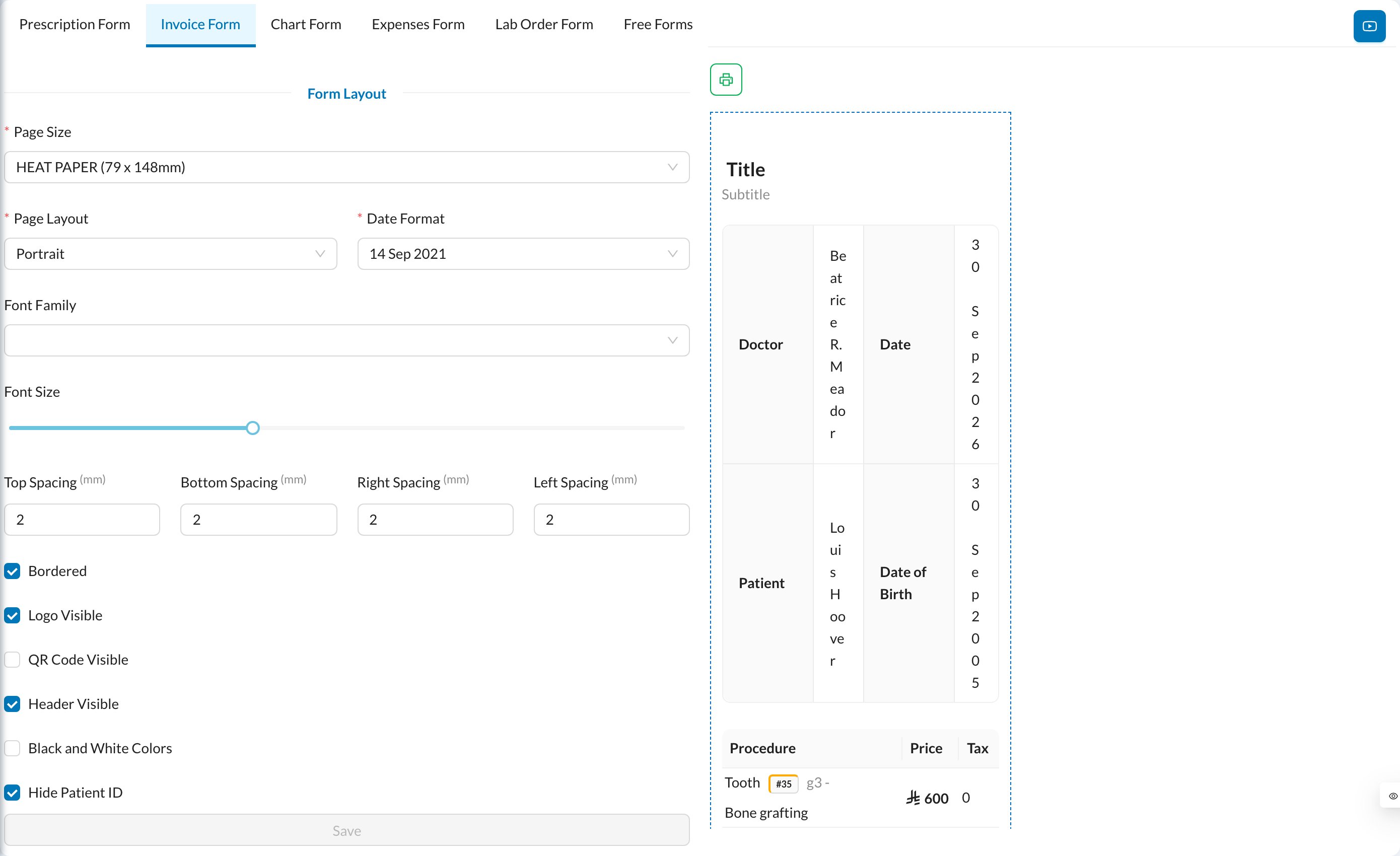 Click **Save**.
**Each branch has its own print settings.** Switch branch in the side menu to set up another branch. The logo is the clinic's logo from **Settings → Clinic**.
Every print button has a language menu, so you can print a document in another language, for example English for a foreign patient.
Click **Save**.
**Each branch has its own print settings.** Switch branch in the side menu to set up another branch. The logo is the clinic's logo from **Settings → Clinic**.
Every print button has a language menu, so you can print a document in another language, for example English for a foreign patient.