> ## Documentation Index
> Fetch the complete documentation index at: https://docs.dentolize.com/llms.txt
> Use this file to discover all available pages before exploring further.
# Questionnaire settings
> Set up the patient feedback questions, the medical and clinical history questions, and the encounter fields.
Go to **Settings → Questionnaires**.
## ⭐ Feedback Settings
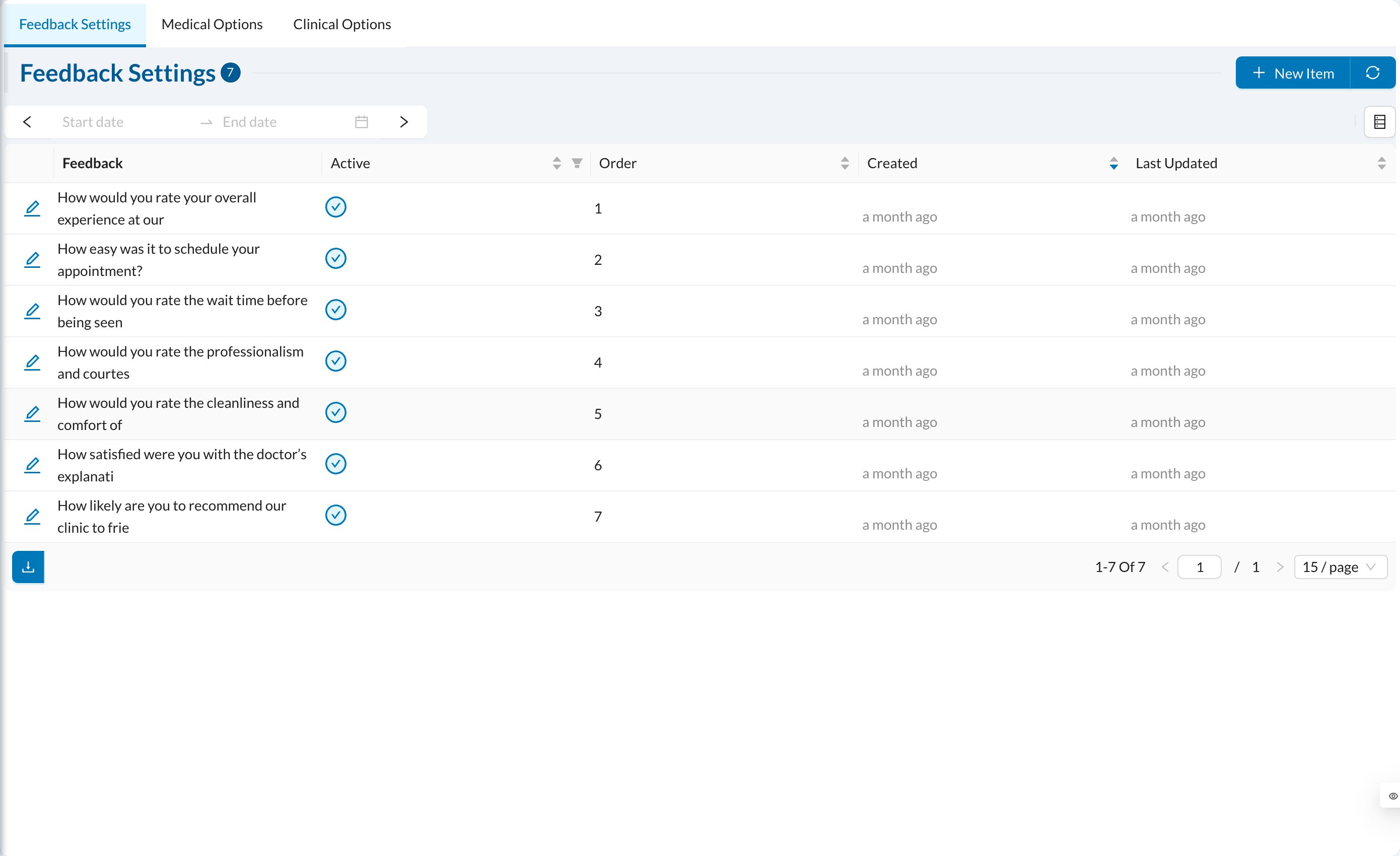 The questions patients answer about their visit, rated from 1 to 5. Click **New Item** to add a question in each language, with its **Order**. Patients answer from their appointment link after the appointment is **Completed**, once per appointment. Answers are in **Logs → Feedback**.
## 🩺 Medical Options
The questions patients answer about their visit, rated from 1 to 5. Click **New Item** to add a question in each language, with its **Order**. Patients answer from their appointment link after the appointment is **Completed**, once per appointment. Answers are in **Logs → Feedback**.
## 🩺 Medical Options
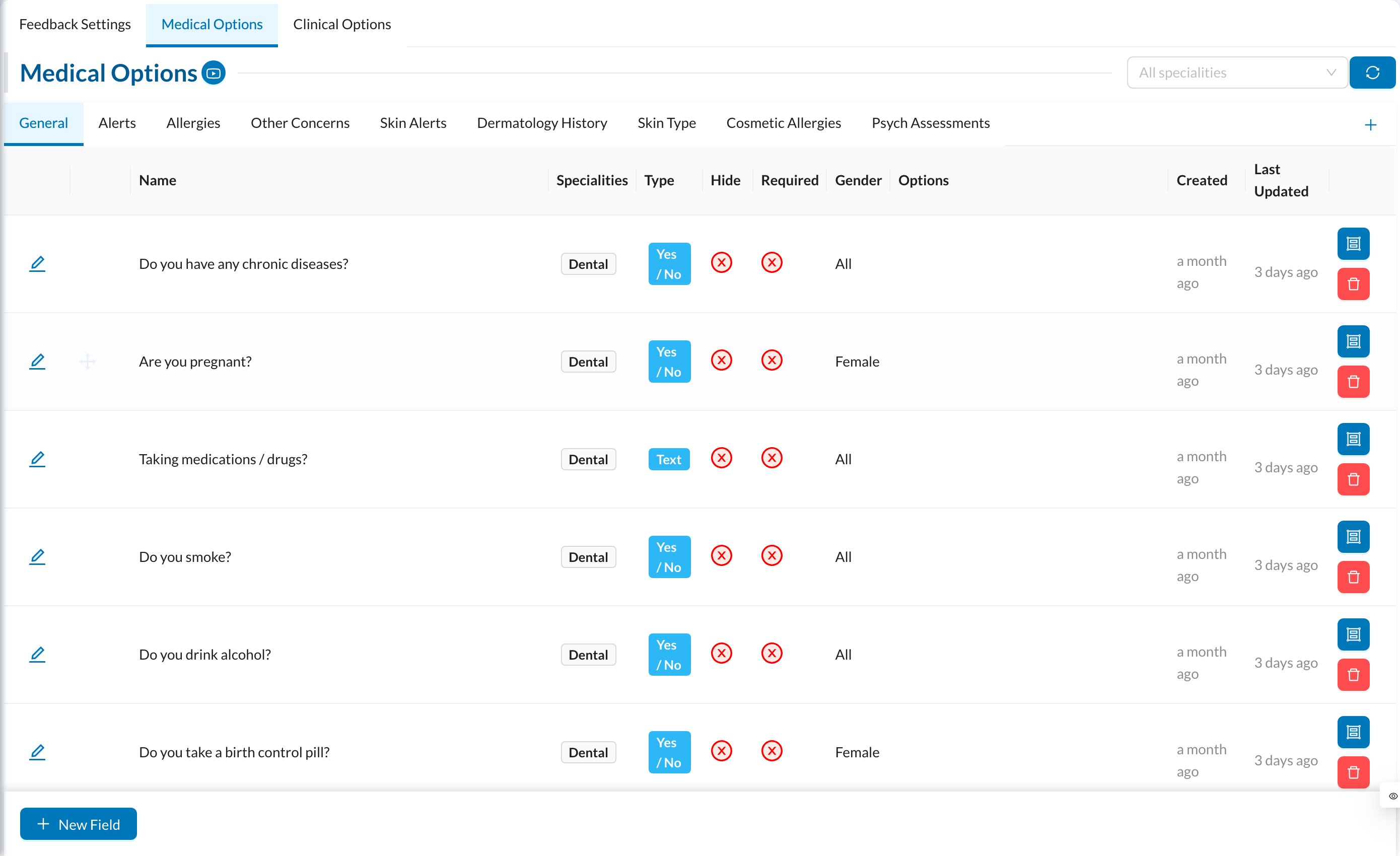 The questions of the patient's [medical history](/en/dr-cycle/medical-history), in sections (groups):
* **Group:** turn on **Show Alert On Patient Profile?** for sections such as allergies, so answers show as a medical alert.
* **Question:** **Name**, **Type** (Yes / No, List, Text, Number, Text Area, Select, Multi Checkbox, Multi Text), **Options** for choice questions, **Gender**, **Specialities**, **Hide for Patients** (not shown when patients fill it in themselves), **Field Is Required** and **Active**.
## 🔬 Clinical Options
The questions of the **Clinical** tab (clinical examination), set up the same way.
## 📋 Encounter Settings
If your clinic uses encounters, this tab lists the encounter fields (complaint, diagnosis, vital signs, lab results…). Turn on **Enable** for the fields you use, **Required** for mandatory ones, and **Print** for the printed copy. Drag to reorder. See [Encounters](/en/dr-cycle/create-encounter).
The questions of the patient's [medical history](/en/dr-cycle/medical-history), in sections (groups):
* **Group:** turn on **Show Alert On Patient Profile?** for sections such as allergies, so answers show as a medical alert.
* **Question:** **Name**, **Type** (Yes / No, List, Text, Number, Text Area, Select, Multi Checkbox, Multi Text), **Options** for choice questions, **Gender**, **Specialities**, **Hide for Patients** (not shown when patients fill it in themselves), **Field Is Required** and **Active**.
## 🔬 Clinical Options
The questions of the **Clinical** tab (clinical examination), set up the same way.
## 📋 Encounter Settings
If your clinic uses encounters, this tab lists the encounter fields (complaint, diagnosis, vital signs, lab results…). Turn on **Enable** for the fields you use, **Required** for mandatory ones, and **Print** for the printed copy. Drag to reorder. See [Encounters](/en/dr-cycle/create-encounter).