

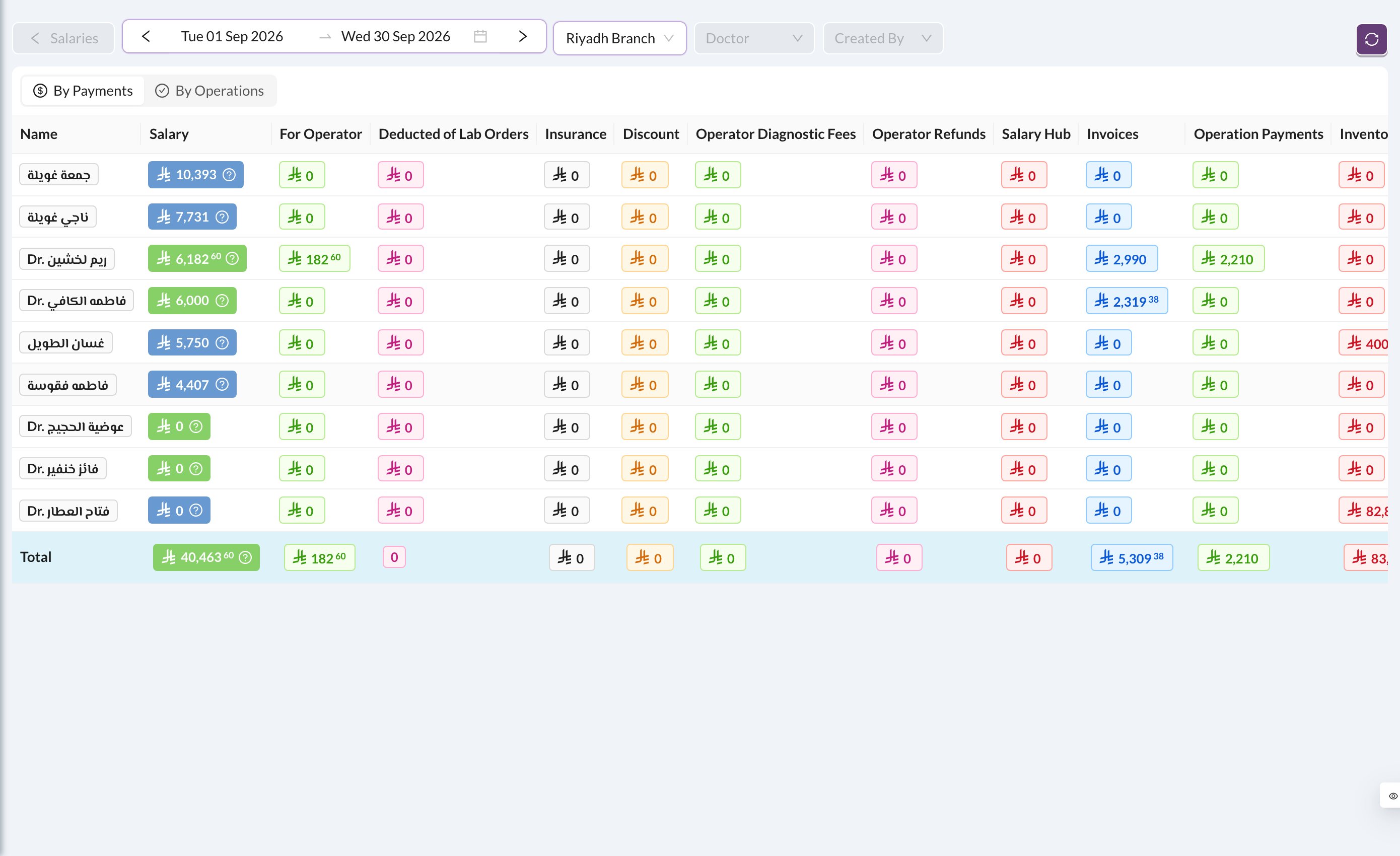
Salary = For Operator + Operator Diagnostic Fees + base salary + bonuses − lab order deductions − operator refunds − debts − deductions
- For Operator: the doctor’s percentage of what patients paid for their treatments.
- Deducted of Lab Orders: the doctor’s share of lab costs.
- Operator Diagnostic Fees: the doctor’s share of diagnostic fees.
- Operator Refunds: percentages taken back when a payment is refunded.
- Salary Hub: bonuses and deductions (see Salary Hub).
By Payments (the default) counts percentages from what was paid in the period. By Operations counts them from the treatments done. The base monthly salary is only added when the dates cover exactly one full month.