

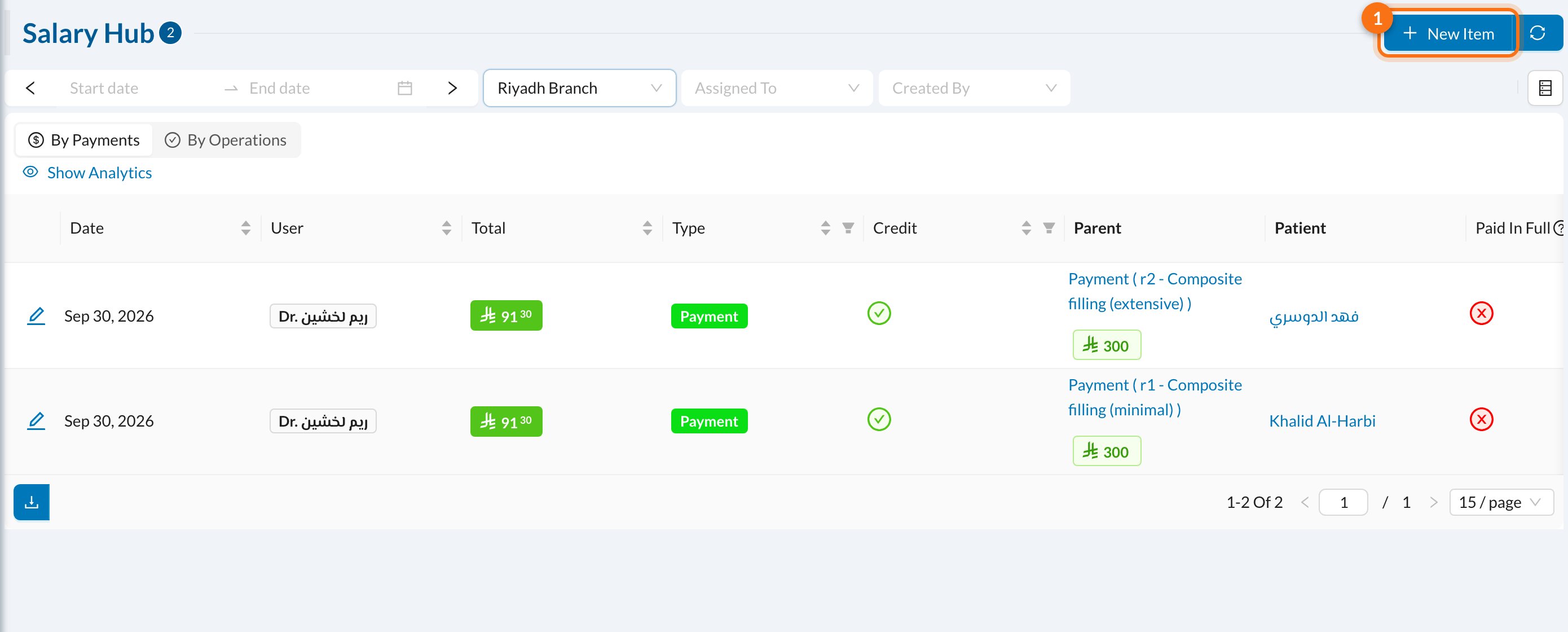
- By Payments / By Operations: show doctors’ percentages based on what was paid, or on the treatments done.
- Credit shows whether the entry adds to the salary or deducts from it.
- Parent is what the entry came from, for example a payment for a treatment.
When a patient pays for a treatment, the doctor’s percentage is added here automatically. Insurance payments count only once they’re claimed, and refunds are deducted.
➕ Add a bonus or deduction
Click New Item (1):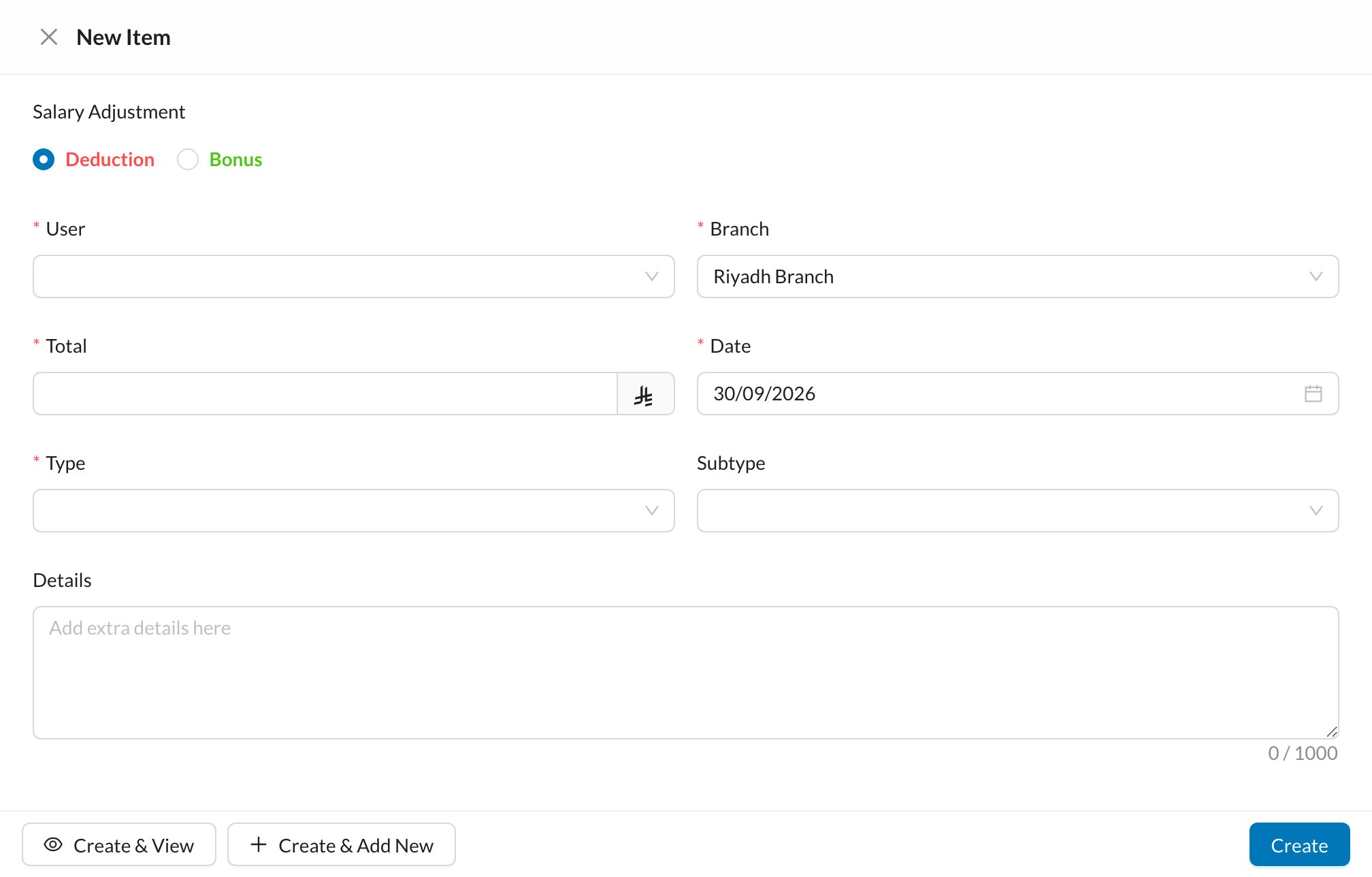
- Choose Deduction or Bonus.
- Choose the User and Branch.
- Enter the Total and Date, and choose the Type.
- Click Create.