

1
Open a new item
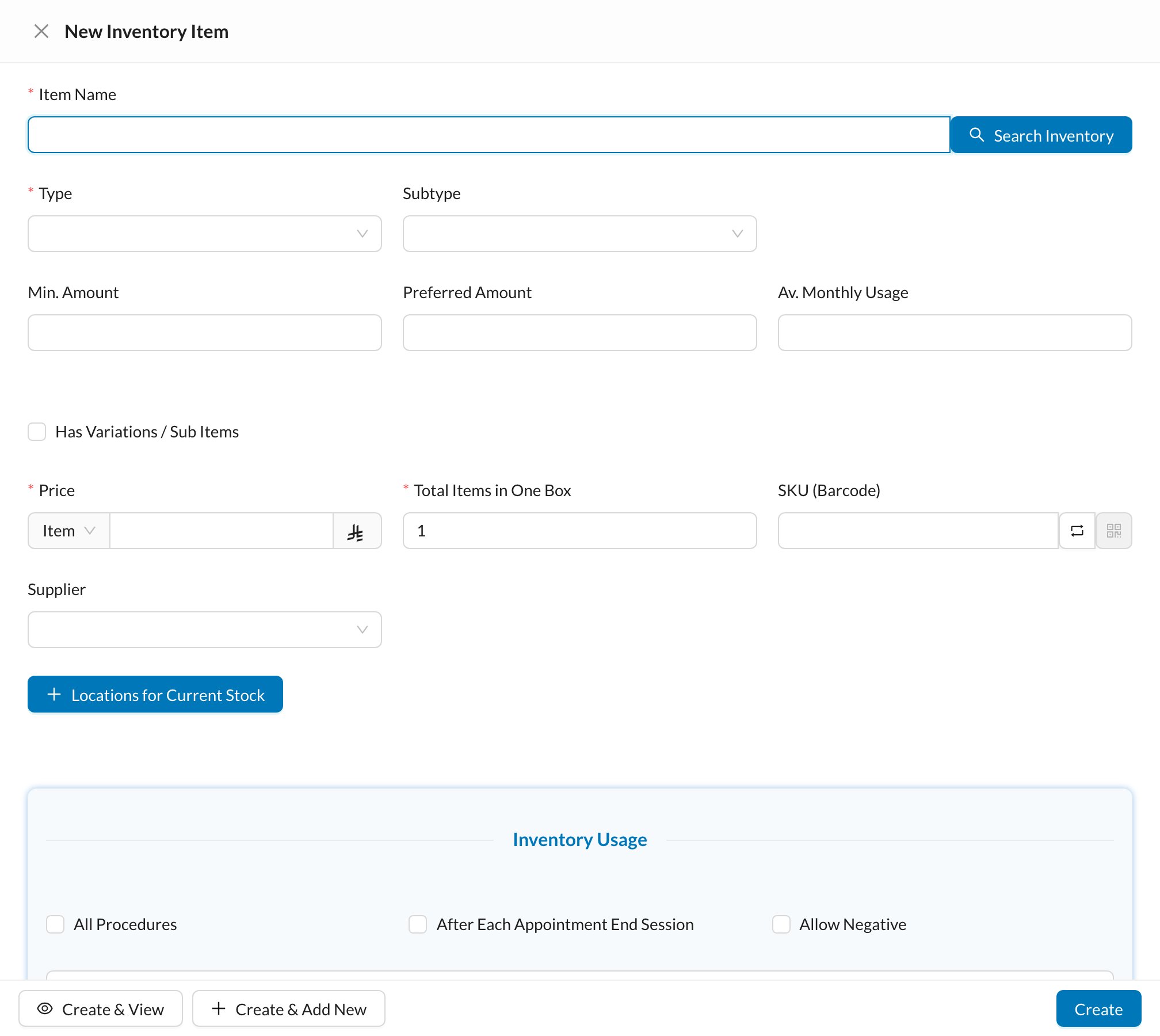
Go to Inventory → Items and click New Inventory Item.
2
Fill in the item
Enter the Item Name, its Type, the Price per Item or Box, and Total Items in One Box. Set the Min. Amount to be alerted when stock is low.
3
Enter the opening stock
Under Locations for Current Stock, choose the storage, the quantity you have now and its expiry date.
4
Create
Click Create.
Still stuck?
Send us a message in System Chat inside Dentolize with a screenshot, and tell us which step didn’t work. Tip: next time, search this site first. Most answers take less than a minute.