

1
Open a new prescription
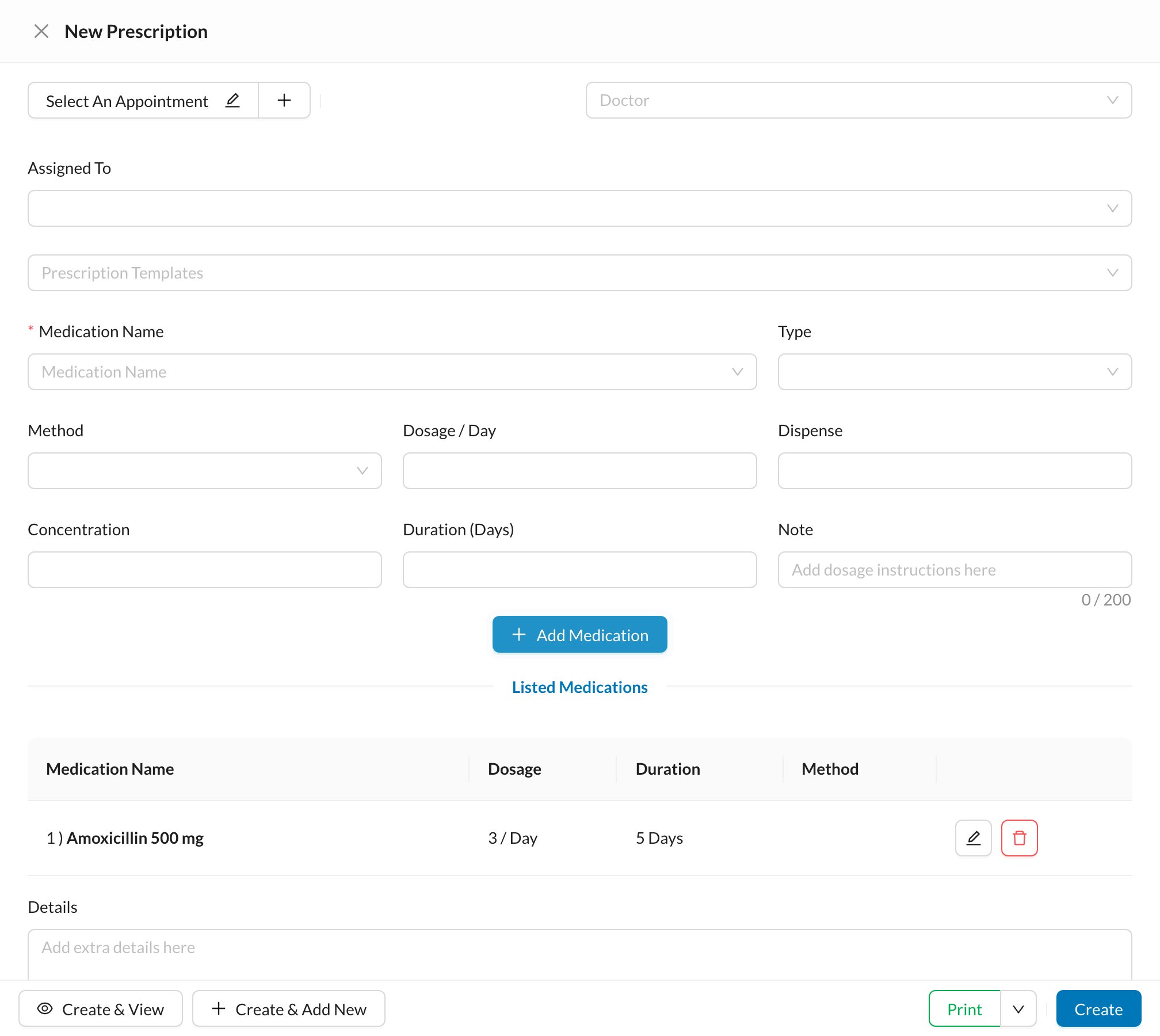
In the patient’s Chart, click + (next to the tabs under the chart) → Prescription. You can also use + in the top bar → New Prescription.
2
Check the doctor
Check the Doctor. To start from a ready-made prescription, choose it in Prescription Templates.
3
Add each medicine
Type the Medication Name, then the Type, Method, Dosage / Day, Duration (Days) and a Note such as “after meals”. Click Add Medication.
4
Save or print
Click Create to save it, or Print.
Still stuck?
Send us a message in System Chat inside Dentolize with a screenshot, and tell us which step didn’t work. Tip: next time, search this site first. Most answers take less than a minute.