

📋 See what each company owes
Open the insurance company (Associates → Insurance Companies) and go to the Payments tab: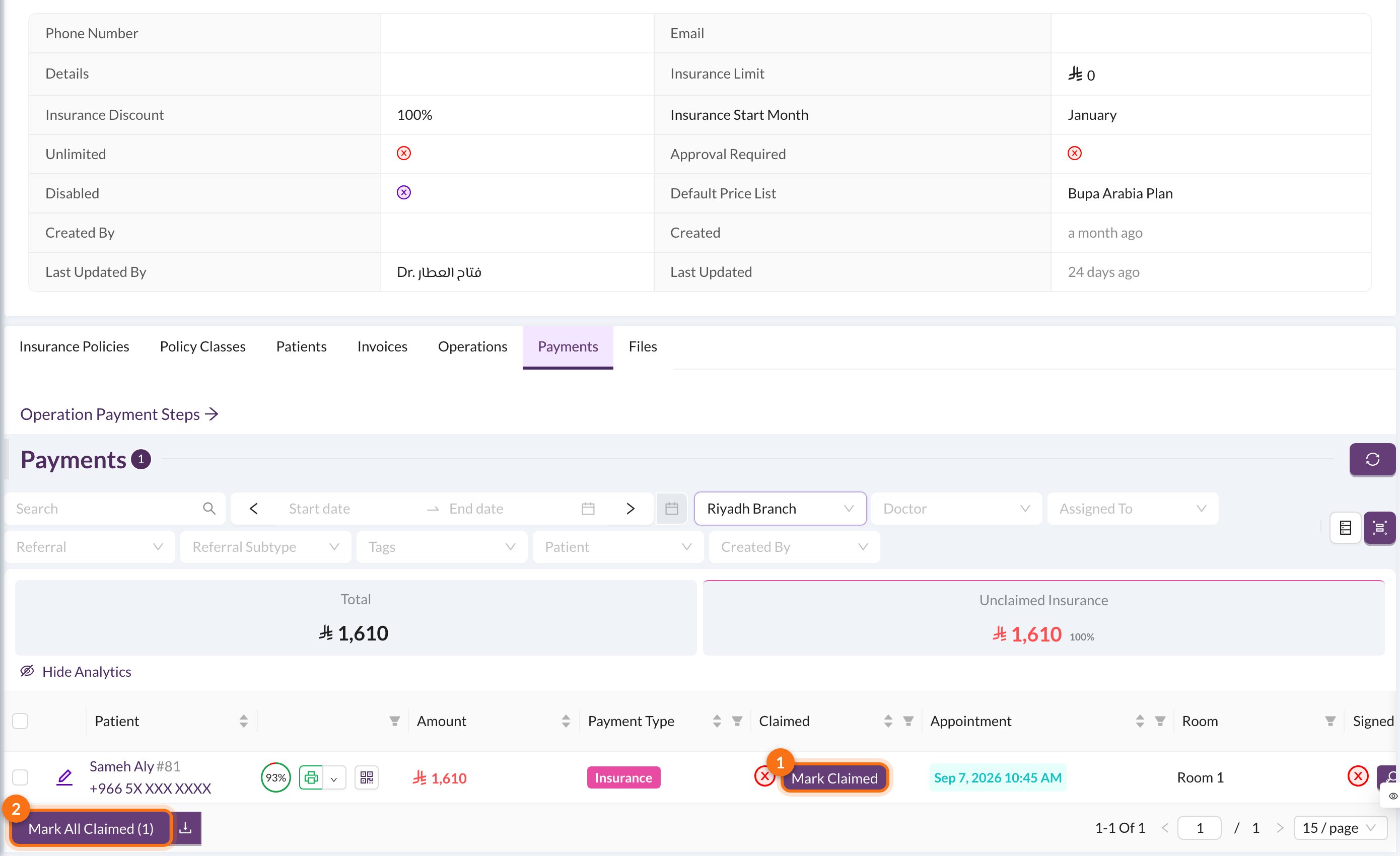
- Mark Claimed: mark one payment as claimed.
- Mark All Claimed: mark every payment in the list as claimed. Filter the list first, for example by date, to match the company’s statement.
A doctor’s percentage from an insurance payment is only counted once the payment is claimed. If a claim was marked by mistake, click Mark Unclaimed on the payment.