

1
Open the doctor's user
Go to Settings → Users, click the doctor and click Edit. Doctor must be ticked.
2
Set the general share
Set Doctor percentage (their share of the treatments they do) and Doctor fees from Diagnostic (their share of consultation fees). Choose Calculate Salary From: Payments or Operations. Save.
3
Different share for some procedures (optional)
On the doctor’s page, open the Doctor percentage tab. Set For Operator for each procedure, as an amount (fixed share) or a %. Click Save.
4
Different share for a group of patients (optional)
On the same tab, choose a price list at the top and set the values for that list.
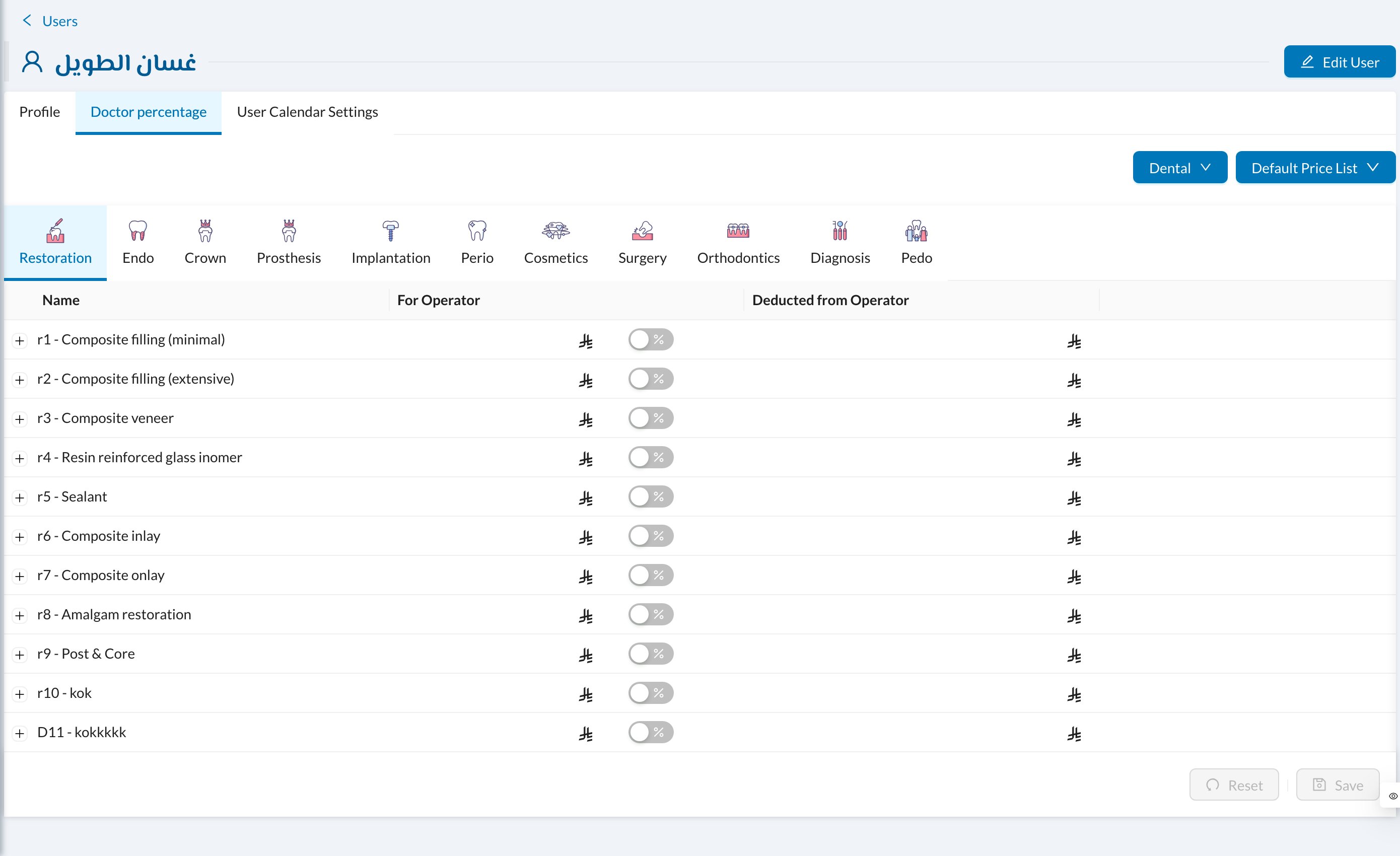
The share is taken from the first value that’s set: the doctor’s value for the procedure on this tab, then the procedure’s For Operator in Settings → Procedures and Prices, then the doctor’s Doctor percentage.
Still stuck?
Send us a message in System Chat inside Dentolize with a screenshot, and tell us which step didn’t work. Tip: next time, search this site first. Most answers take less than a minute.