

1
Open Salaries
Go to Analytics → Salaries.
2
Choose the month
Set the dates to exactly one full month (for example the 1st to the 30th), so the base salary is included.
3
Read the row
For Operator is the doctor’s share of what patients paid for their treatments. Salary adds the diagnostic fees share, base salary and bonuses, and takes off lab costs, refunds and deductions.
4
See the details
Hover over the ? next to a salary to see how it’s worked out. Click any amount to open the entries behind it.
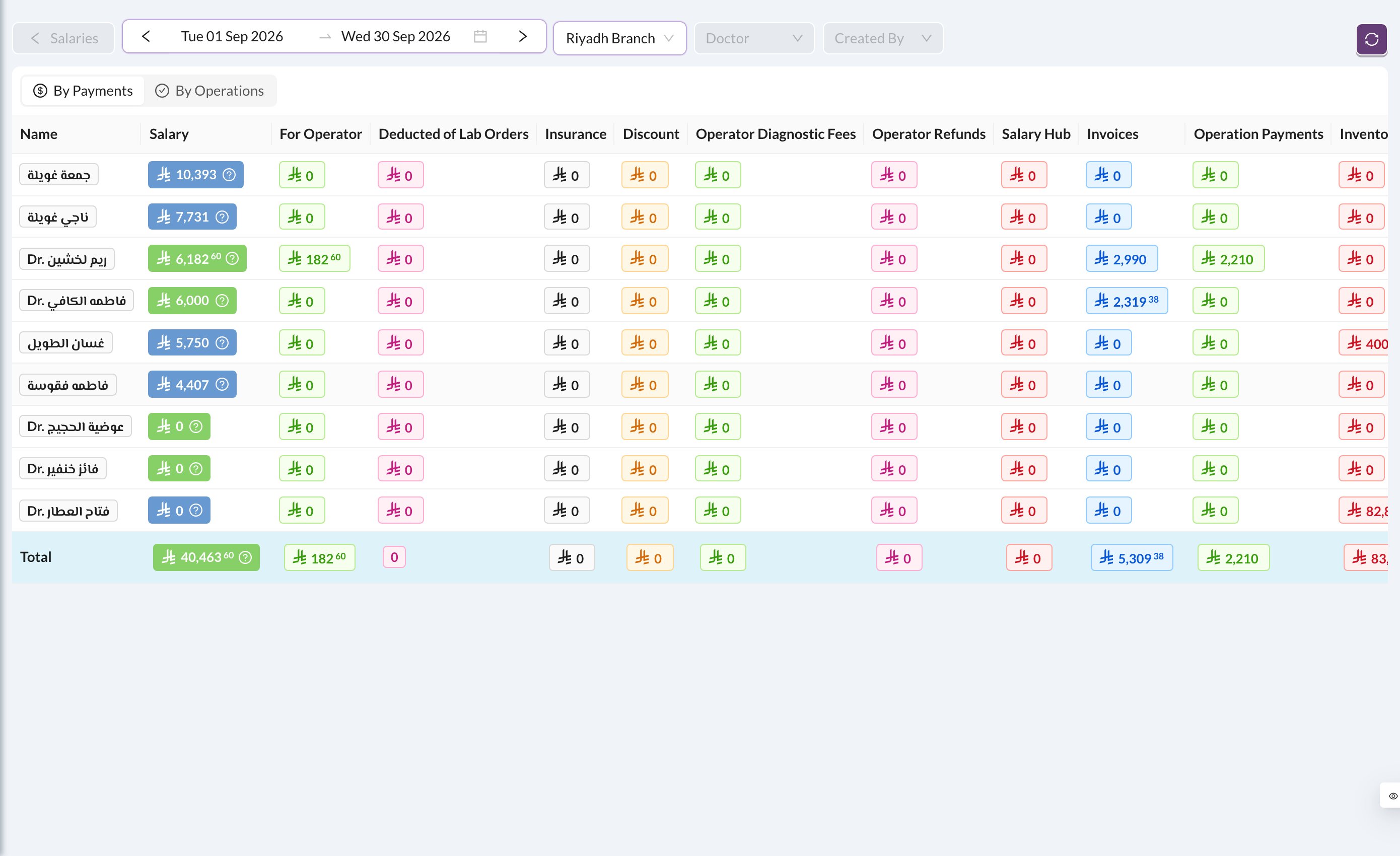
By Payments (the default) counts what patients paid in the period. By Operations counts the treatments done.
Still stuck?
Send us a message in System Chat inside Dentolize with a screenshot, and tell us which step didn’t work. Tip: next time, search this site first. Most answers take less than a minute.