

📋 The income list
Go to Finances → Income: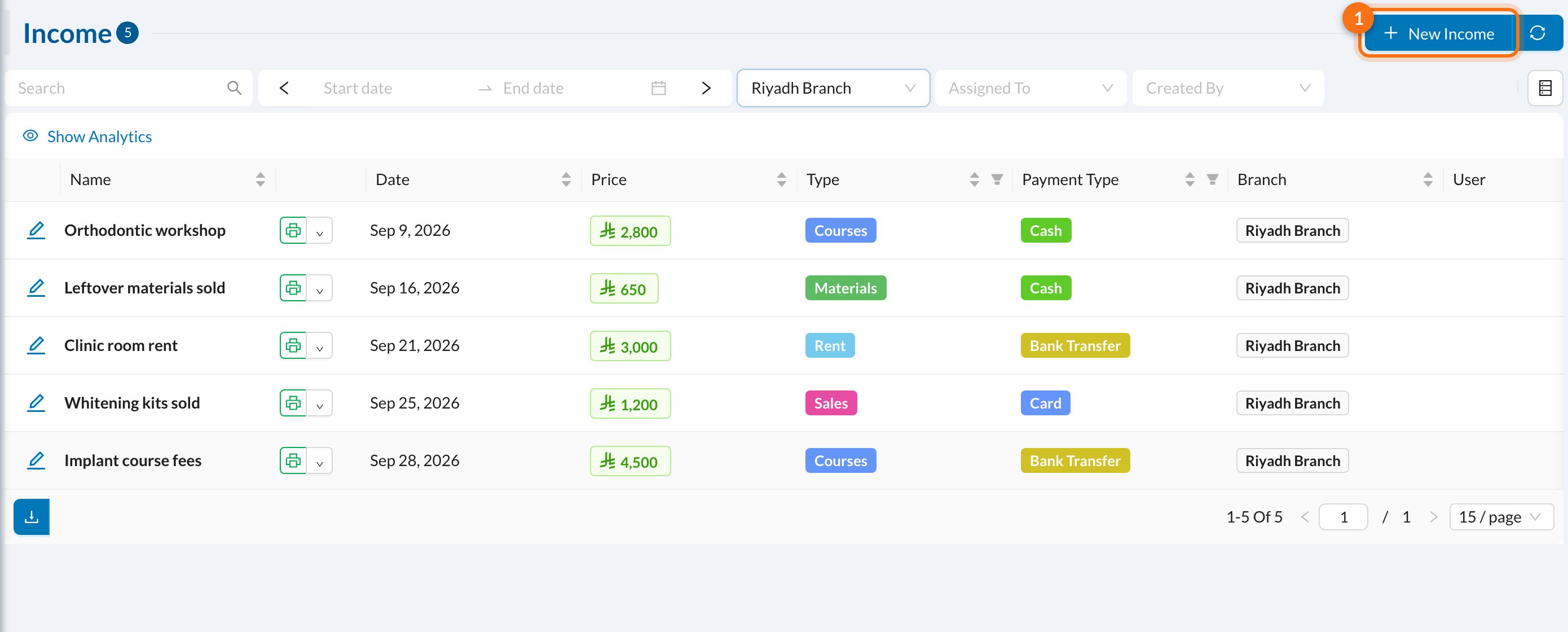
➕ Add an income
Click New Income (1):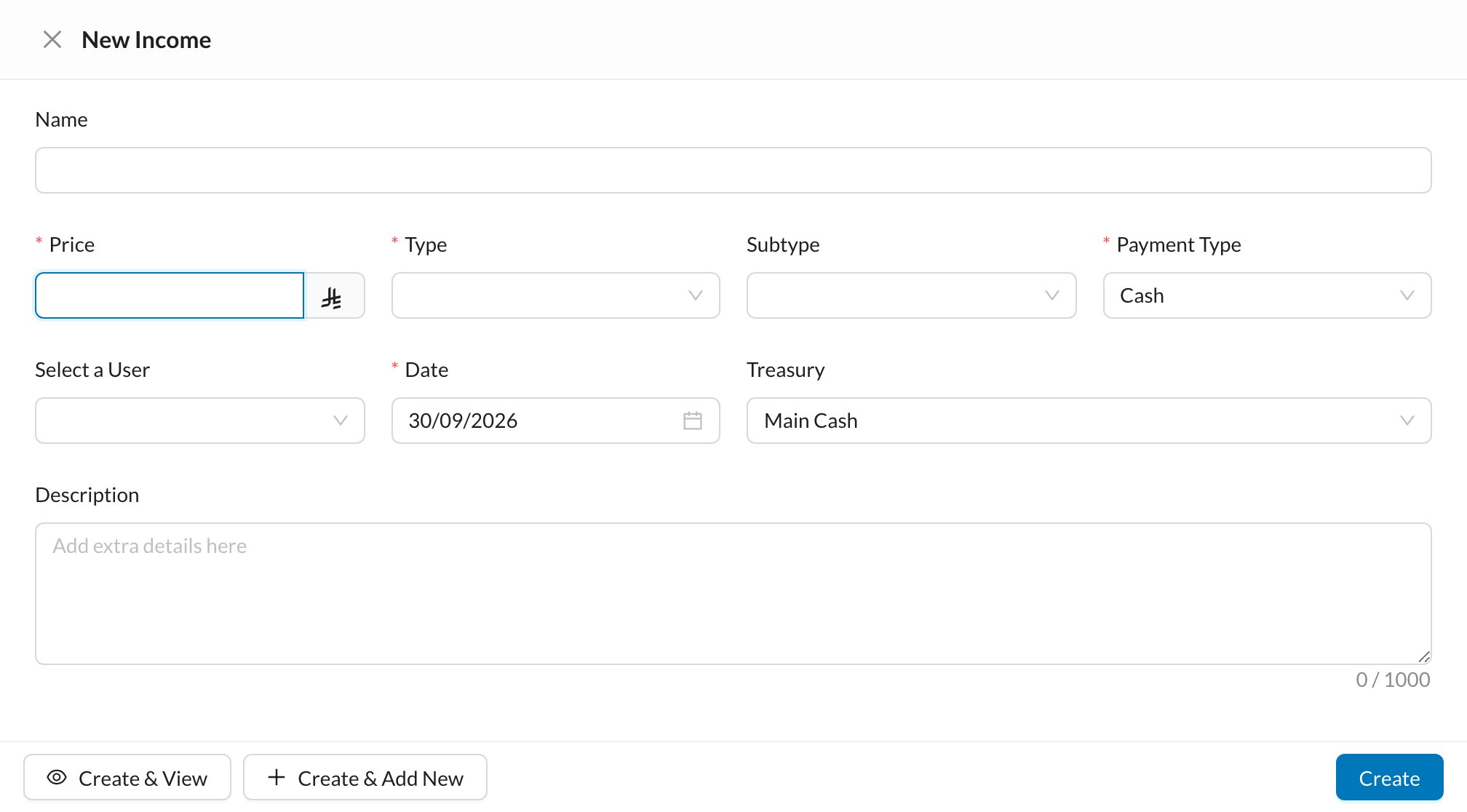
- Enter a Name and the Price (the amount received).
- Choose the Type and, if needed, the Subtype. Income types are set in Clinic → Types.
- Choose the Payment Type and check the Date.
- Check the Treasury the money goes into.
- Click Create.
Some incomes are created for you: selling items from inventory (a Sell order), and refunds of expense payments.