📋 Treasuries
Go to Finances → Treasury: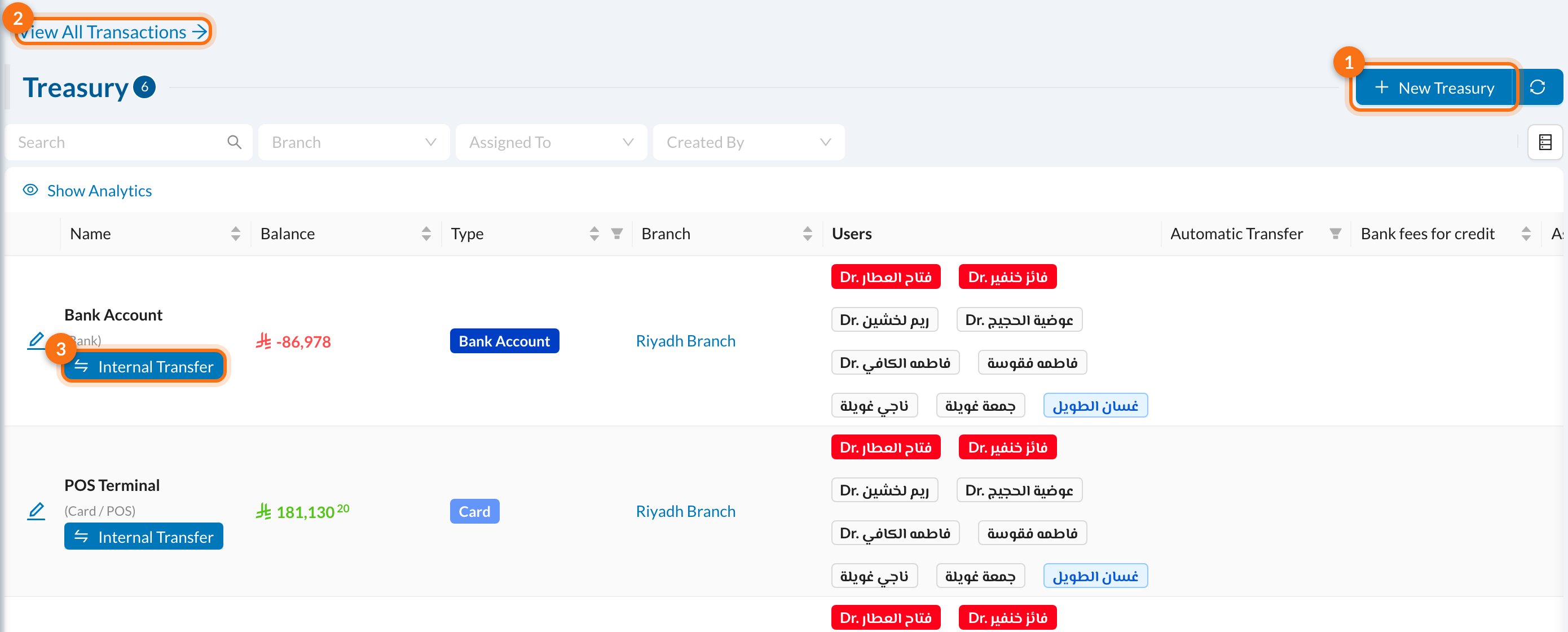
- New Treasury.
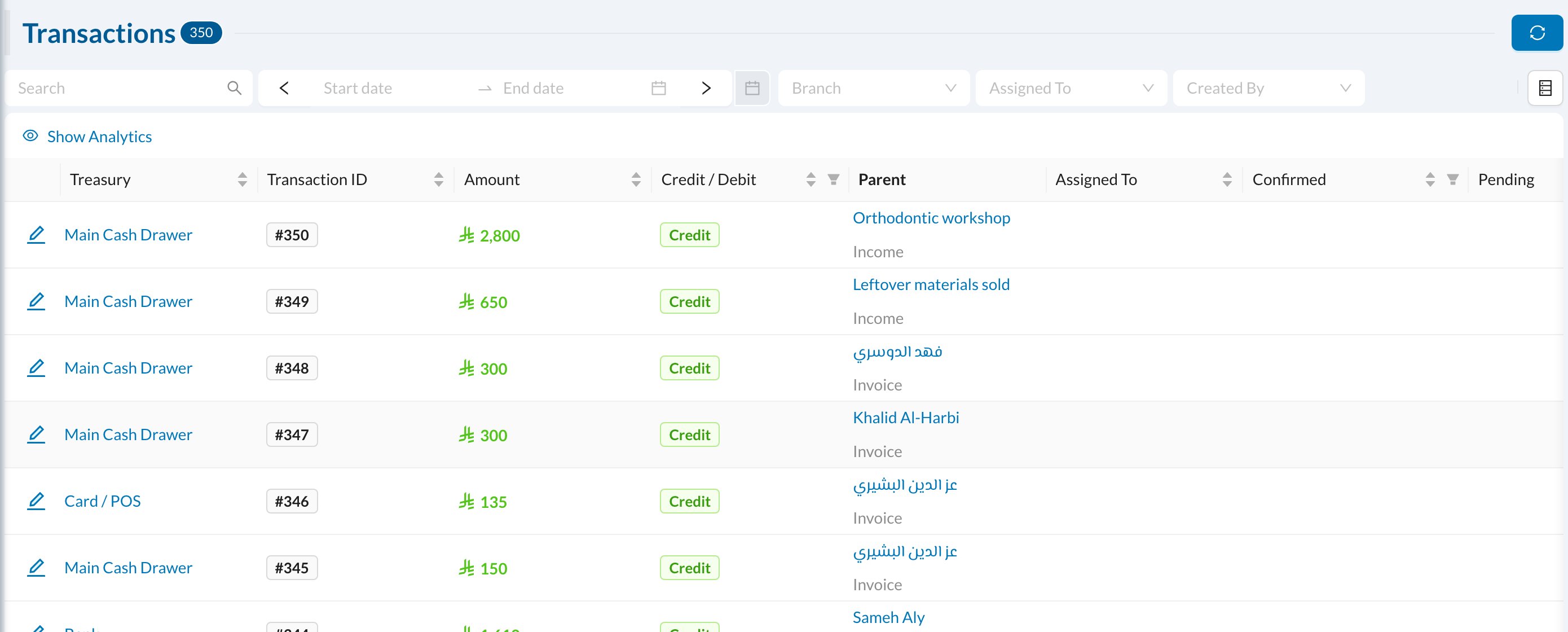
- View All Transactions: every movement of money, in all treasuries.
- Internal Transfer: move money from this treasury to another.
➕ Add a treasury
Click New Treasury: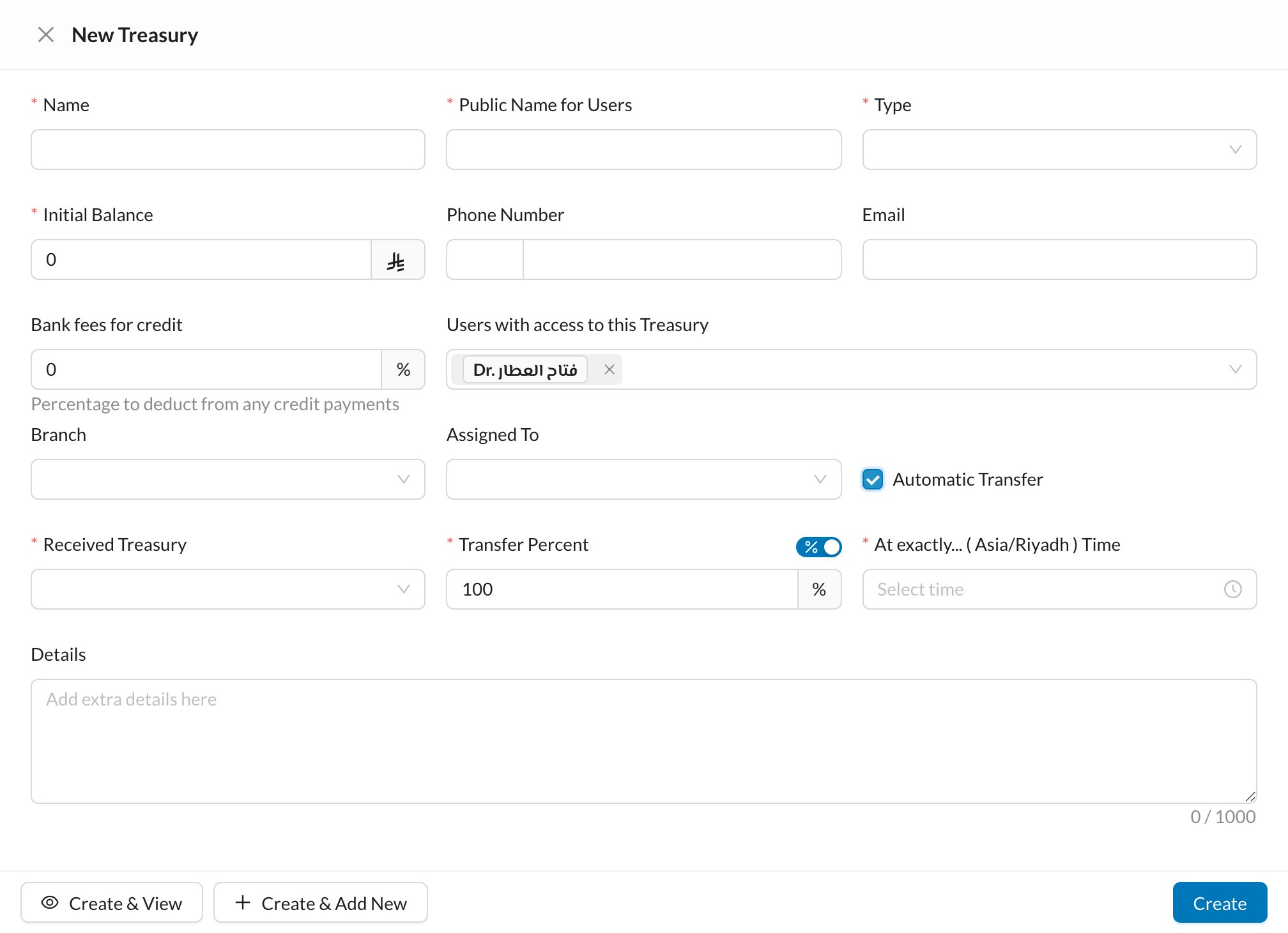
- Name and Public Name for Users (what users see when choosing a treasury).
- Type: Cash, Bank Account, Card, Money Safe and so on.
- Initial Balance: the money already in it. It can only be set when creating the treasury.
- Bank fees for credit: a percentage taken off card payments, for card terminals.
- Users with access to this Treasury, and the Branch.
Automatic transfer
Tick Automatic Transfer to move money to another treasury every day, for example from the cash drawer to the safe. Choose the Received Treasury, the Transfer Percent (or switch to an amount to keep in the drawer), and the time.🏦 A treasury’s page
Click a treasury to open its page: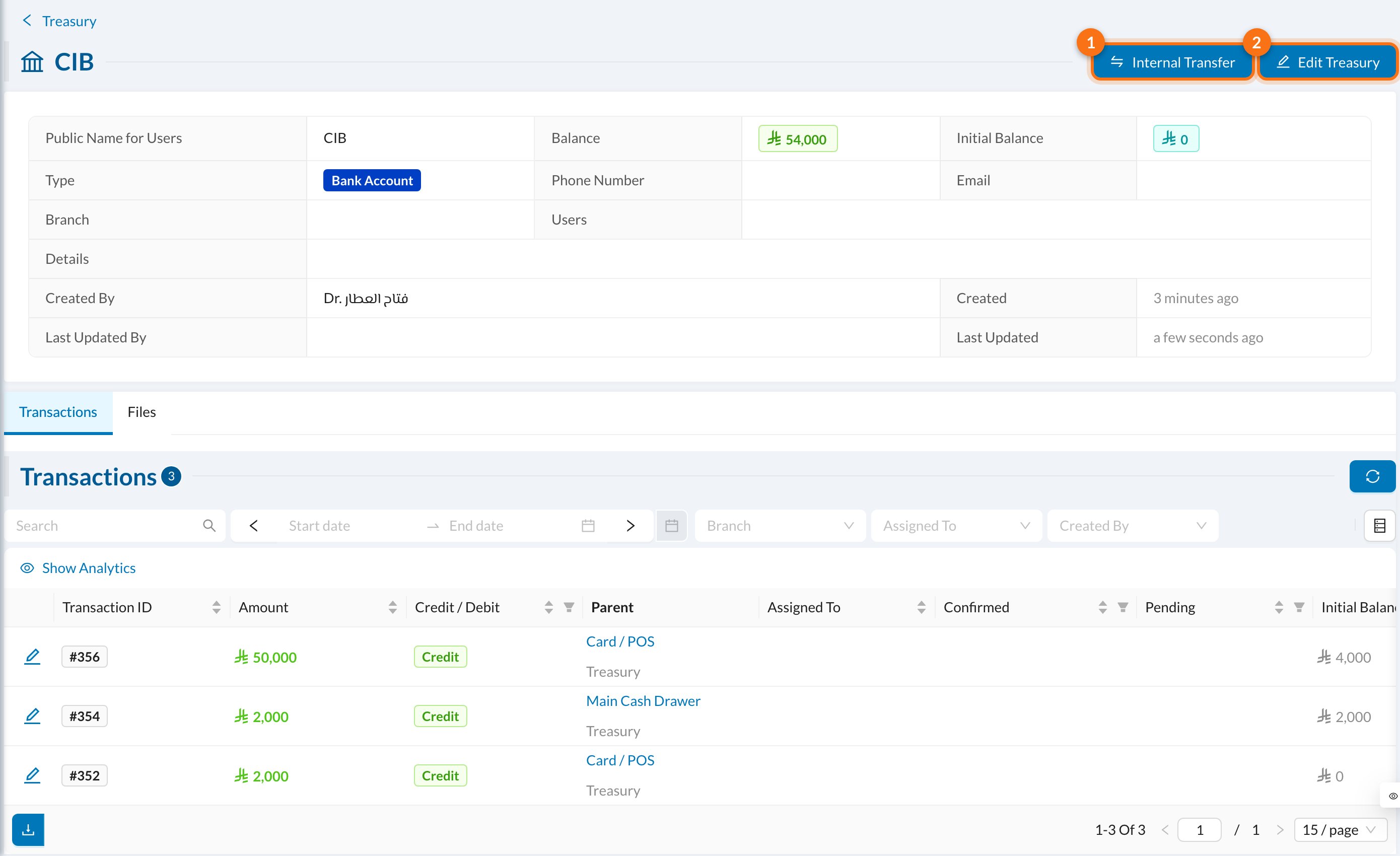
- Internal Transfer: move money to another treasury.
- Edit Treasury.
🔄 Move money between treasuries
Click Internal Transfer on a treasury: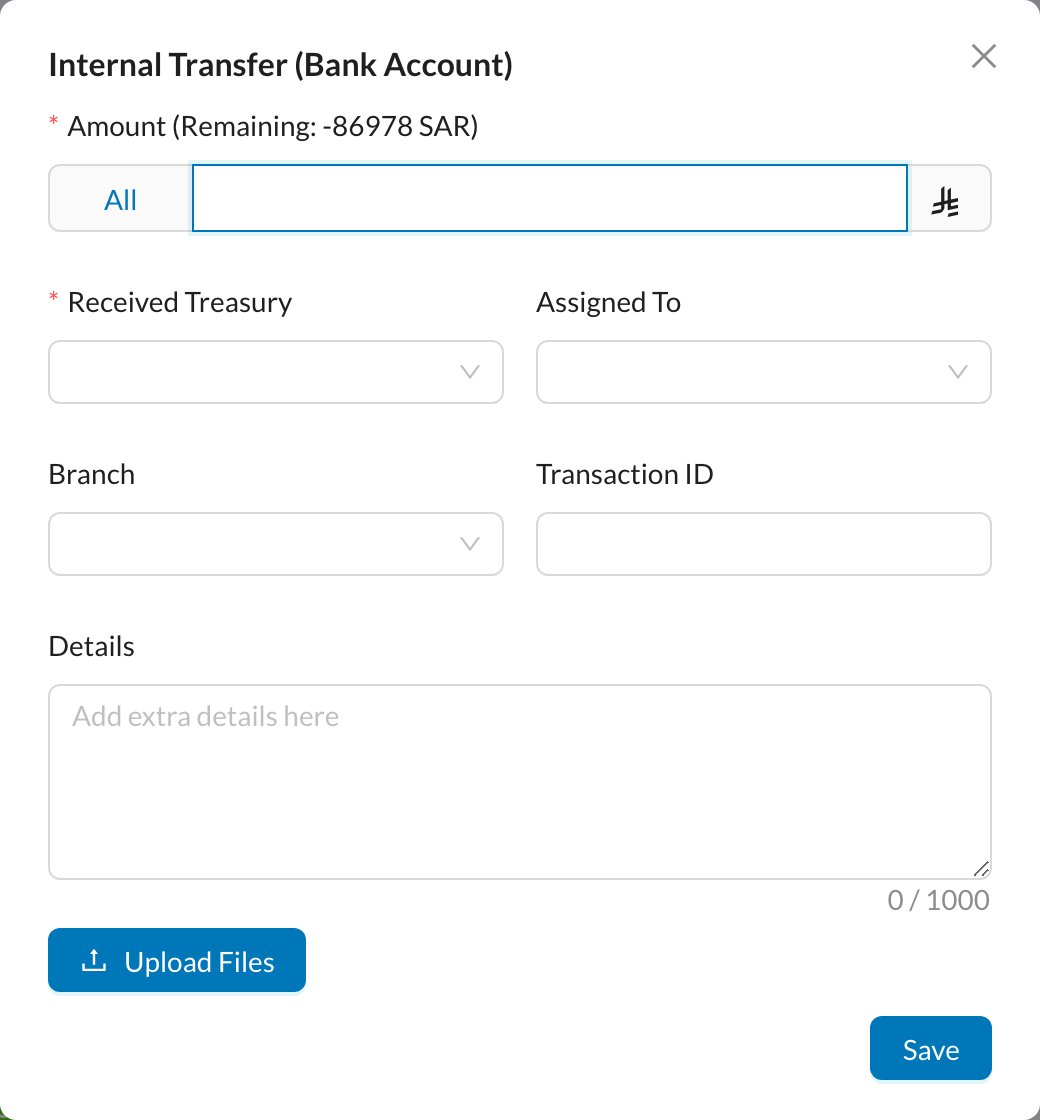
📜 Transactions
View All Transactions lists every movement with its treasury, amount, Credit / Debit, and what it came from (an invoice payment, expense, income or transfer):