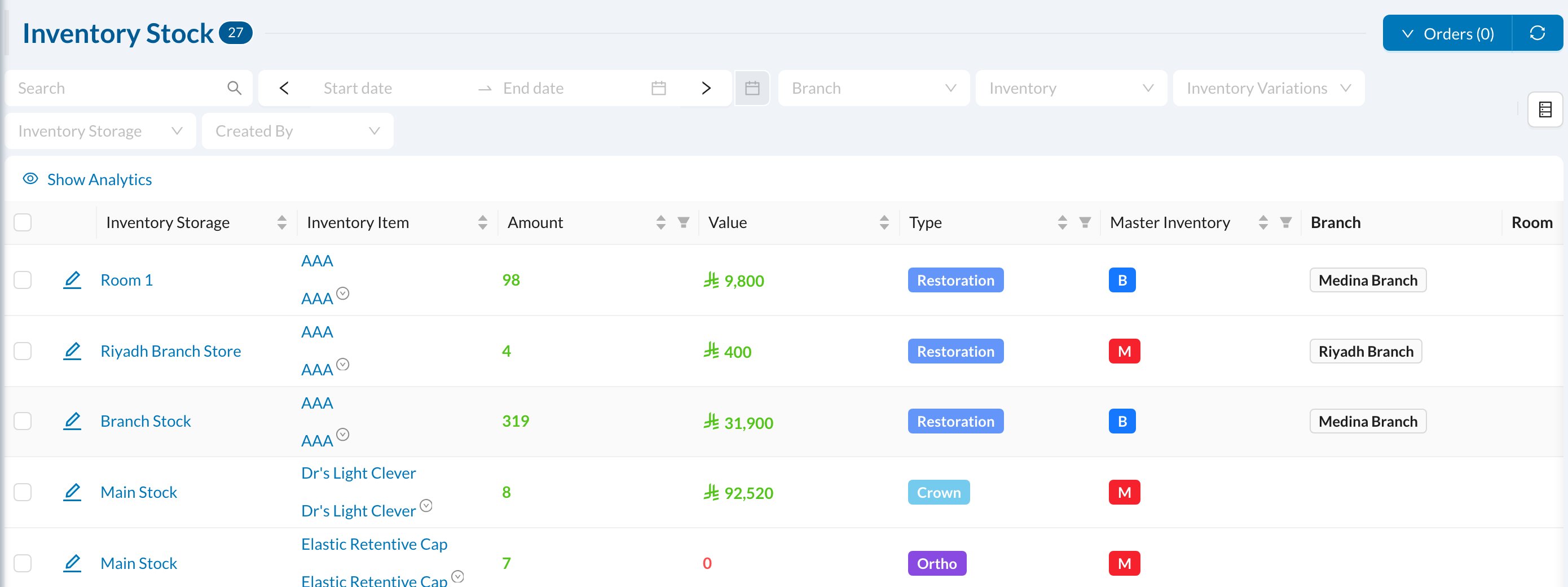
🏬 Master and branch storages
- A Master storage is the clinic’s main store. Stock is bought into it and distributed to the branches.
- A Branch storage belongs to a branch, for example a cupboard or a treatment room. Materials used in treatments are always taken from a branch storage.
➕ Create a storage
Go to Inventory → Storages and click New Storage (1).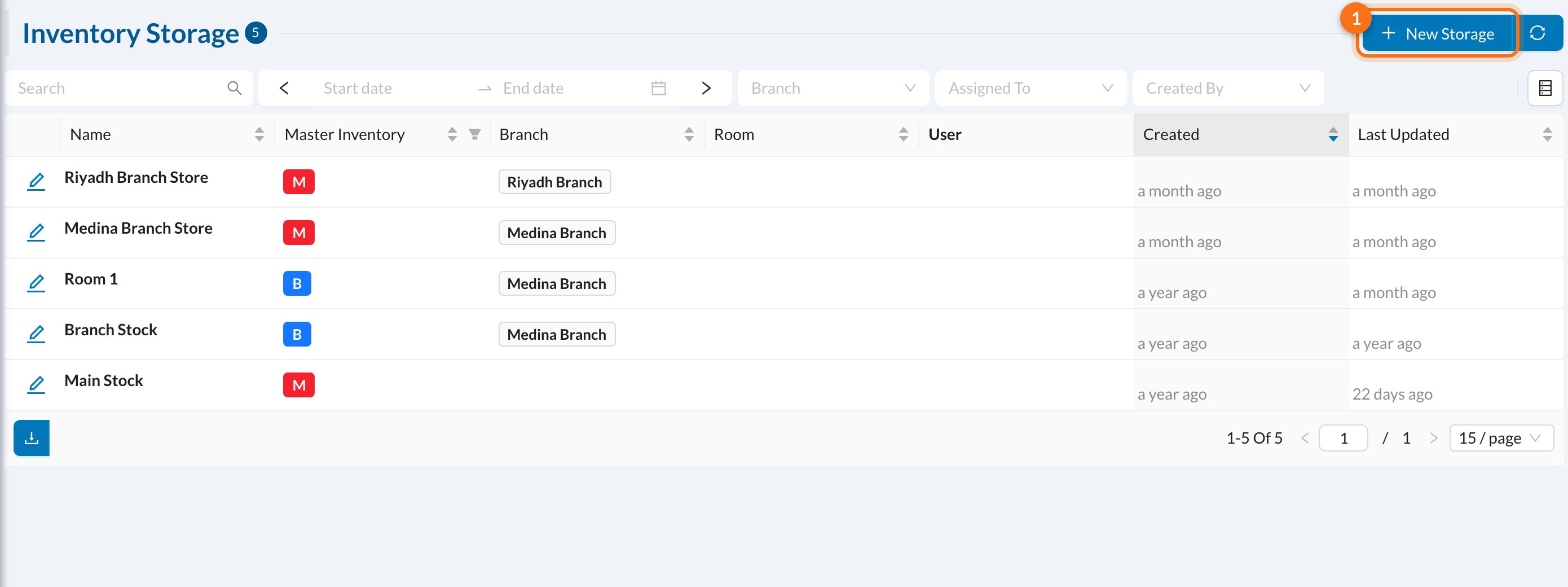
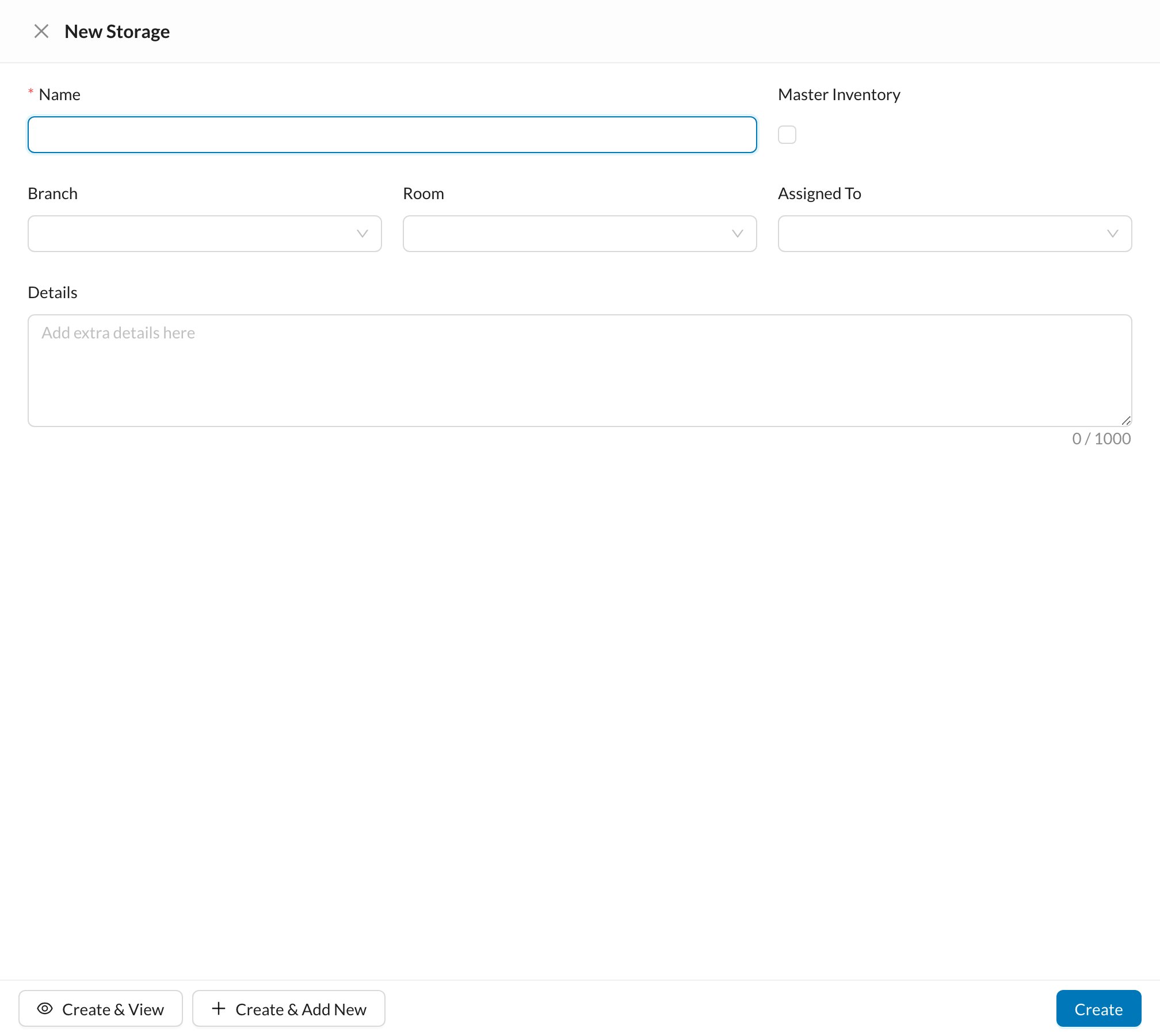
- Name (required, unique).
- Master Inventory: tick for the main store. This can’t be changed later.
- Branch and Room (branch storages only): the room’s materials come from this storage.
- Assigned To: the user responsible. When this user records a usage, this storage is chosen automatically.
Storages can’t be deleted, only merged into another storage of the same type (edit the storage → Merge). The stock is moved and added to the other storage.
📦 Stock
Inventory → Stock shows how much of each item is in each storage, with its value and expiry date.