

➕ Add a task
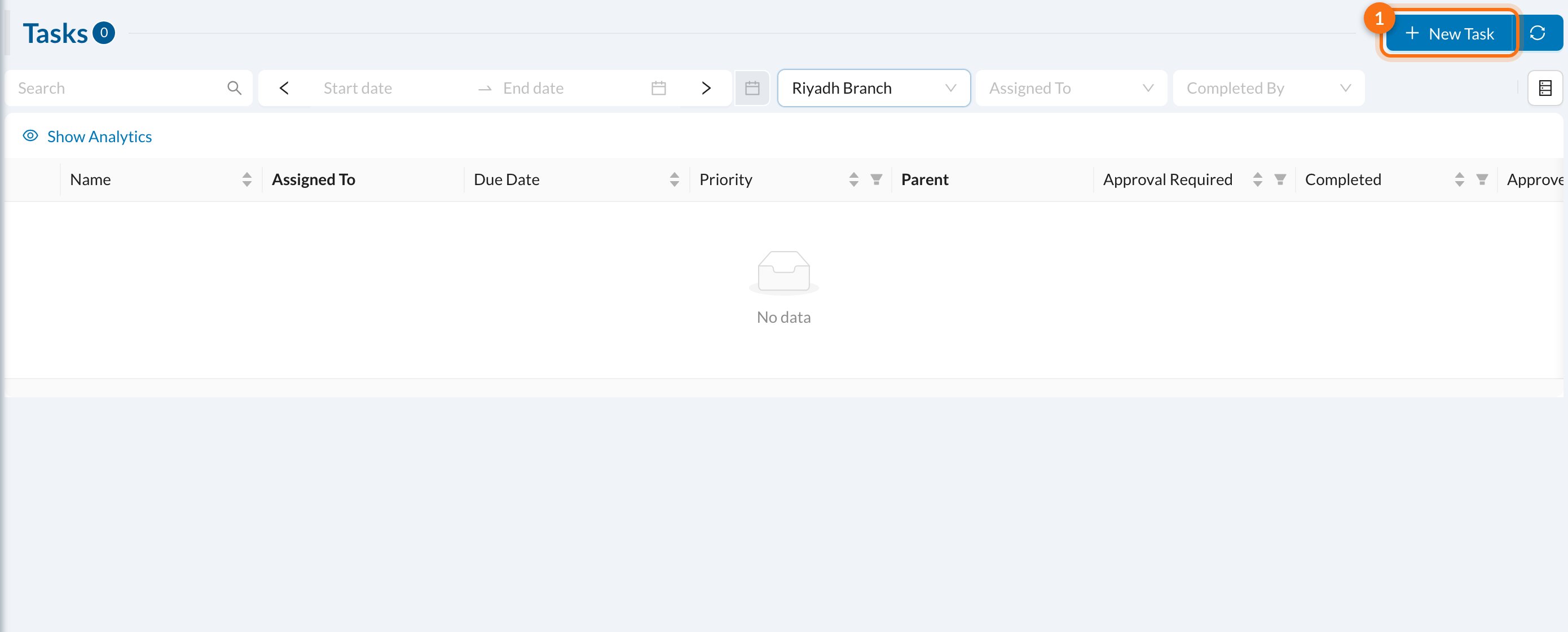
Click New Task (1):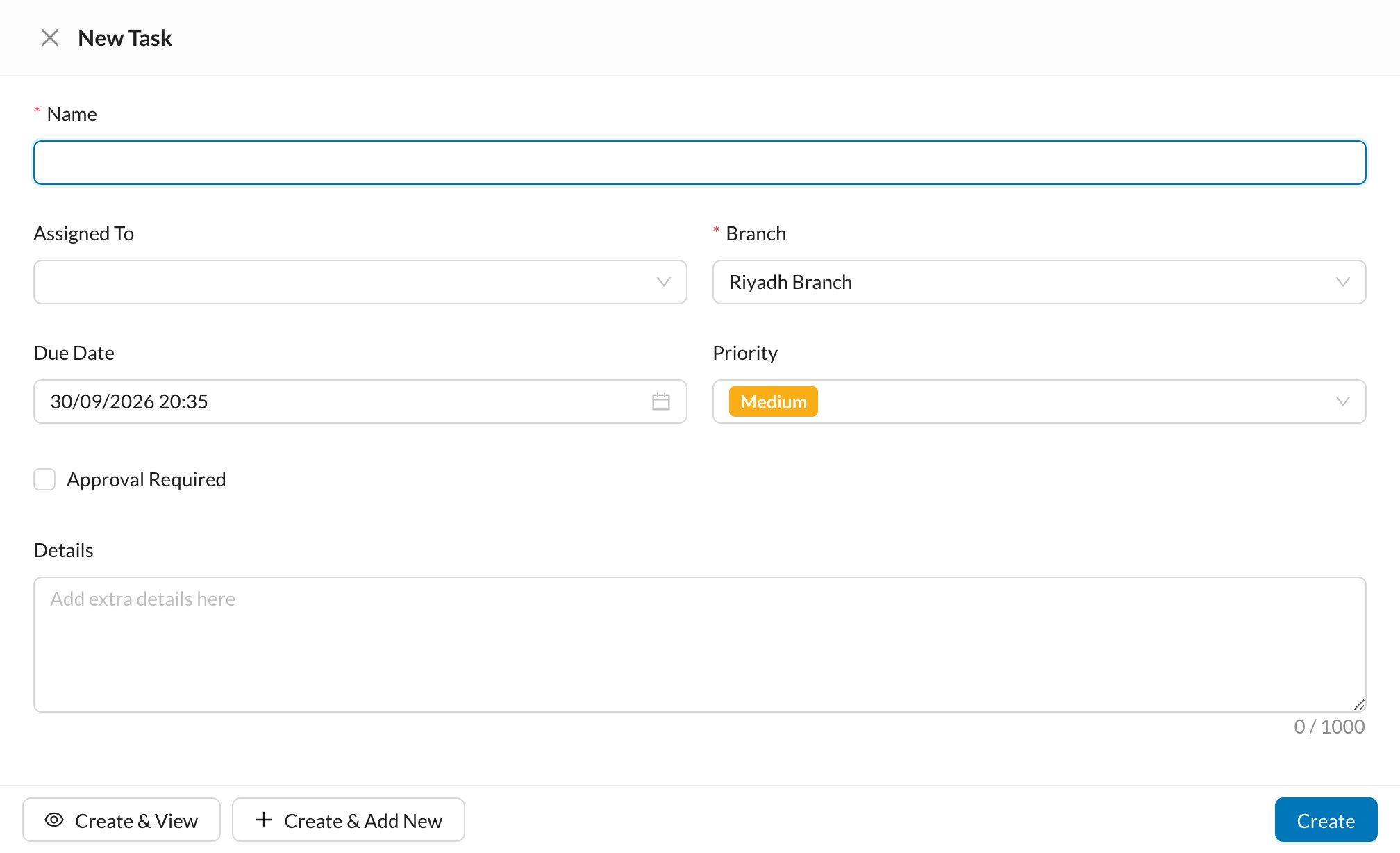
- Enter the task Name.
- Choose who it’s Assigned To and the Branch.
- Set the Due Date and Priority.
- Tick Approval Required if someone must approve the task once it’s done.
- Add any Details and click Create.
Assign tasks to staff with a due date and priority, and follow them until they’re done.