

🧪 A lab’s page
Go to Associates → Labs and click a lab: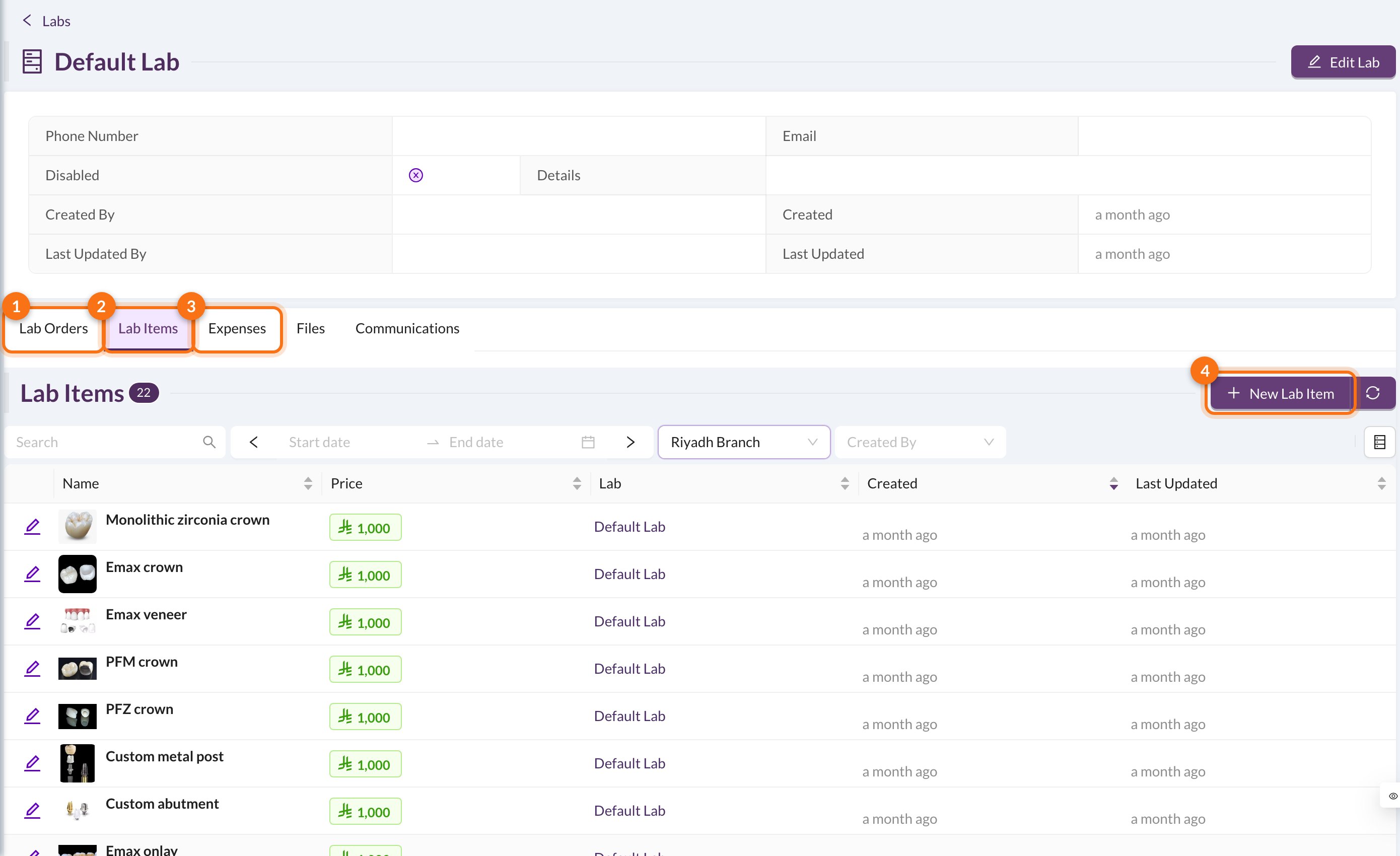
- Lab Orders: every order sent to this lab.
- Lab Items: the lab’s price list.
- Expenses: what the clinic owes the lab, and what’s paid.
- New Lab Item.
🏷️ Lab items (price list)
Click New Lab Item and enter the Item Name (for example, a zirconia crown), its Price and any details. When you choose a lab item in a lab order, its name, lab and price are filled in for you.📦 Lab orders
Lab orders are created from the patient’s page or the chart (see Dental Lab Orders). On the Lab Orders tab you can follow them:- Mark Received when the work comes back from the lab. The Due Date turns red when an order is late.
- Mark Delivered when it’s fitted for the patient.
- Mark All Received / Mark All Delivered at the bottom update all the orders in the list.
When a lab order is created with a price and Add to Expenses ticked (the default), an expense is created for the lab automatically. After that, change the price from the expense, not the order.