

1
Open SMS templates
Go to Settings → Templates → SMS and click New SMS.
2
Choose Birthday
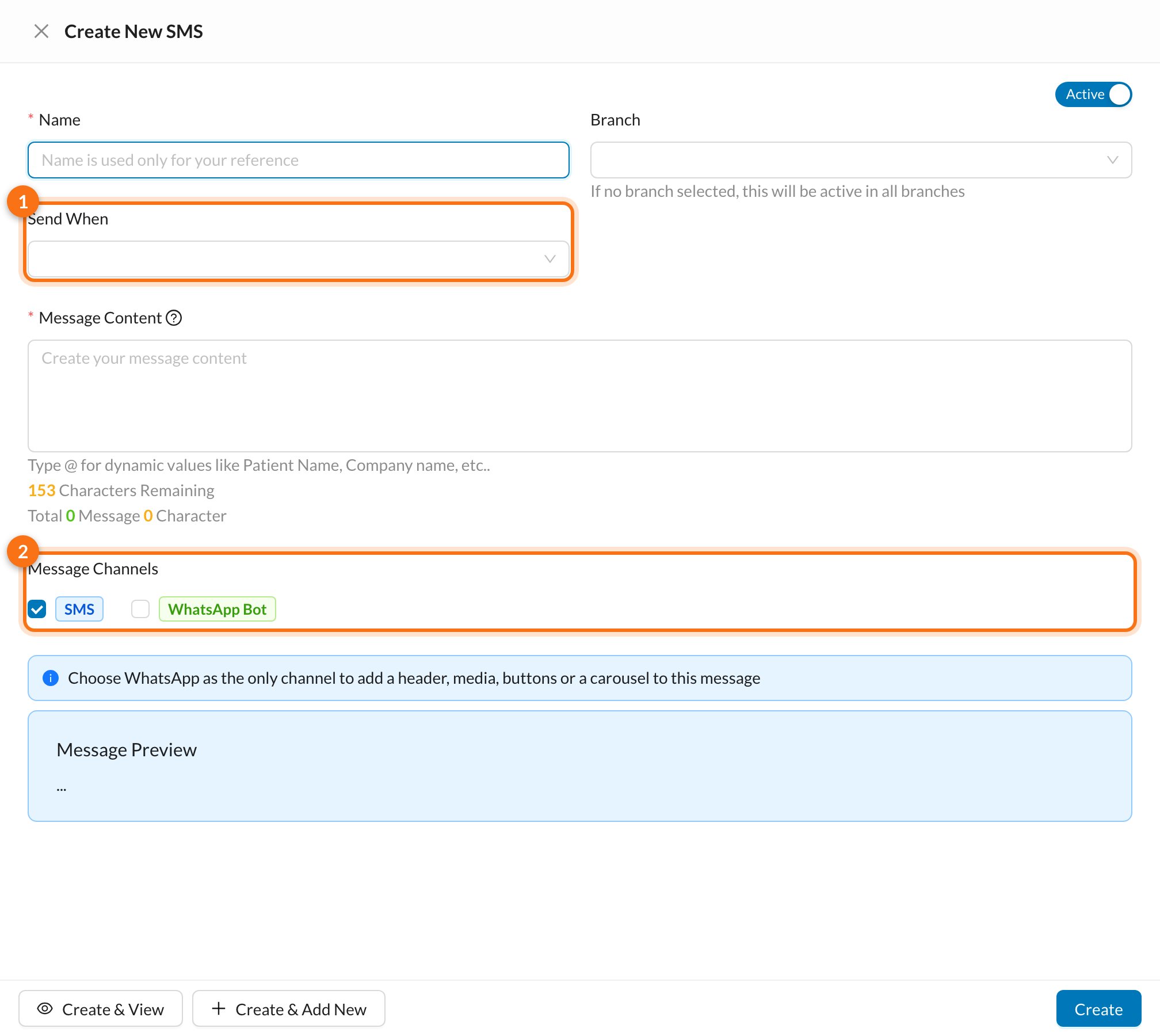
In Send When, choose Birthday.
3
Write the greeting
Type the message. Type @ to add the patient’s name, for example @PATIENT_NAME.
4
Choose the channel and save
Under Message Channels, tick SMS, WhatsApp Bot, or both, then save the template.
By WhatsApp Bot, a greeting is usually a Marketing template and needs Meta’s approval before it’s sent.
Still stuck?
Send us a message in System Chat inside Dentolize with a screenshot, and tell us which step didn’t work. Tip: next time, search this site first. Most answers take less than a minute.