

Inventory → Transactions lists every item movement of completed orders: purchases, usage, transfers, disposals and so on.
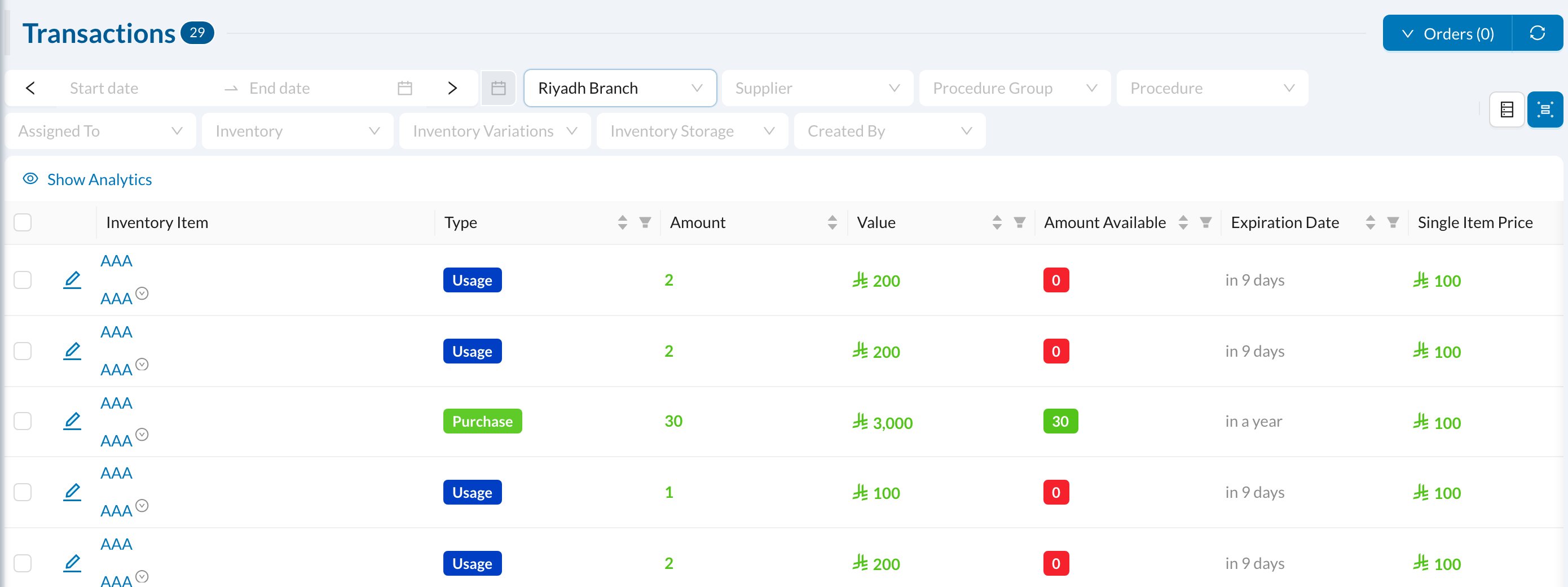
- Filters: dates (Range Date Based On created, due or return date), branch, supplier, procedure, item, variation, storage and users.
- Show Analytics: total value by type. Click a total to filter by it.
- Group By: totals by user, item, supplier, branch, storage or procedure.
- Download as PDF, Excel or CSV.
Orders that aren’t Completed don’t appear here. To put back materials recorded by mistake, open the usage row and use Return Usage.