

Open the Dashboard and click the Inventory tab.
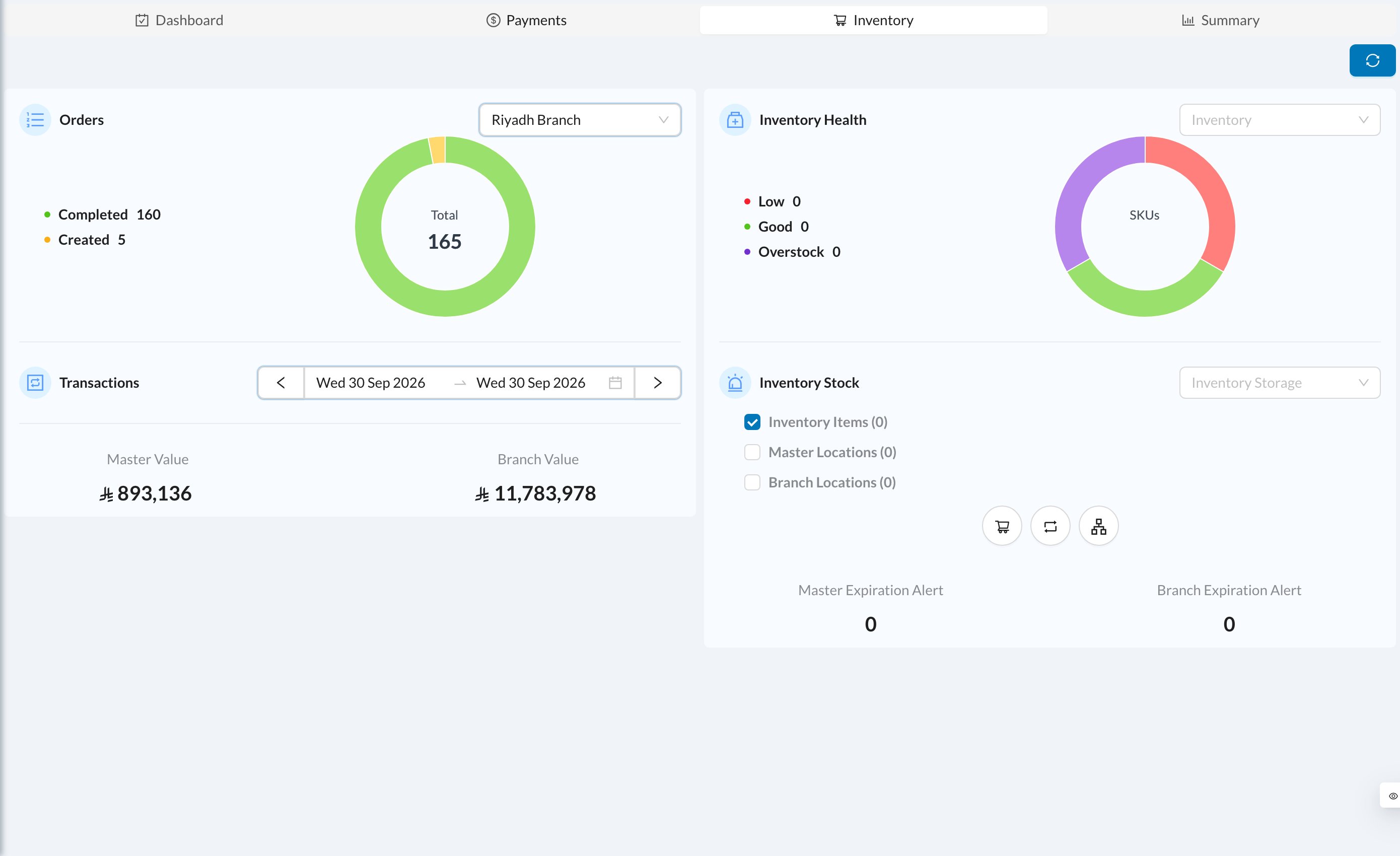
- Orders: the number of orders in each status (all dates). Click a status to see those orders.
- Transactions: the value of each movement type for the selected dates.
- Master Value and Branch Value: the value of all your stock.
- Inventory Health: how many items are Low, Good or Overstock.
- Inventory Stock: items and storage locations below their minimum. Tick them and click Purchase, Internal Transfer or Master Distribution to create an order for them. Each item starts with an amount of 1, so adjust the amounts.
- Master Expiration Alert and Branch Expiration Alert: stock that expires soon or has expired.