

🧩 Before you start
There are two ways to log in. Use the one that matches how your account was created:
Open my.dentolize.com in your browser (Chrome is recommended). For Medicolize, open my.medicolize.com.
🌐 Change the language (optional)
Click the flag icon at the top of the page and choose your language. The login page, and the system after login, will switch to that language.
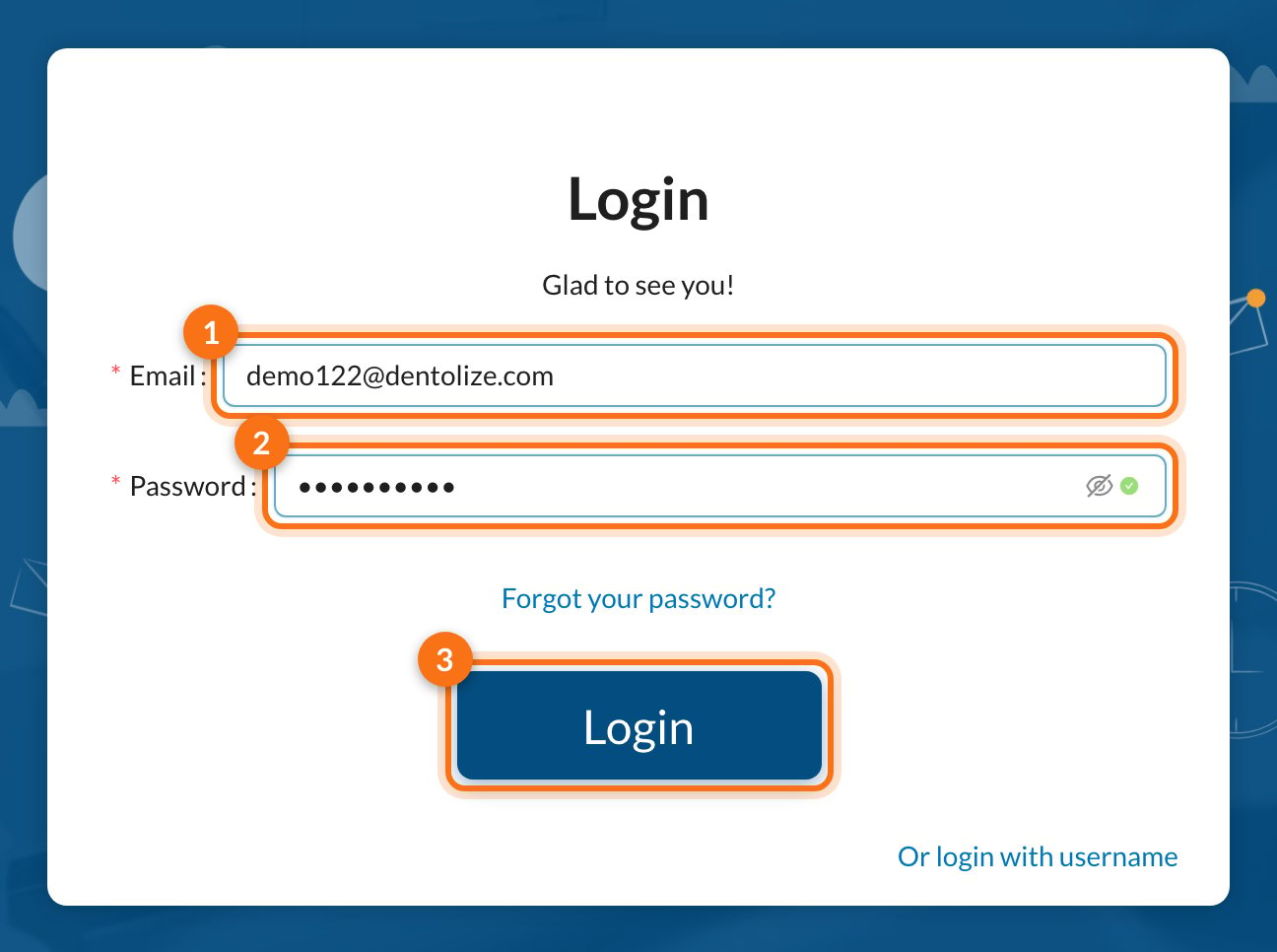
1️⃣ Log in with your email
1
Enter your email
Type the email address of your Dentolize account in the Email field.
2
Enter your password
Type your password in the Password field. Click the eye icon to show the password and check it before logging in.
3
Click Login
Click Login. If your details are correct, the system opens your dashboard.
2️⃣ Log in with a username
Staff users who were created with a username instead of an email log in in two steps.1
Open the username login
On the login page, click Or login with username at the bottom of the form.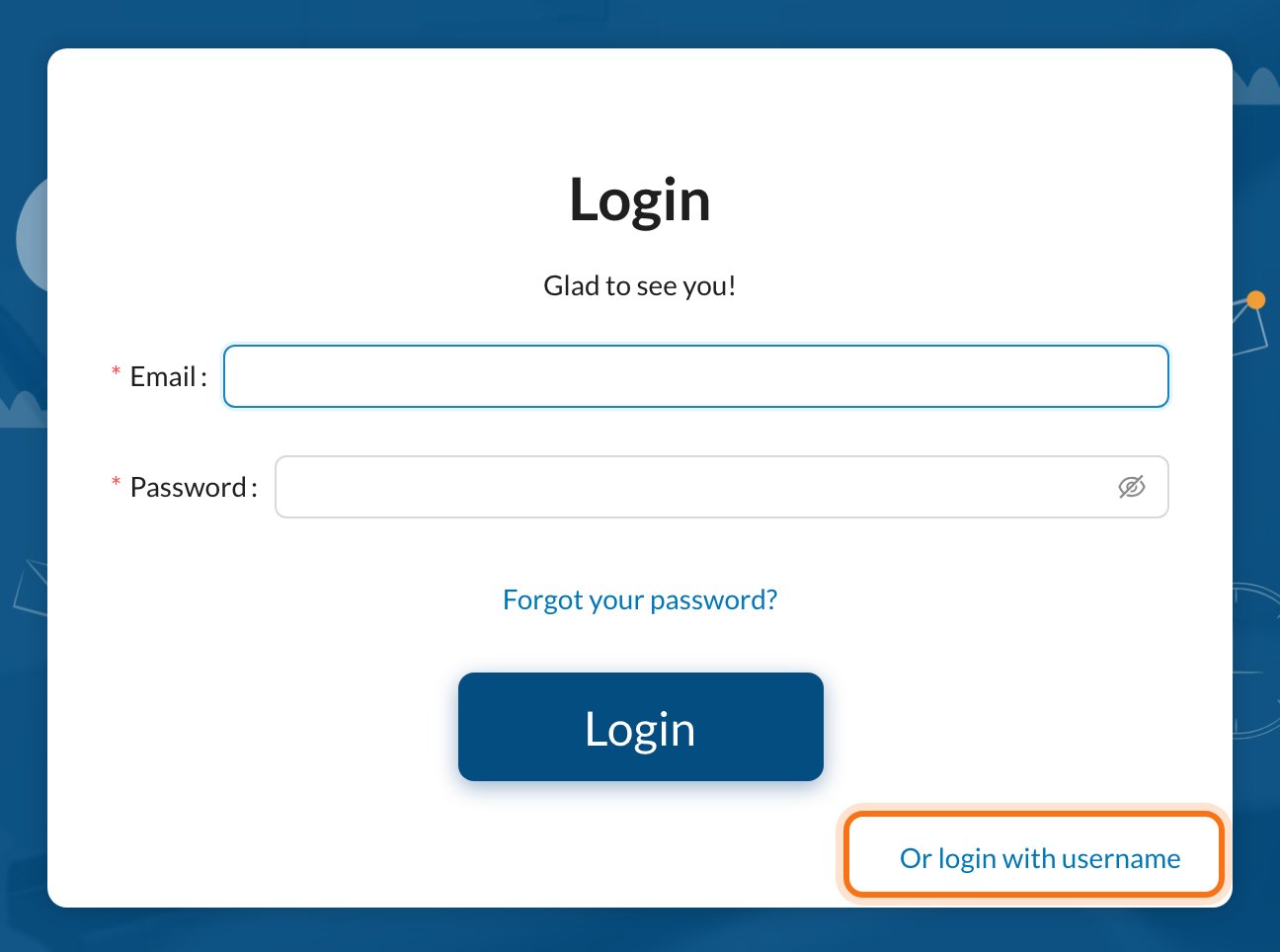
2
Enter the clinic login name
Type your clinic’s Clinic Login Name (1), then click Next (2).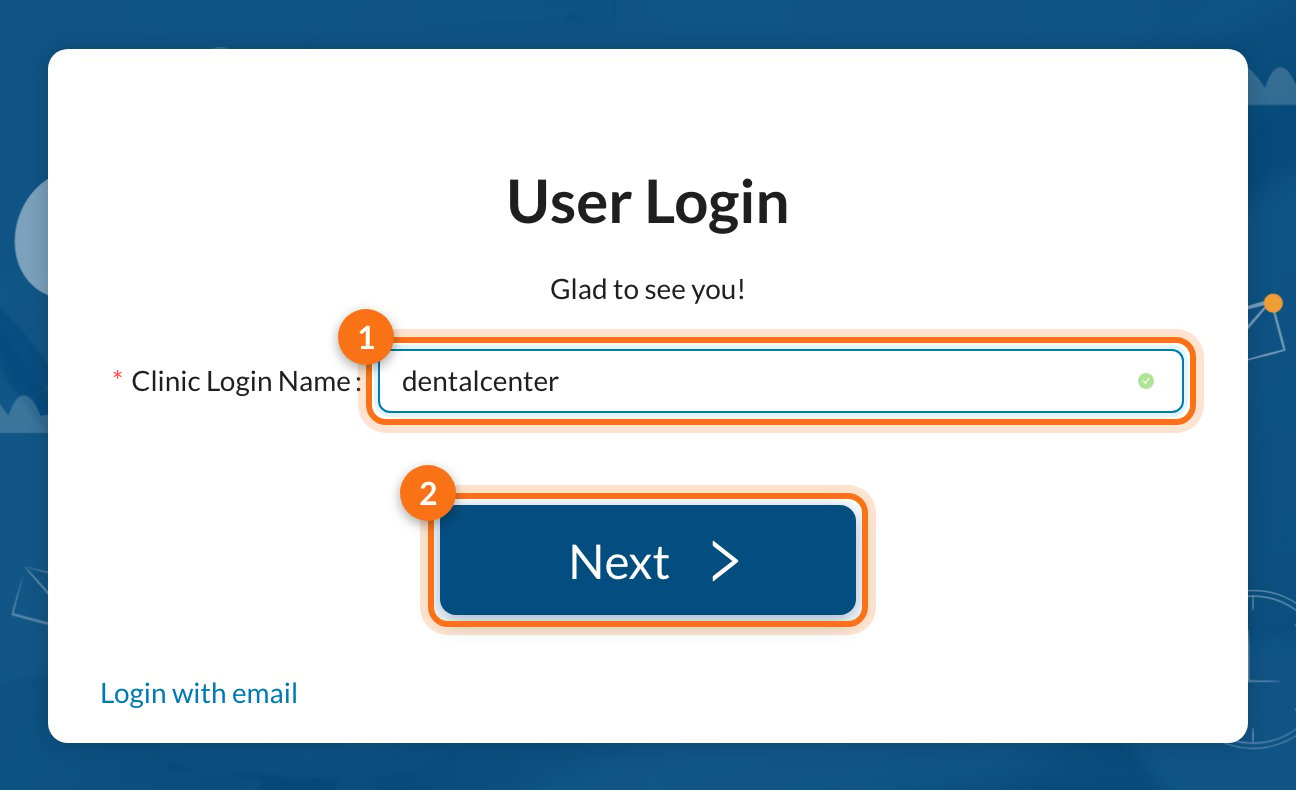
Don’t know your clinic login name? See Where to find the clinic login name below. If you see Company doesn’t exist, check the spelling.
3
Enter your username and password
The clinic name now appears under the title. Type your Username (1) and Password (2), then click Login (3).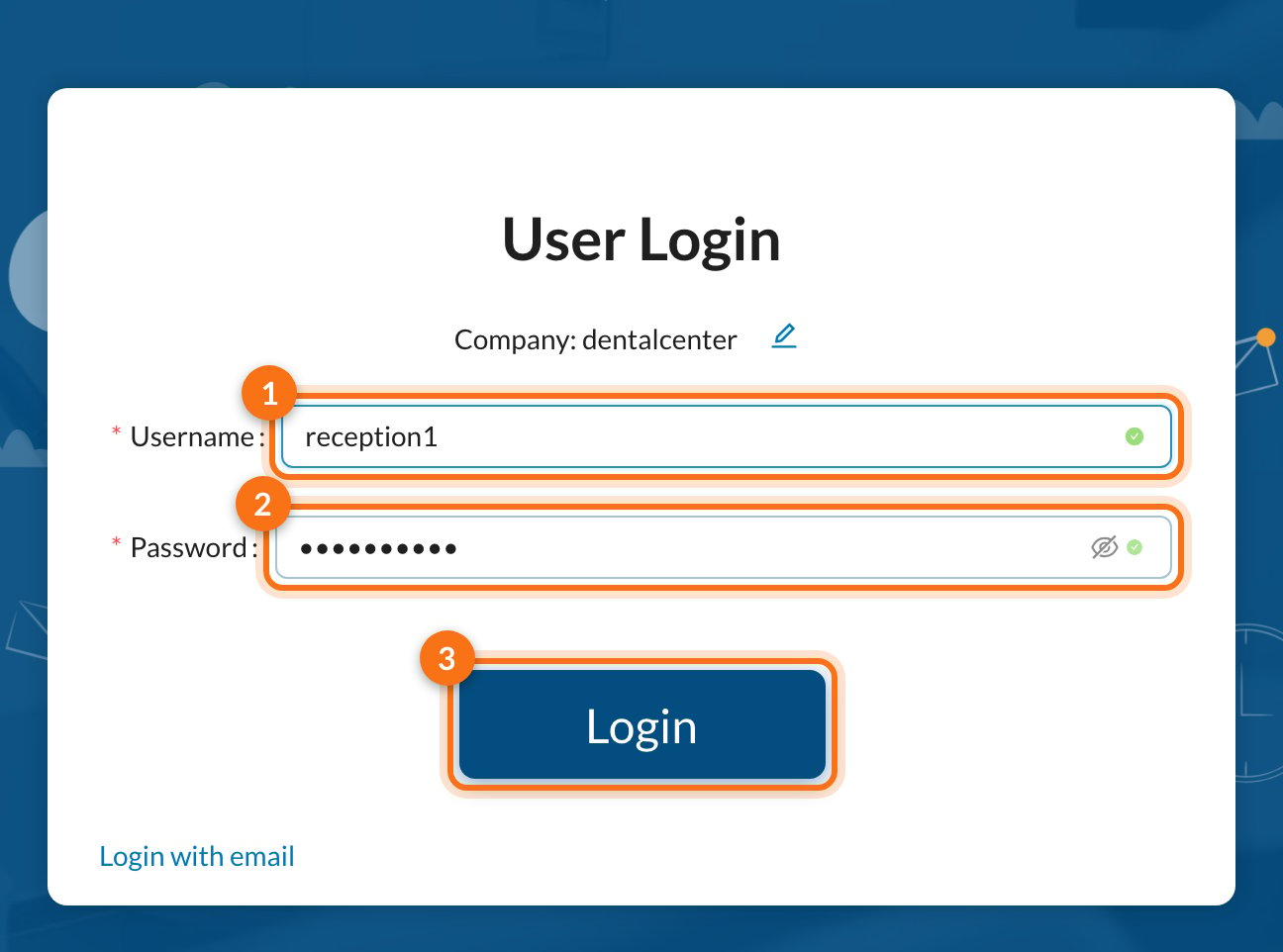
Where to find the clinic login name
The clinic login name is the same for everyone in the clinic. Staff can get it from the clinic owner or admin, who can find it here:-
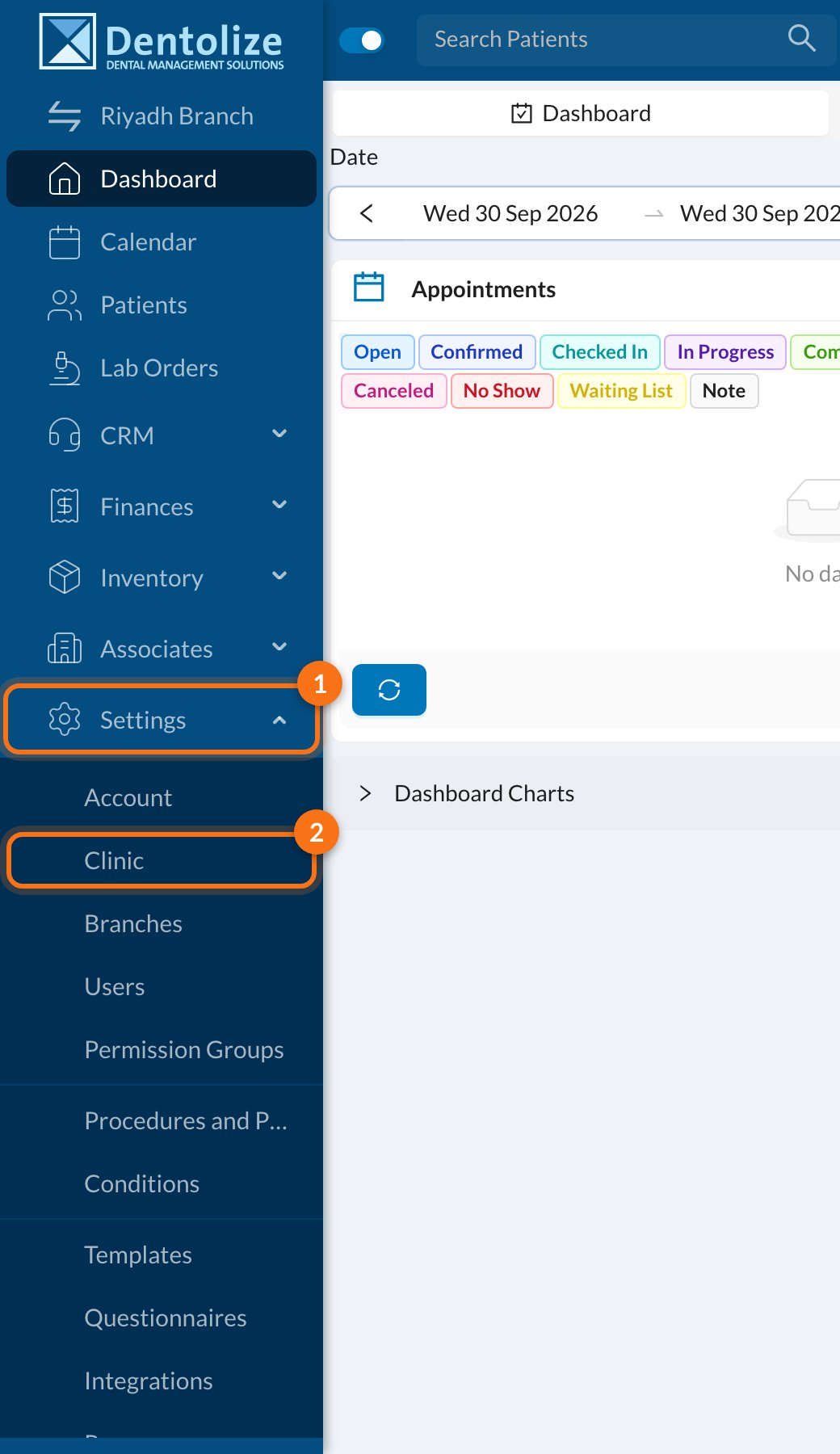
In the side menu, click Settings (1), then Clinic (2).
-
On the Main tab (1), the name is in the Clinic Login Name field (2).
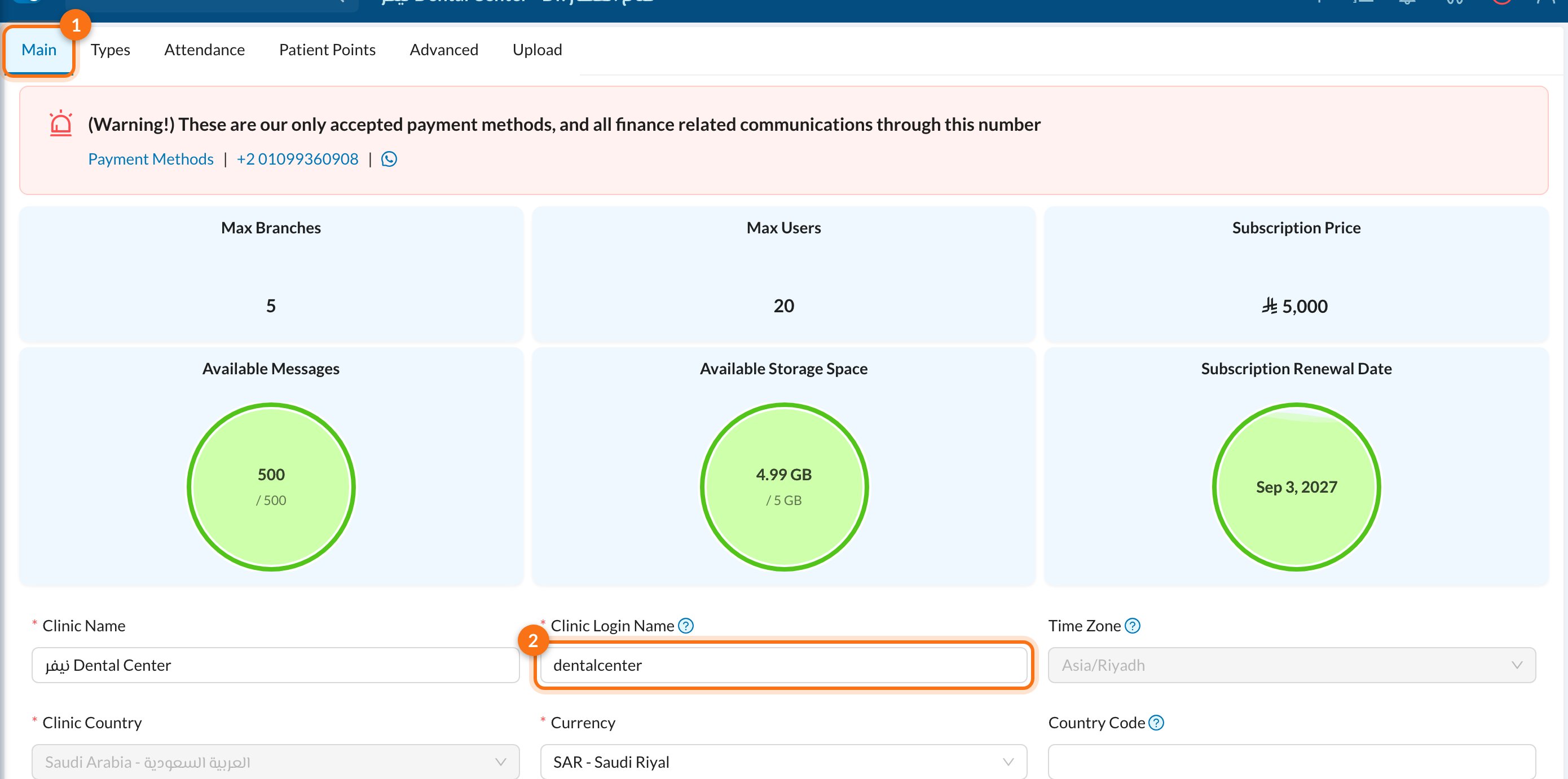
Only users with full permissions (the owner or admin) can open this page. The owner can change the name here and click Save, but users who log in with a username must then use the new name.
🔐 Two-factor verification
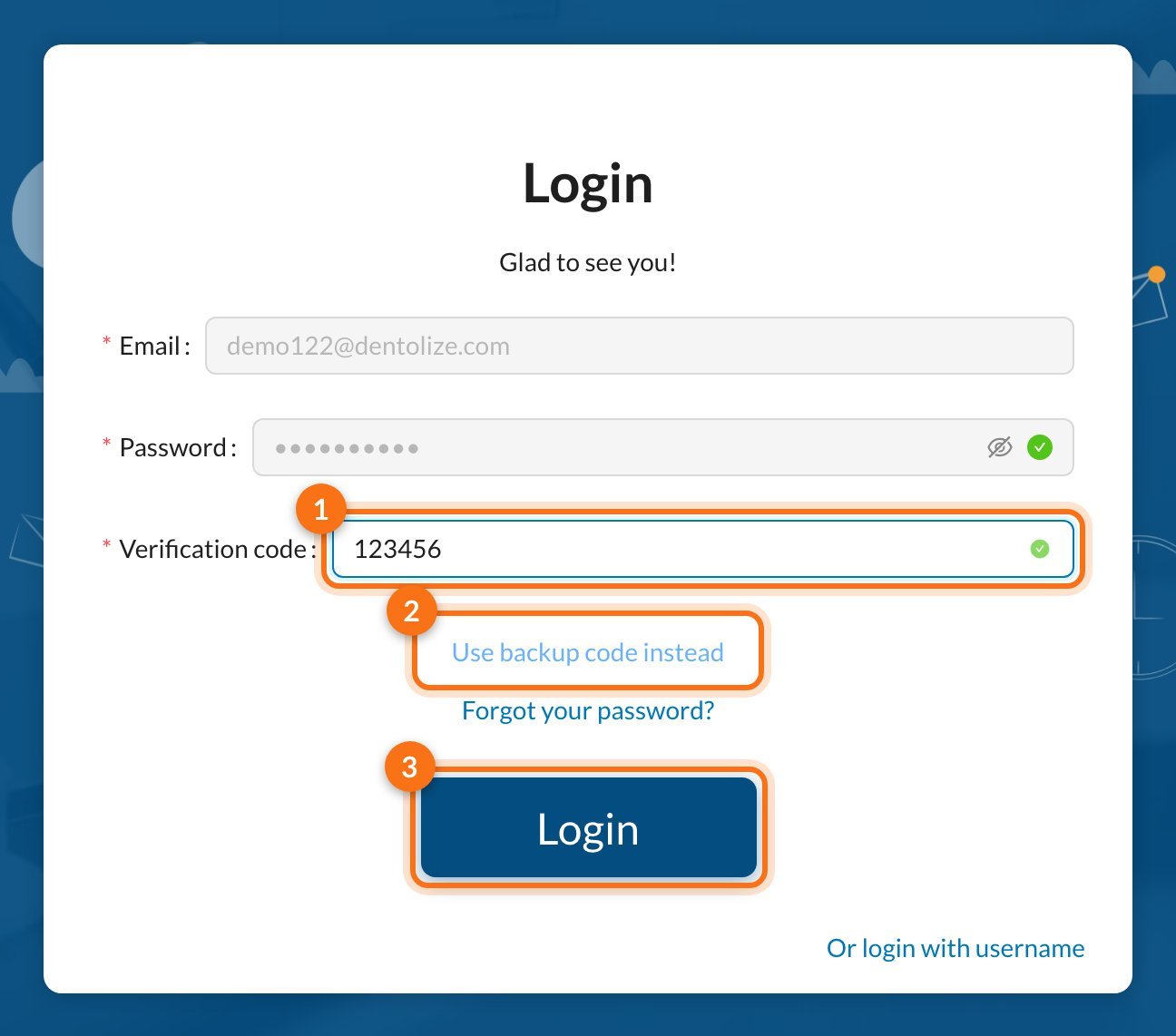
If two-factor authentication is turned on for your account, a Verification code field appears after you click Login. To turn it on, see My user settings.- Open your authenticator app (e.g. Google Authenticator) and type the 6-digit code in Verification code.
- Lost access to your phone? Click Use backup code instead and enter one of the backup codes you saved when you turned on two-factor.
- Click Login.
🔑 Forgot your password?
1
Click Forgot your password?
On the login page, click Forgot your password? under the password field.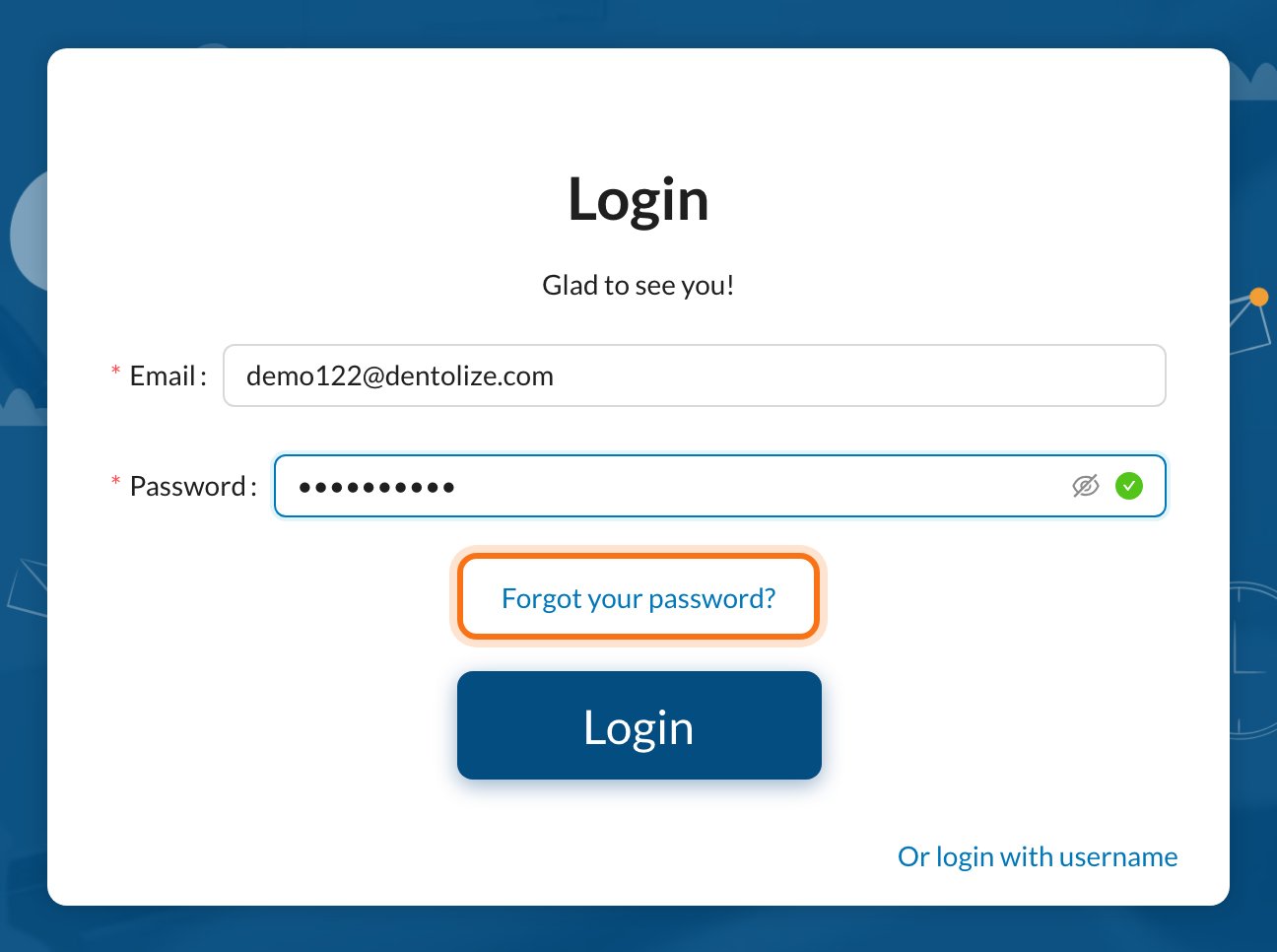
2
Enter your email and submit
Type your account email (1) and click Submit (2).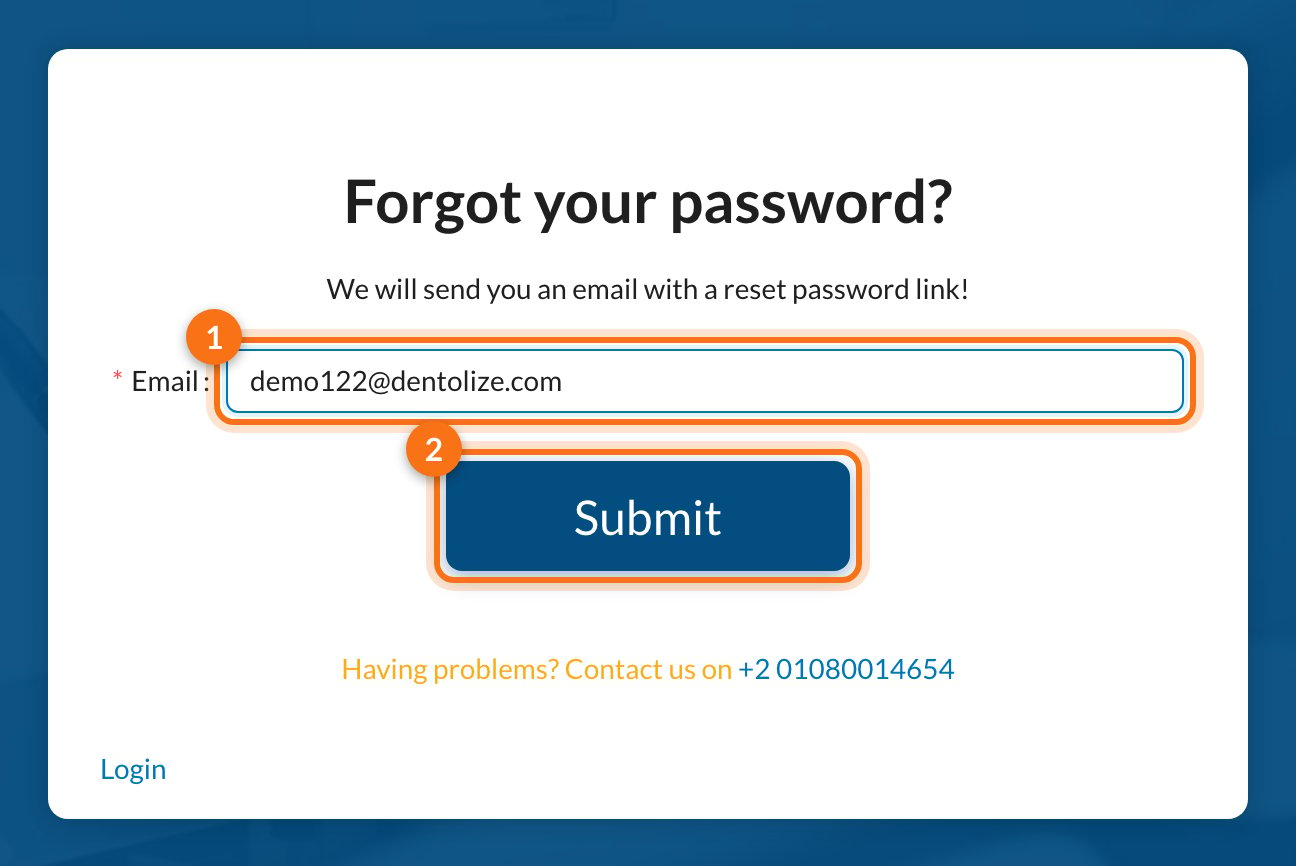
3
Open the reset link
Check your inbox for the reset email (check Spam too). Click the link in the email, choose a new password, then log in with it.
Password reset by email only works for accounts that have an email. If you log in with a username, ask the clinic owner or admin to set a new password for you from Settings → Users.
✅ After you log in
You land on the Dashboard, which shows today’s appointments and invoices. From here, use the menu on the left to move around the system.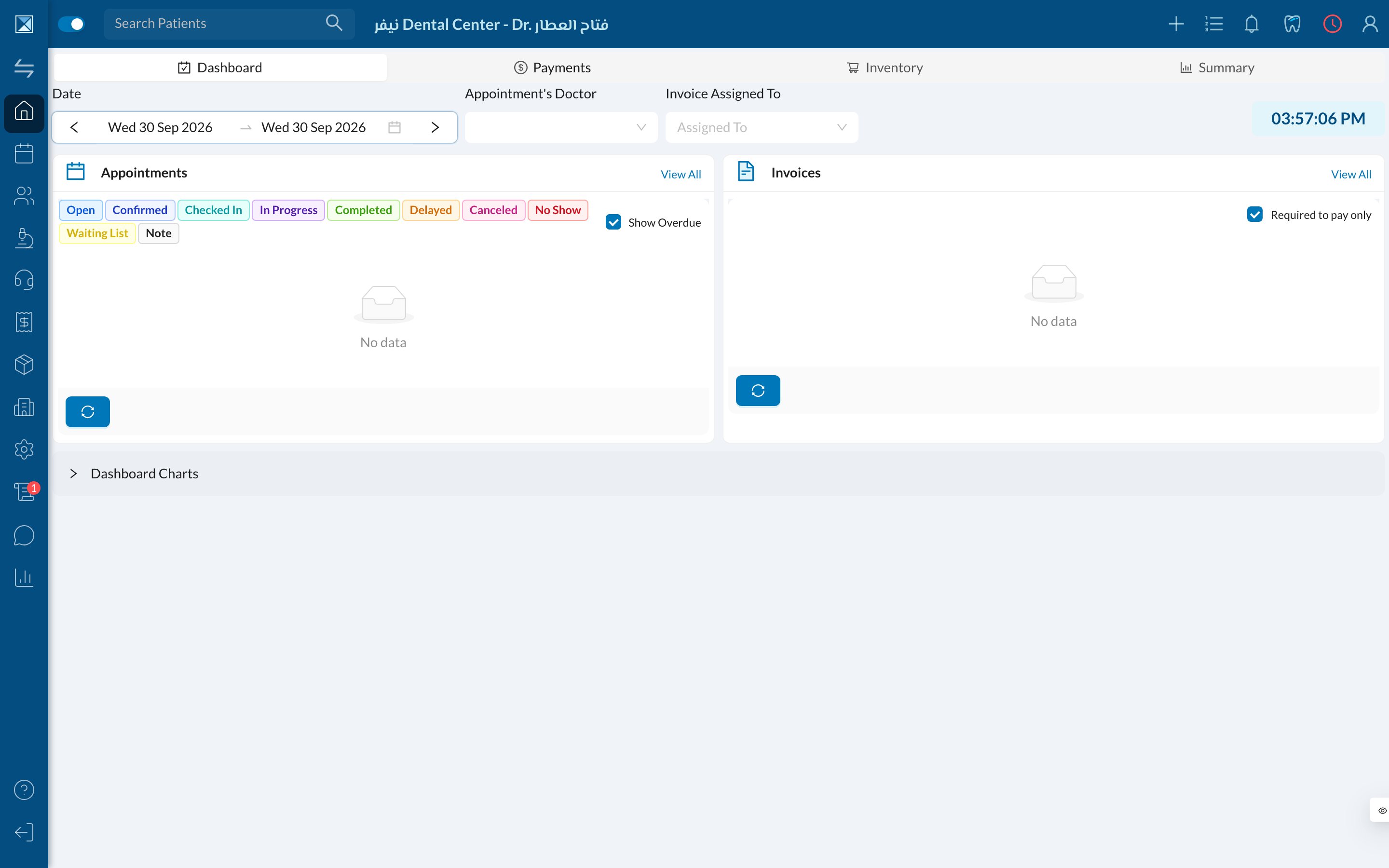
❓ Troubleshooting
Email and password doesn't match
Email and password doesn't match
The email or password is wrong. Check for extra spaces, and make sure Caps Lock is off. If you still can’t log in, use Forgot your password?.
Email not confirmed
Email not confirmed
Your email hasn’t been verified yet. Click Resend verification mail in the window that appears, open the email, and click the confirmation link. Then log in again.
User Disabled!, please contact the owner or admin
User Disabled!, please contact the owner or admin
Your user was disabled by the clinic. Contact the clinic owner or admin to enable it again from Settings → Users.
Your Tier is expired, please renew your subscription
Your Tier is expired, please renew your subscription
The clinic’s subscription has ended. The clinic owner needs to renew it. Contact Dentolize support if you need help.
Login Blocked – you have exceeded the max attempts
Login Blocked – you have exceeded the max attempts
For security, login is blocked after too many failed attempts in one day. Wait 24 hours and try again, or reset your password.
User not found (username login)
User not found (username login)
The username doesn’t exist in this clinic. Check the clinic login name and the username with your admin.