

1
When booking
In the Diagnostic Fees section of the appointment form, choose Collected, enter the amount and payment method, then click Submit.
2
Or later, from the appointment
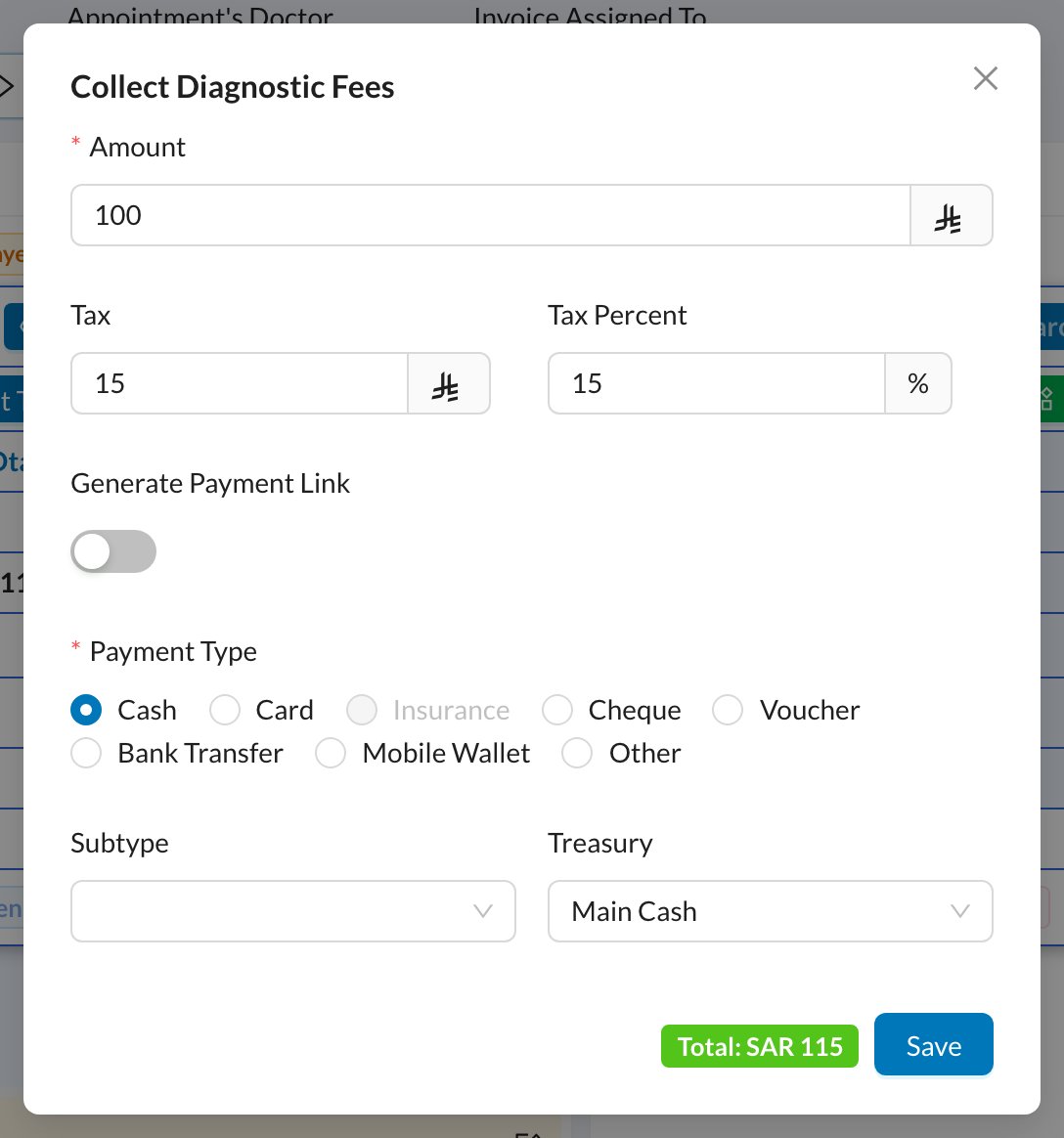
Click the appointment, then Collect Diagnostic Fees. Enter the amount (tax is added automatically), the payment method and the treasury, and click Save.
3
Or add it to the next invoice
When booking, choose Add to Next Invoice: the fee is added to the patient’s next invoice instead.
4
Check the result
An invoice and a payment are created for the fee. You’ll find them in Finances → Invoices and Finances → Payments, not in the chart.
The diagnostic fee option can’t be changed after the appointment is created. If you chose None, use Collect Diagnostic Fees later.
Still stuck?
Send us a message in System Chat inside Dentolize with a screenshot, and tell us which step didn’t work. Tip: next time, search this site first. Most answers take less than a minute.