

1
Turn points on
Dentolize turns patient points on for your clinic. Ask the Dentolize team in System Chat.
2
Set the rules (owner)
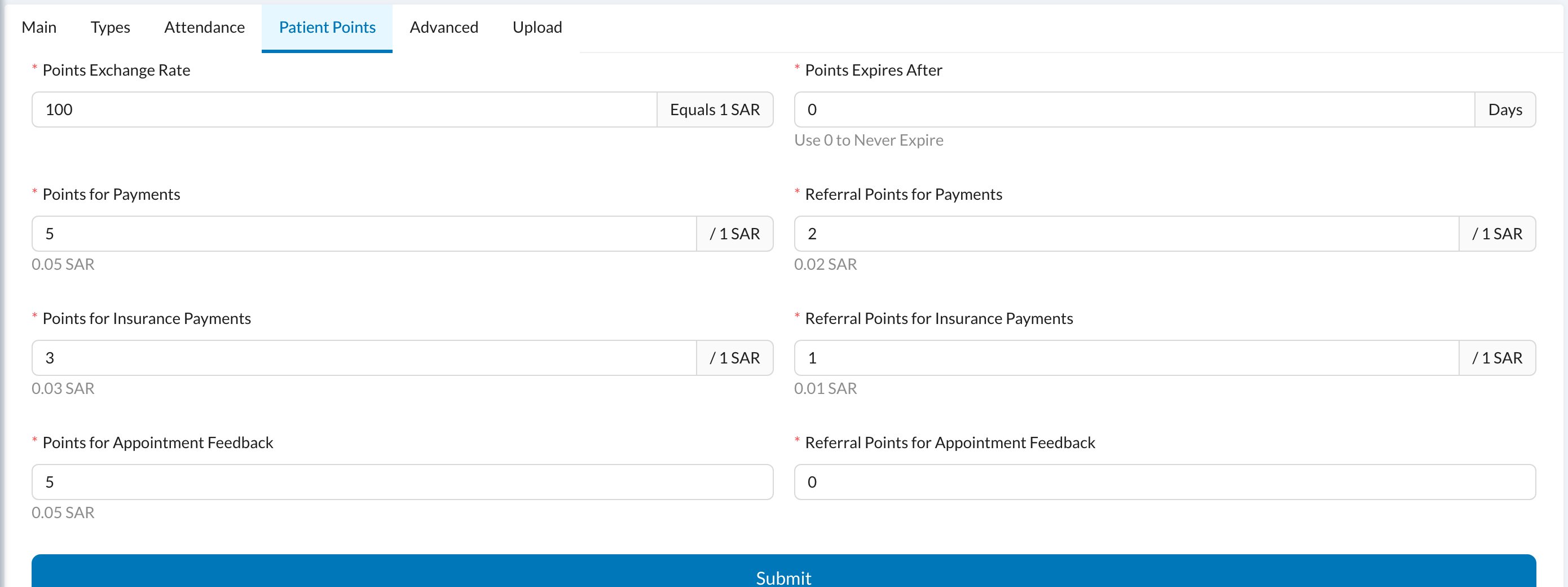
In Settings → Clinic → Patient Points, set the Points Exchange Rate (for example, 100 means 100 points = 1 SAR), Points for Payments, Points Expires After and any referral points. The Calculator shows what a payment would earn.
3
Patients earn points
Points are added for each payment the patient makes. They show on the patient’s profile, and all patients’ points are listed in Logs → Points.
4
Use them as a discount
At reception, the patient’s points are used as a discount on their invoice. If that invoice is cancelled, the points are returned.
Points are earned on payments, not on procedures. Staff with the Edit Patient Points permission can add, edit and transfer a patient’s points.
Still stuck?
Send us a message in System Chat inside Dentolize with a screenshot, and tell us which step didn’t work. Tip: next time, search this site first. Most answers take less than a minute.