

1
Open the payment
From Finances → Payments, or the invoice’s Payments tab.
2
Click Refund Payment
The refund window opens.
3
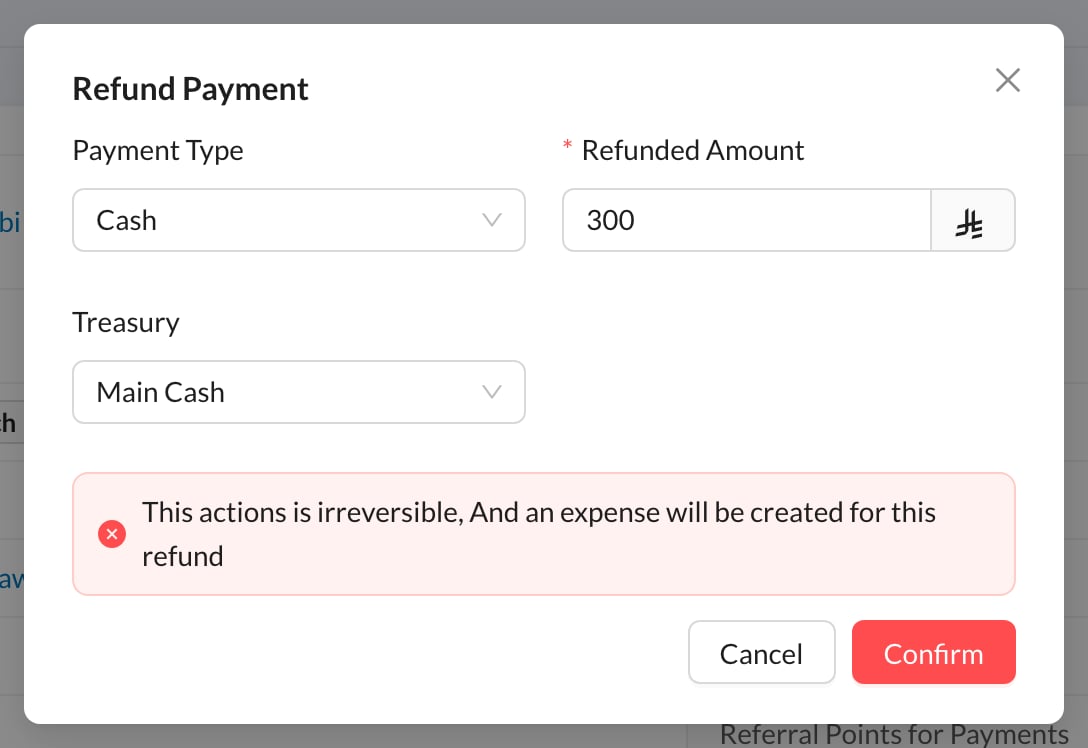
Fill in the refund
Choose the Payment Type and the Treasury the money is given back from, and enter the Refunded Amount (less than the payment for a partial refund).
4
Click Confirm
The money is taken out of the treasury and recorded as an expense of type Patient Refund, on the day of the refund.
Still stuck?
Send us a message in System Chat inside Dentolize with a screenshot, and tell us which step didn’t work. Tip: next time, search this site first. Most answers take less than a minute.