

The WhatsApp Bot connects your clinic’s WhatsApp number to Dentolize through Meta’s official WhatsApp Business Platform. Once it’s connected, you can:
- Send reminders, confirmations and other automatic messages by WhatsApp instead of, or as well as, SMS.
- Let patients book appointments, check invoices and more by chatting with the bot.
- Reply to patients from the WhatsApp Bot inbox in Dentolize.
📍 Where to find it
In the side menu, click Settings (1), then Integrations (2), and open the WhatsApp Bot tab. Only the clinic owner or an admin (users with full permissions) can see this tab.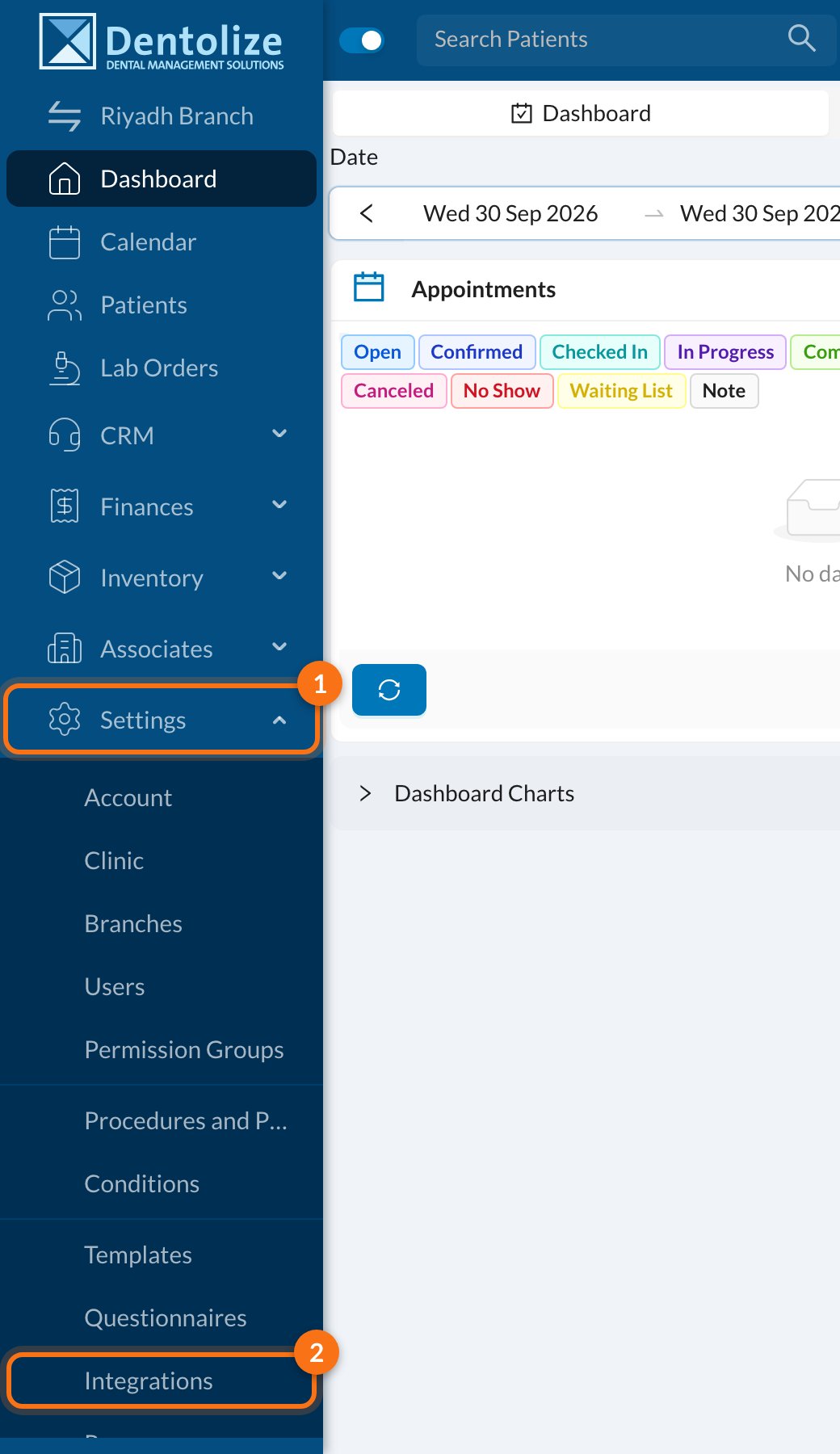
🔒 If you see “Feature Disabled”
The WhatsApp Bot needs to be enabled for your clinic first. If the tab shows Feature Disabled — Please Contact us to enable this feature, contact Dentolize support.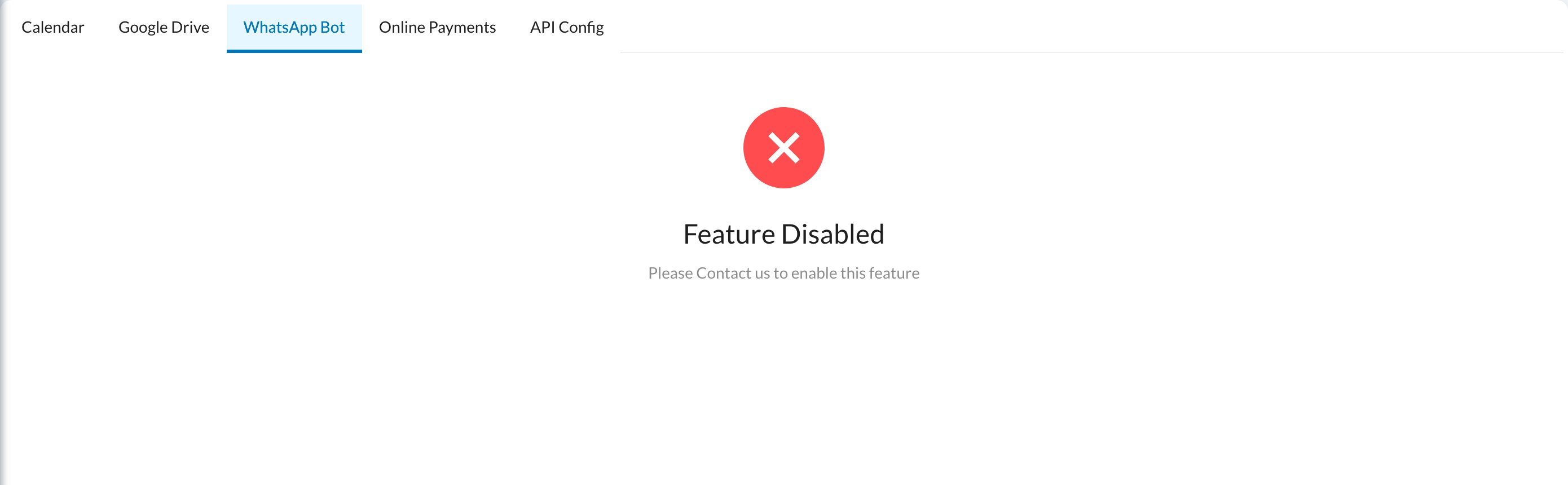
🔗 Connect your number
When the feature is enabled, the tab shows a Login with Facebook button. Before you click it, read Important warnings, then follow Steps to activate WhatsApp Bot to link your number through Meta.✅ When it’s connected
The tab shows You Successfully Logged In, with your WhatsApp business name and number.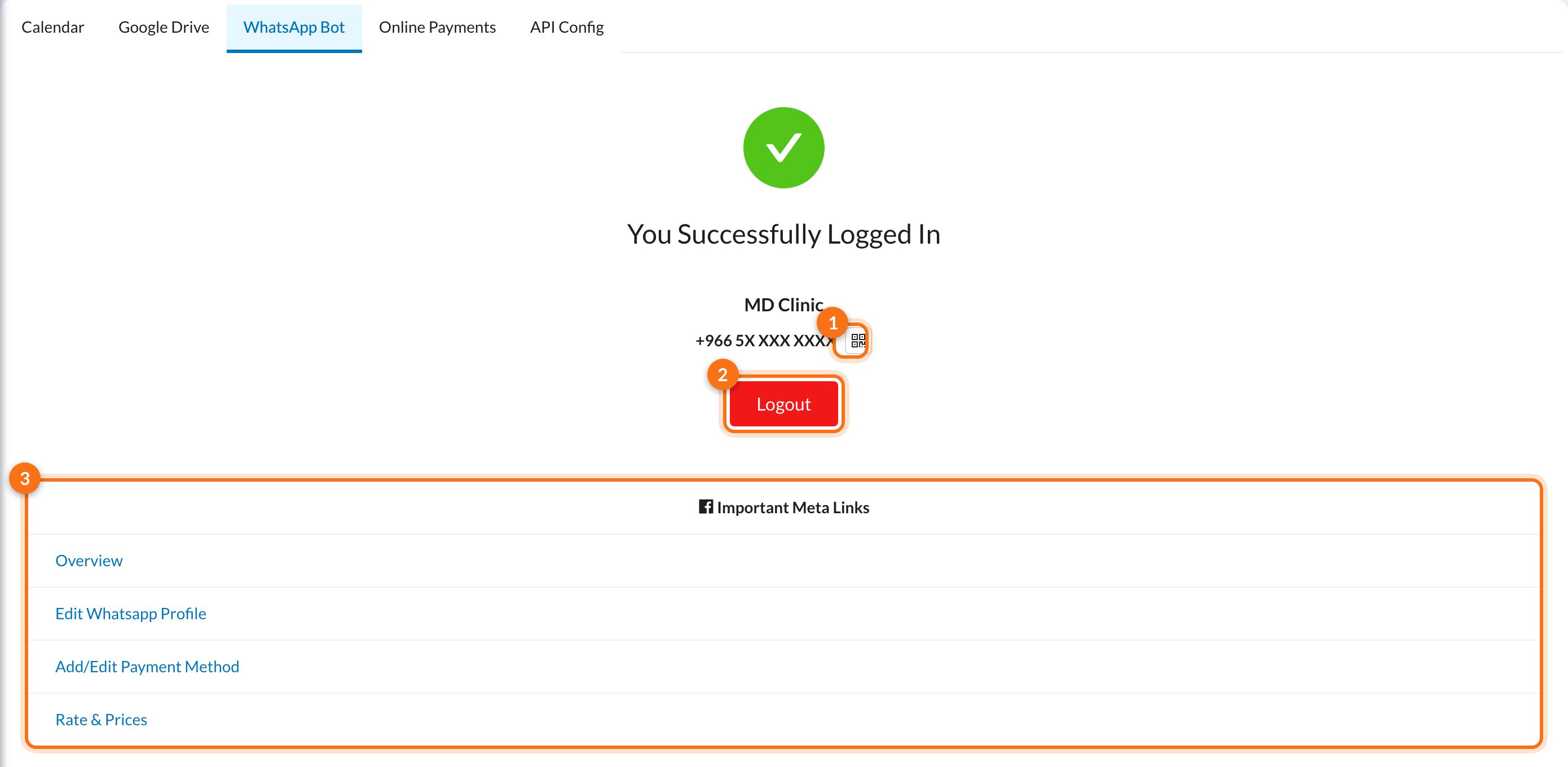
- QR code: opens a QR code that starts a chat with your bot. Print it or share it so patients can reach you easily.
- Logout: disconnects the number. See the warning below before using it.
- Important Meta Links: shortcuts to your WhatsApp account in Meta: Overview (account status and quality), Edit Whatsapp Profile, Add/Edit Payment Method and Rate & Prices.
Don’t click Logout unless you want to stop using the bot. Logging out disconnects the number, stops all automatic WhatsApp messages and deletes your WhatsApp message templates from Dentolize. To use the bot again, you have to go through Meta’s sign-up again.
💬 Free and paid messages
- When a patient messages you, WhatsApp opens a 24-hour window in which your replies are free.
- From 1 October 2026, replies are free for the first 1,000 messages per number each month. After that, Meta charges for them. The WhatsApp Bot page shows a counter of free messages used this month.
- Messages sent outside the window, such as reminders to patients who haven’t written to you, need a Meta-approved template, Allow Paid SMS Outside 24h Window turned on in the bot settings, and a payment method in Meta. If any of these is missing, the message isn’t sent.
📚 Next steps
Important warnings
Read before activating.
Activate the bot
Link your number through Meta, step by step.
Bot settings
Replies, language, booking, menu and more.
Automated messages
Templates and reminders over WhatsApp.
❓ FAQ
I don't see the WhatsApp Bot tab
I don't see the WhatsApp Bot tab
Only users with full permissions (the owner or an admin) can see it. Ask your clinic’s owner or admin.
Where do I see my number's status or quality rating?
Where do I see my number's status or quality rating?
Open Overview in Important Meta Links. Dentolize doesn’t show the quality rating or messaging limit.
Automatic WhatsApp messages aren't being sent
Automatic WhatsApp messages aren't being sent
Check Logs → Communications for errors. Messages outside the 24-hour window need an approved template, Allow Paid SMS Outside 24h Window turned on, and a payment method in Meta. Also make sure the number is still connected on this tab.
Can I use WhatsApp without the bot?
Can I use WhatsApp without the bot?
Yes, manually: the WhatsApp icon on appointments and reminders opens the patient’s chat in your own WhatsApp, with the message ready to send. Nothing is sent automatically.