

A patient’s balance is money they paid in advance, for example a deposit for a treatment plan. You can use it later to pay their invoices.
➕ Add balance
Click Add Balance in an appointment’s Patient Actions (1), or on the patient’s profile: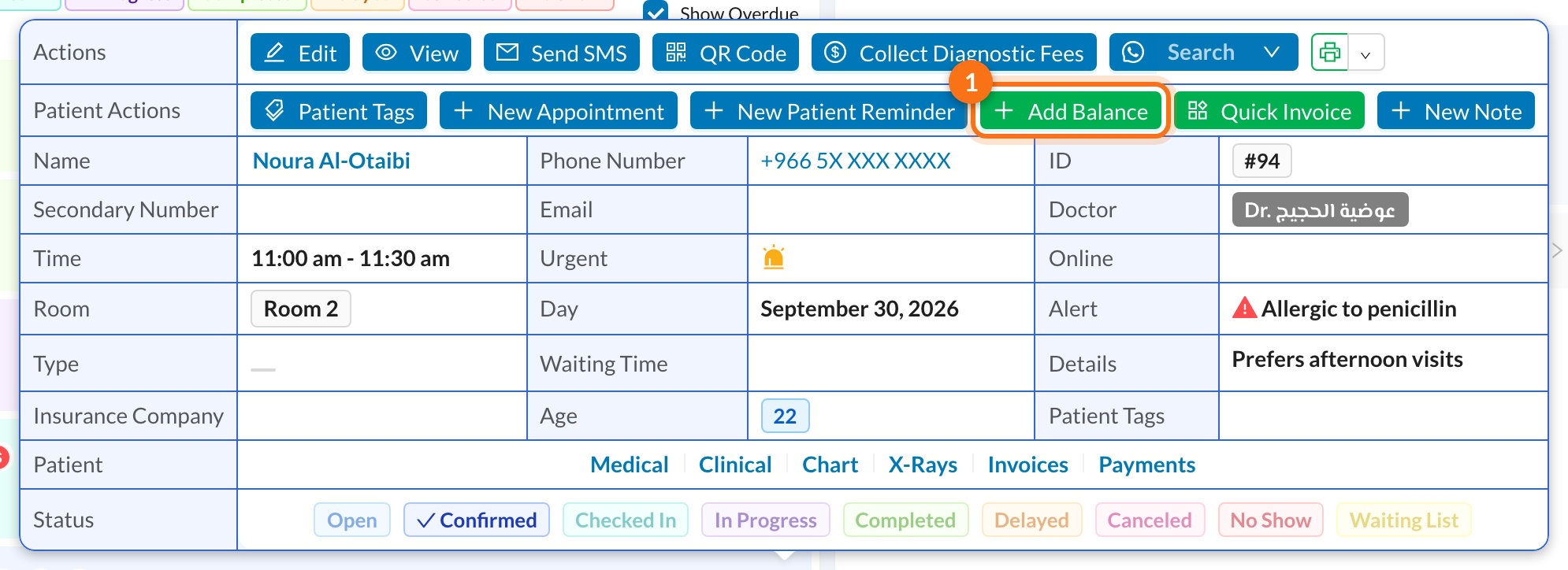
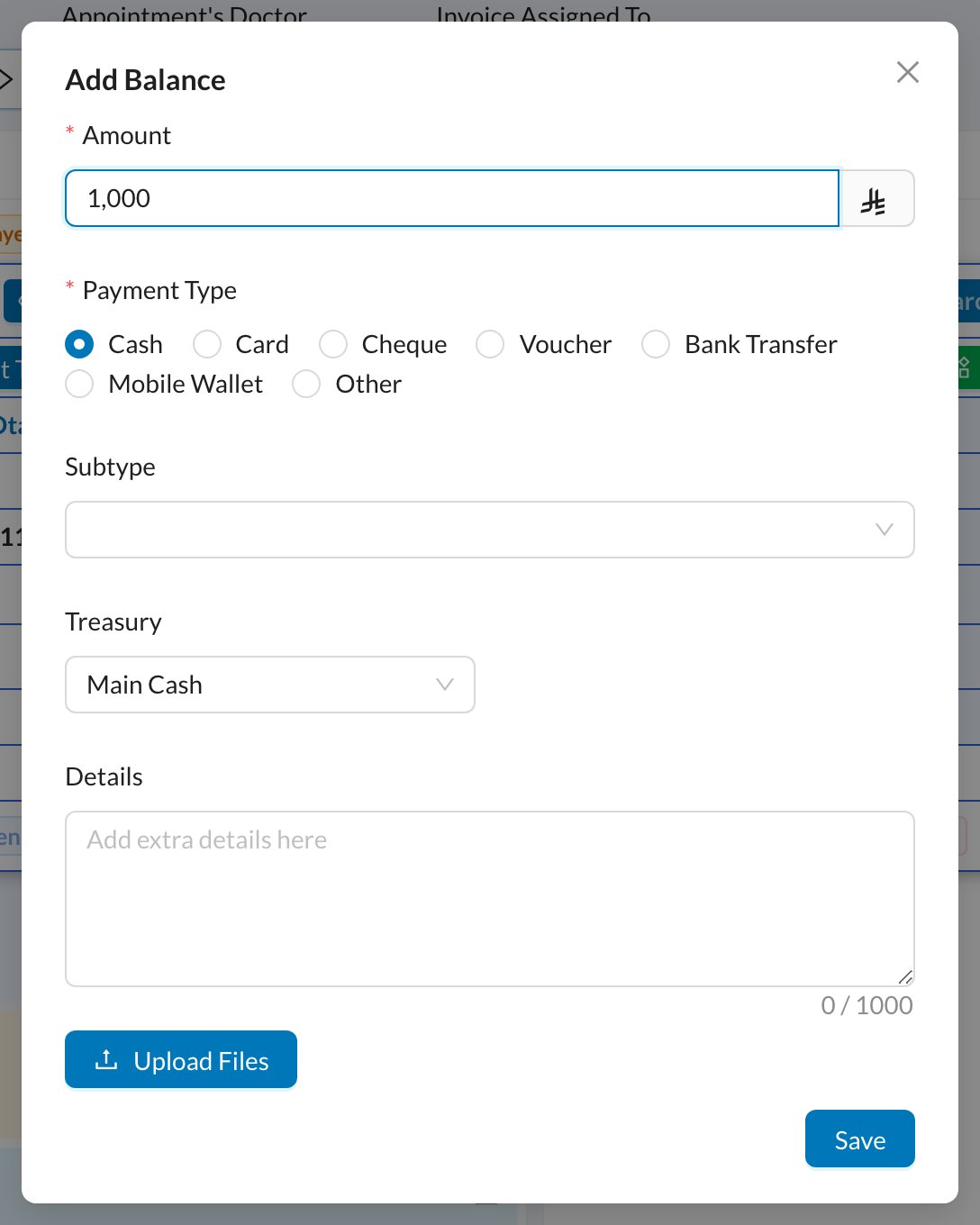
Adding balance counts as money received now. When the patient later pays an invoice from their balance, the money isn’t counted again.
💳 Pay an invoice from the balance
Open the invoice and click Add Payment. Tick Deduct paid amount from Patient Balance and click Save. If the balance doesn’t cover the full amount, the rest is paid with the payment type you chose. The amount paid from the balance can’t be more than what’s left on the invoice.🔁 Other ways balance is added
- Overpayment: when a patient pays more than what’s left on an invoice, Dentolize offers to add the extra to their balance.
- Move to Balance: on a payment’s page, turn an existing payment into balance.