Open the patient and click the Perio tab (dental clinics only). Periodontal chart For each tooth, on the buccal and lingual sides, record:
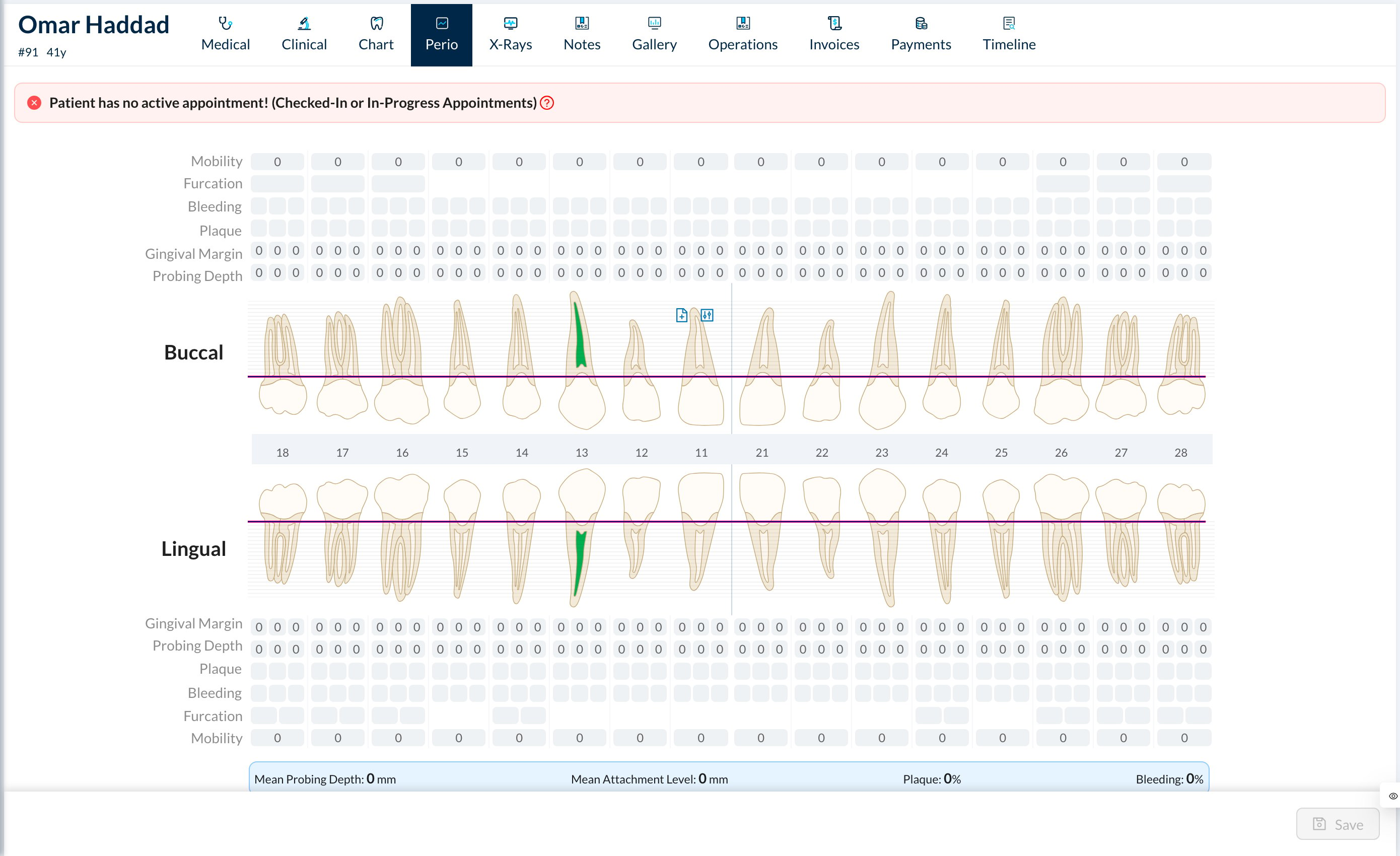
  • Mobility: click to change from 0 to 3.
  • Furcation: click the circle to change the grade (molars and upper first premolars).
  • Bleeding and Plaque: click each site to mark it. Click the row’s label to mark all teeth.
  • Gingival Margin and Probing Depth: type the number for each of the 3 sites. Depths above 3 mm turn red.
The graph under each row updates as you type, and the bottom bar shows the Mean Probing Depth, Mean Attachment Level, Plaque % and Bleeding %. Click Save.
Each patient has one periodontal chart. Saving replaces the previous values, so earlier readings aren’t kept.
Teeth marked missing on the Chart are greyed out and not counted.