

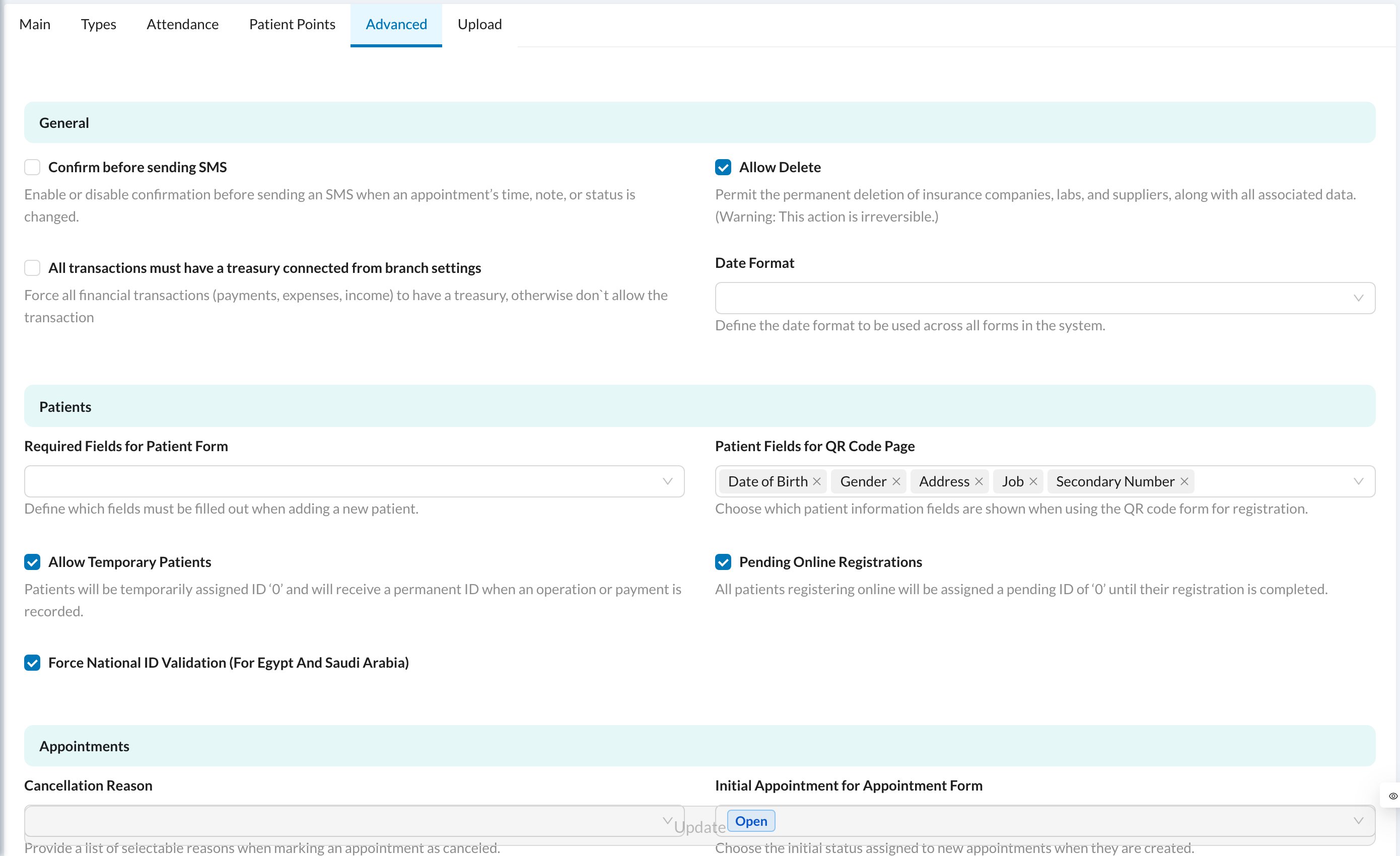
Go to Settings → Clinic → Advanced (clinic owner only). Change the options and click Update at the bottom.
| Section | Main options |
|---|---|
| General | Confirm before sending SMS · Allow Delete (permanently delete insurance companies, labs and suppliers) · require a treasury on every transaction · Date Format |
| Patients | Required Fields for Patient Form · fields on the QR registration page · Allow Temporary Patients (ID 0 until a treatment or payment) · Pending Online Registrations · national ID validation (Egypt and Saudi Arabia) |
| Appointments | Cancellation Reason list · initial status of new appointments · hide the queue on the appointment QR page · Dark Calendar Colors · let patients confirm or cancel · Force New Appointment With Cancel · Patient Access for the appointment’s doctor |
| Operations | treatments pre-selected for invoicing · alert before packages expire · Minimum Required To Pay After Appointment · Confirm before operation actions · Prevent Auto Doctor Update · Disable Automatic Inventory |
| Insurance | require Pre Auth. on insurance invoices and approved treatments · lock pending treatments until approved |
| Inventory | require expiry dates on purchases · days before expiry alerts |
| QR Code Settings | QR codes on prescriptions, forms, invoices, chart, medical history, lab orders, encounters and expenses |
| Patient Signature | forms every patient must sign · require the signer’s ID and name · require a witness |
| Disabled Features | hide Lab Orders or Encounters |
Allow Delete permanently deletes insurance companies, labs and suppliers with all their data. Keep it off unless you need it.